16
CONNECTING TO FOREFLIGHT MOBILE
Your iOS device must be connected to the Stratus Wi-Fi network, not
Bluetooth, for the receiver to communicate with ForeFlight Mobile.
Multiple iOS devices in the cockpit may be connected to the receiver
simultaneously.
NOTE: The Stratus Wi-Fi network provides a wireless connection between
the receiver and ForeFlight Mobile. It does not provide an internet
connection.
1. Tap the Settings icon on your iOS device’s home screen.
2. Tap Wi-Fi.
3. Ensure that Wi-Fi is enabled.
Tap the Stratus wireless network,
displayed under “Choose a
Network...” to connect. Your
SSID (network name) is on the label on the back of your receiver.
Once your iOS device is connected to the Stratus wireless
network, a checkmark will appear next to the network name.
4. Conrm that the receiver is connected in the Stratus Status page
of ForeFlight Mobile. See the Stratus Status Page section on page
19 for more information on this feature.
NOTE: Receiver Wi-Fi network security can be congured in
ForeFlight Mobile.
Contains FCC ID: YOPGS2100MIP
This system incorporates elements of the UBR technology developed
by the Mitre Corporation on behalf of the U.S. Government
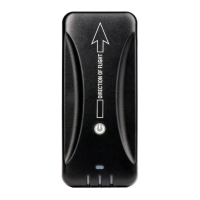
Direction of Flight



 To Next Page