User manual for M1-SH0401
For more information, please visit our website www.en.streamaxtech.com
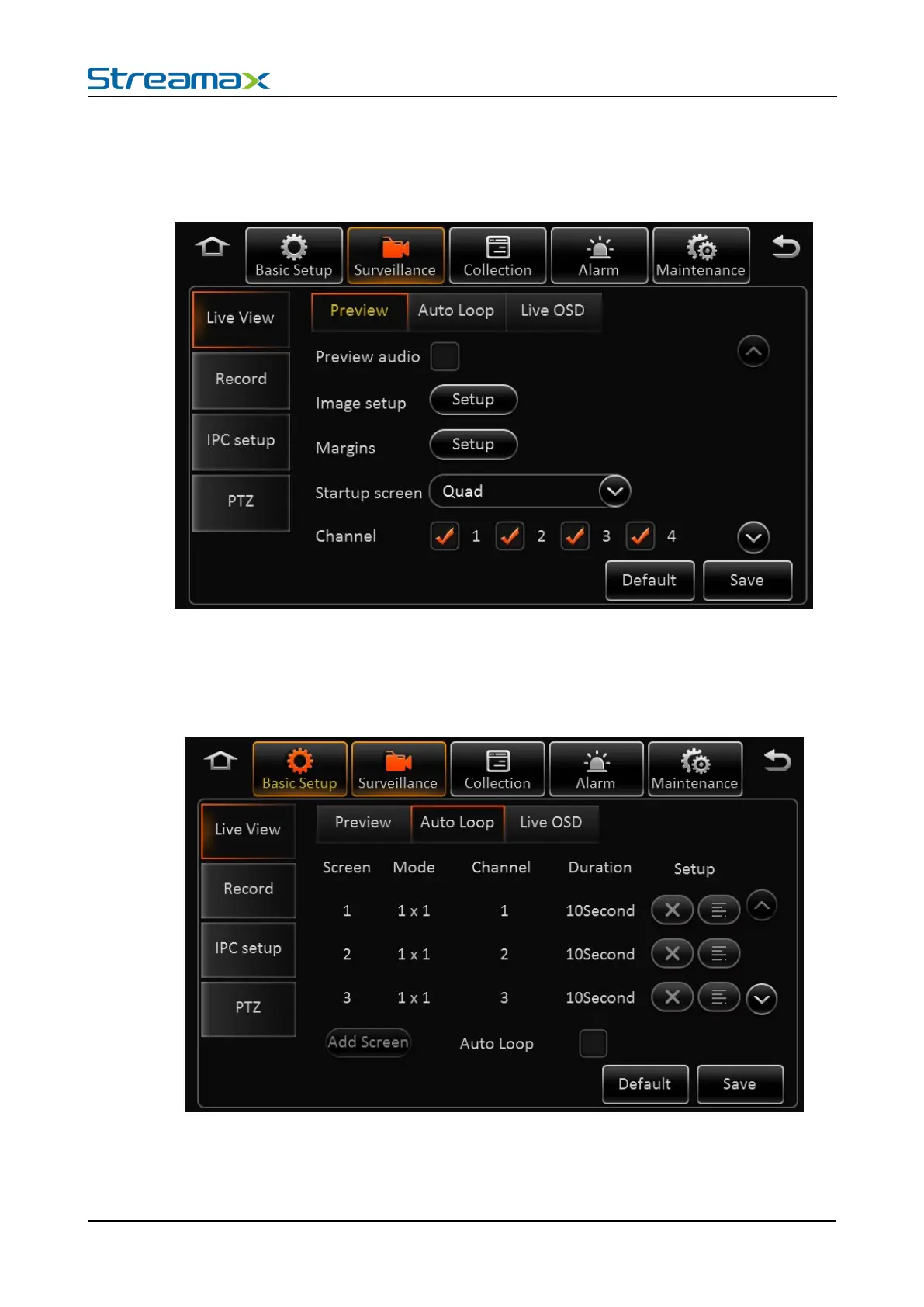
Real-time Setting Interface:
Preview audio: Enable the audio when live view the video.
Image setup: Set the live-view parameters, including brightness, contrast, etc.
Startup Screen: Set the live-view screen, it can be single-screen or quad screen or nine screen
Channel: Set the channel when live-view
Screen: Totally 32 screens can be added.
Mode: 1x1, 2x2, 3x3 optional.
Channel: Included channel number.











 To Next Page