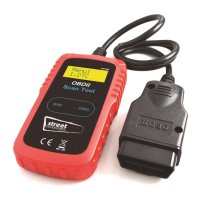
Technical Parameters
Voltage Measurement Range: 6-18V DC.
Unit Operation/Buttons
8. Engine system operates normally
without fault codes
9. Engine system is abnormal and
there is pending fault code
10. Engine system has fault, and check
engine light is on.
Features and Functions
Main Menu
When the OBDII plug is connected to the vehicle OBDII socket the main menu will display on
the unit - to begin diagnostics turn the ignition key of the vehicle to standby.
Identifies pending codes.
Read live PCM data stream.
Displays live O2 sensor test data.
Graphs data (1996 and newer).
Reads, stores & playbacks live sensor data,
DTC data and freeze frame data.
Performs modules present test.
Retrieves vehicle information (VIN, CIN
and CVN).
Supports CAN (Controller Area Network) and
all other current.
OBD-II protocols.
Built-in OBD-II DTC lookup library.
Large easy-to-read backlit LCD screen.
To Diagnose Vehicle
Select Diagnose from the main
screen, after a short analysis the
following screen will show. Press OK
and select the error/information you
wish to see from the list of functions
opposite.
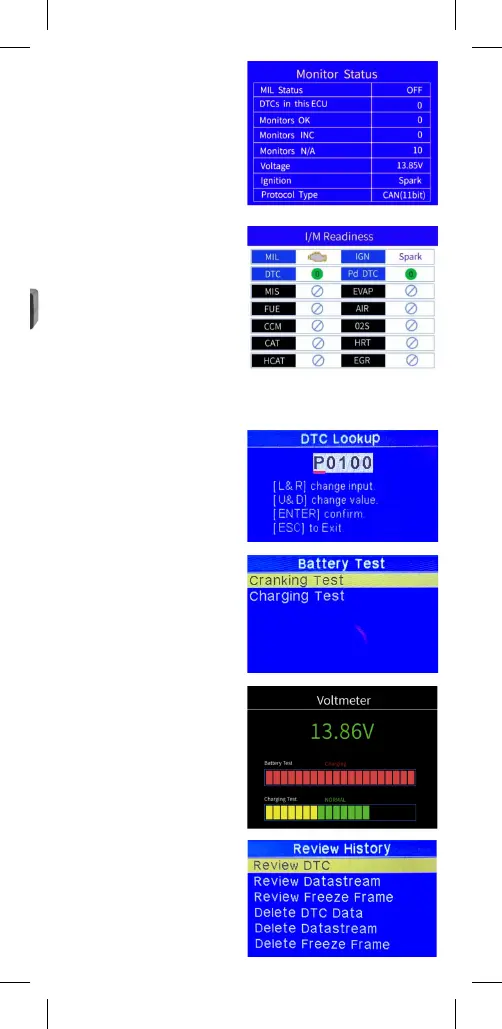
I/M Readiness
Select I/M Rediness from the main
screen or press the I/M Rediness
button the front of the unit then press
OK, the following screen will show
DTC Lookup
Select DTC Lookup on the main menu
and press OK and follow the onscreen
instructions.
Battery System
Select Battery System on the main
menu and press OK and follow the
onscreen instructions.
Voltmeter
Select Voltmeter on the main menu.
Review History
Select Review History on the main
menu and press OK and follow the
Read Codes
Erase Codes
I/M Readiness
Data Stream
Freeze Frame
O2 Sensor Test
On-Board
Monitoring
Evap System
(mode$8)
Vehicle
Information


 To Next Page
 Loading...