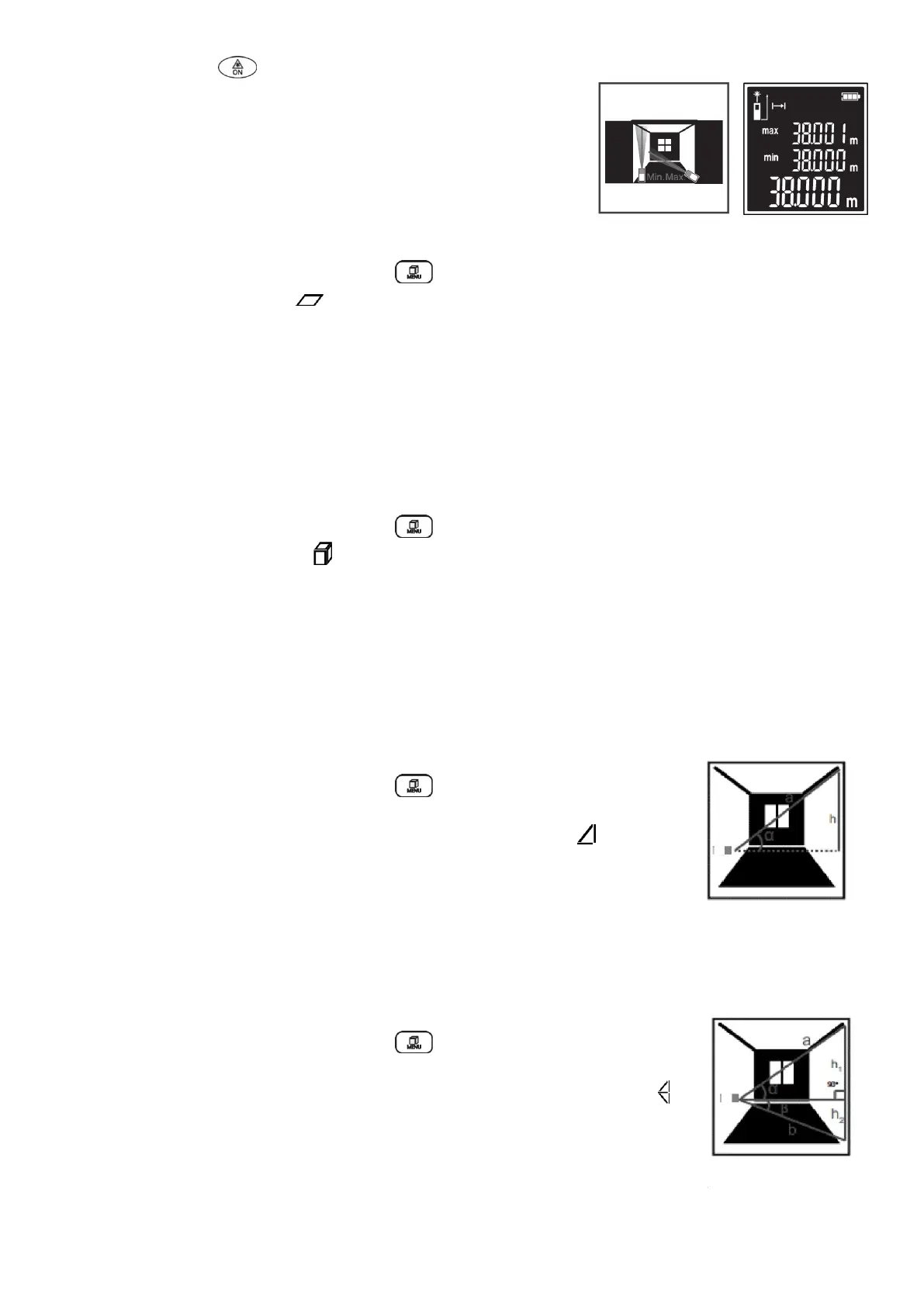
- Short-time pressing button once more, restarts the continuous-mode measurement.
Fig. D
Area measurement
- When the equipment is switched on, press button to switch measurement functions.
- Select the area measurement .
- Then measure the width and length one after the other as for length measurement.
The laser beam remains switched on between the two measurements.
- The first measured value is shown at the top of the display.
- After the second measurement has been completed, the area will be automatically calculated and
displayed.
- The end result is shown at the bottom of the display, while the individual measured values are shown
above it.
Volume measurement
- When the equipment is switched on, press button to switch measurement functions.
- Select the volume measurement .
- Then measure the width, length and depth one after the other as for length measurement.
- The laser beam remains switched on between the three measurements.
- The first measured value is shown at the top of the display.
- After the third measurement has been completed, the volume will be automatically calculated and
displayed.
- The end result is shown at the bottom of the display, while the individual measured values are shown
above it.
Indirect height measurement (Pythagoras)
- When the equipment is switched on, press button to switch measurement
functions.
- Select the indirect height measurement (Pythagoras) measurement .
- Ensure that the measuring tool is at the same height as the lower measuring
point.
- Measure the distance “a” as for a length measurement.
- Upon completion of the measurement, the result for the sought distance “h” is
shown at the bottom of the display.
The measuring values for the distance “a” and the angle “α” are shown above it.
Indirect Height Measurement (2x Pythagoras +)
- When the equipment is switched on, press button to switch measurement
functions.
- Select the indirect height measurement (twice Pythagoras plus) measurement .
- Measure distances “a” and “b” in this sequence as for a length measurement.
- Upon completion of the measurement, the result for the sought distance “h” is
shown at the bottom of the display.
- The measuring values for the distances “a” and “b” and the angle “α” are shown
above it.


 To Next Page