6. Do not throw damaged or discharged batteries into normal waste, but be careful for environment and
take them to collection points provided their recycling.
7. Keep batteries out of children reach.
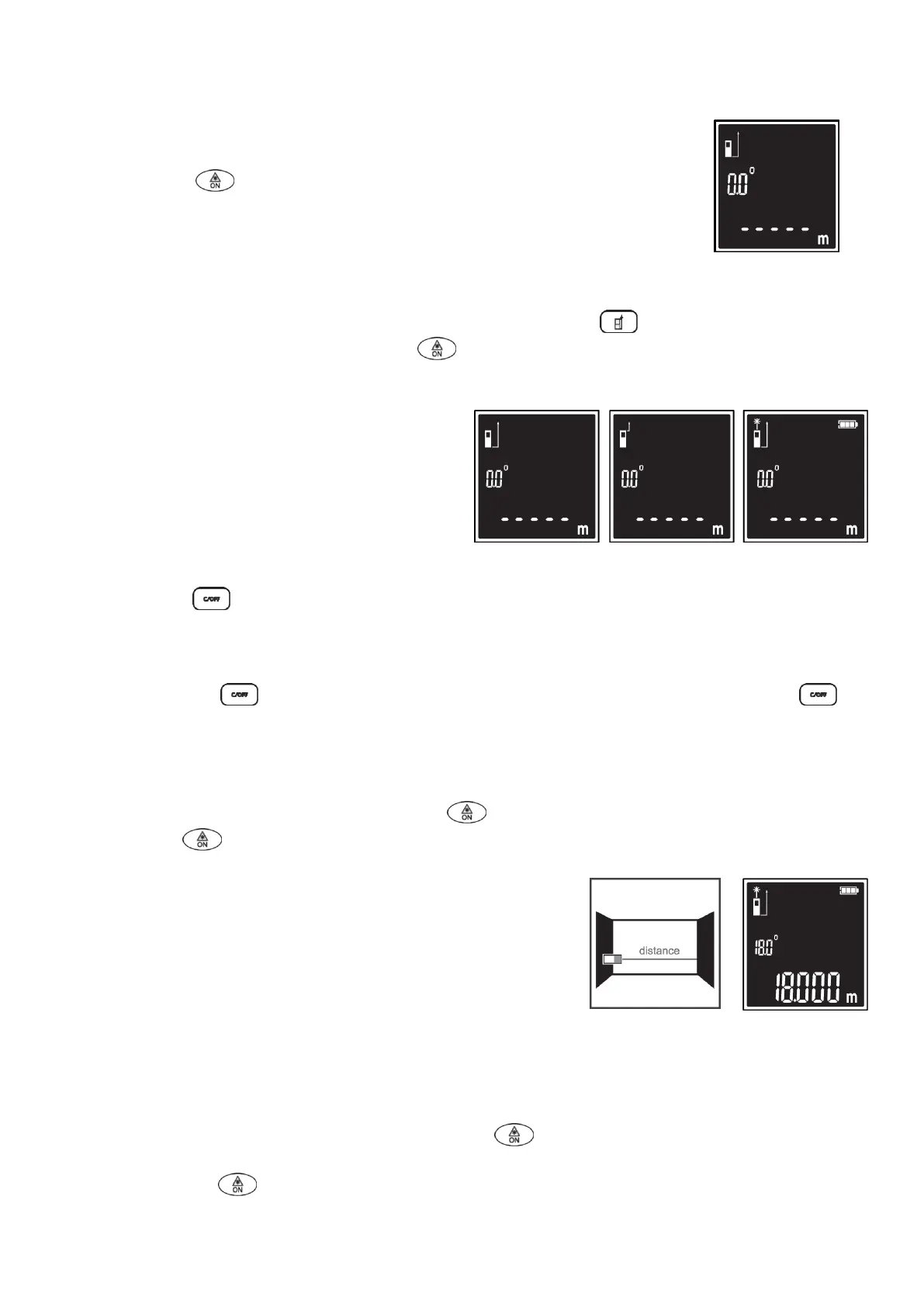
SWITCH ON
- Short-time press button to switch on the equipment, indication as shown as
fig. A.
Fig. A
CHANGE MEASUREMENT REFERENCE
- Default measuring reference is the bottom of meter. Short-time press to change the measuring
reference to the top of meter. Short-time press , laser reflection signal indication will display,
meanwhile battery intensity indication display as shown as fig. B.
Fig. B
SWITCH OFF
- Long-time press to switch off the equipment. The laser will be switched off automatically after 30
seconds and the equipment will be powered off after 3 minutes without any operation.
CLEAR BUTTON
- Short-time pressing button to clear the last measured value. Repeated short-time pressing
button will clear the measured values one by one.
MEASUREMENT
Length measurement
- When equipment is switched on, short-time press will activate the laser, then aim the laser onto
target and press , again will trigger length measurement, the result is will results displayed
immediately as shown in fig. C.
Fig. C
Continuous-mode measurement
- In Continuous-mode measurement the measuring tool can be moved relative to the target, whereby the
measuring value is updated approx. every 0.5 seconds. In this manner, as an example, you can move a
certain distance away from a wall, while the actual distance can always be read.
- When the equipment is switched on, long-lime pressing button will trigger continuous-mode
measurement.
- Short-time pressing button interrupts continuous-mode measurement.
- The current measured value will be shown at the bottom of the LCD display. The maximum and minimum
measured values appear above it as shown in fig. D.


 To Next Page