- Pay attention that the measuring reference (e. g. the rear edge of the measuring tool) is exactly at the
same location for all measurements.
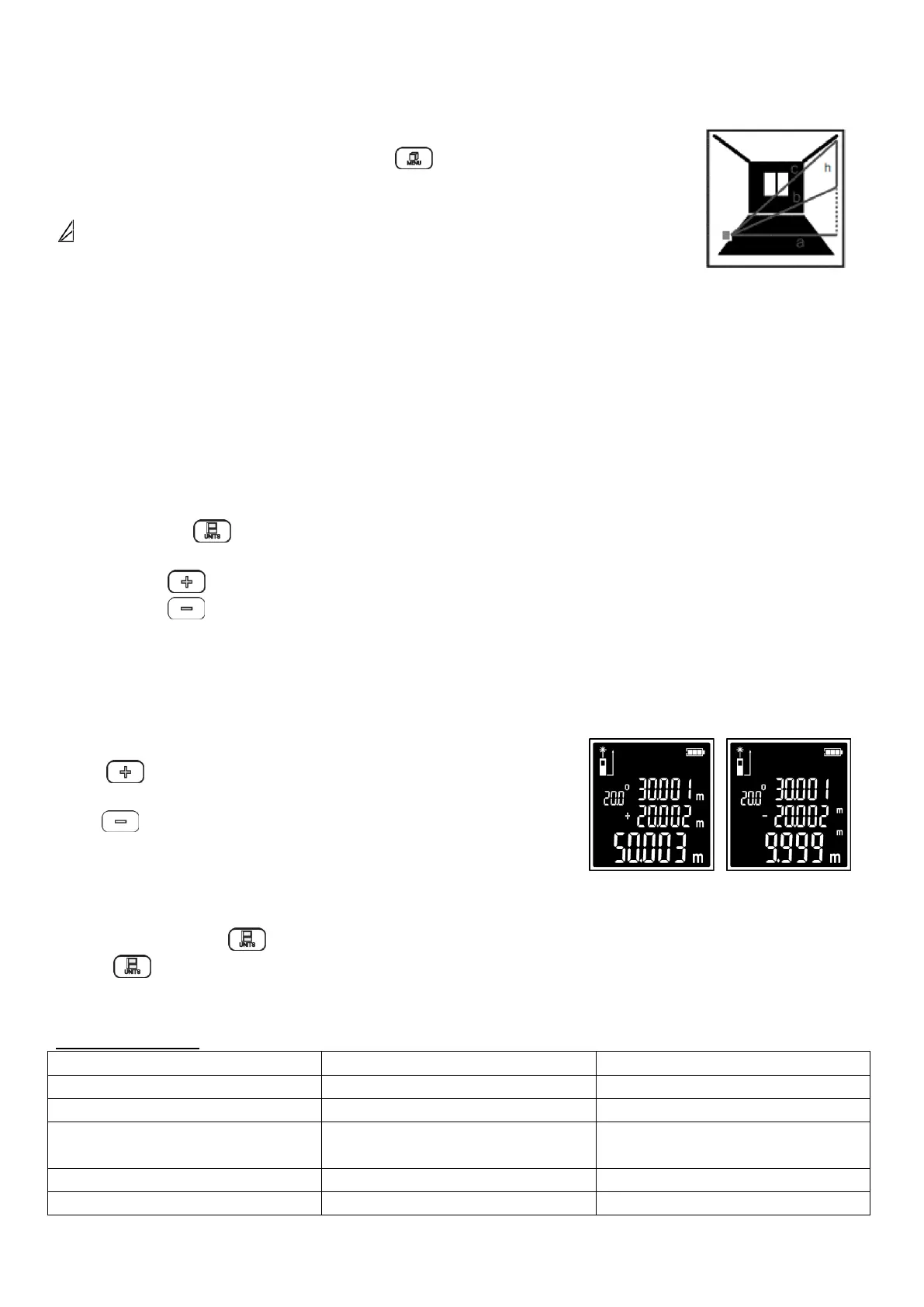
Indirect Height Measurement (2x Pythagoras -)
- When the equipment is switched on, press button to switch measurement
functions.
- Select the indirect height measurement (twice Pythagoras minus) measurement
.
- Measure distances “c” and “b” in this sequence as for a length measurement.
- Upon completion of the measurement, the result for the sought distance “h” is
shown at the bottom of the display.
- The measuring values for the distances “c” and “b” and the angle “α” are shown above it.
- Pay attention that the measuring reference (e. g. the rear edge of the measuring tool) is exactly at the
same location for all measurements.
MEMORY FUNCTIONS
- The value or end result of each completed measurement is automatically saved.
Memory Value Display
- Maximum 99 values (measured values or end results) can be retrieved.
- Press the button .
- The display shows the memory value and the corresponding measured value.
- Press button to browse forwards through the saved values.
- Press button to browse backwards through the saved values.
- If no value is available, "0" and "0.000" are displayed.
- The oldest value is located in position 1 in the memory, while the newest value is in position 99 (when 99
memory values are available). When a further value is saved, the oldest value in the memory is always
deleted.
ADDING/SUBTRACTING VALUES
Press button, the meter can calculate the last measurement
and the current measurement.
Press button, the meter can calculate the last measurement
minus the current measurement.
CHANGING THE UNIT OF MEASURE
Unit of measure „m” (meter) is set by default.
Press and hold button , the unit will change from „m” (meter) to „ft” (foot). Pressing and holding
button again changes the measuring unit from "ft"(foot) to "in" (inch).
The selected setting remains saved after you switch off the measuring tool.
TROUBLESHOTING


 To Next Page