29 BA_VEB100-2-4-5_A5-3_230118_en.doc
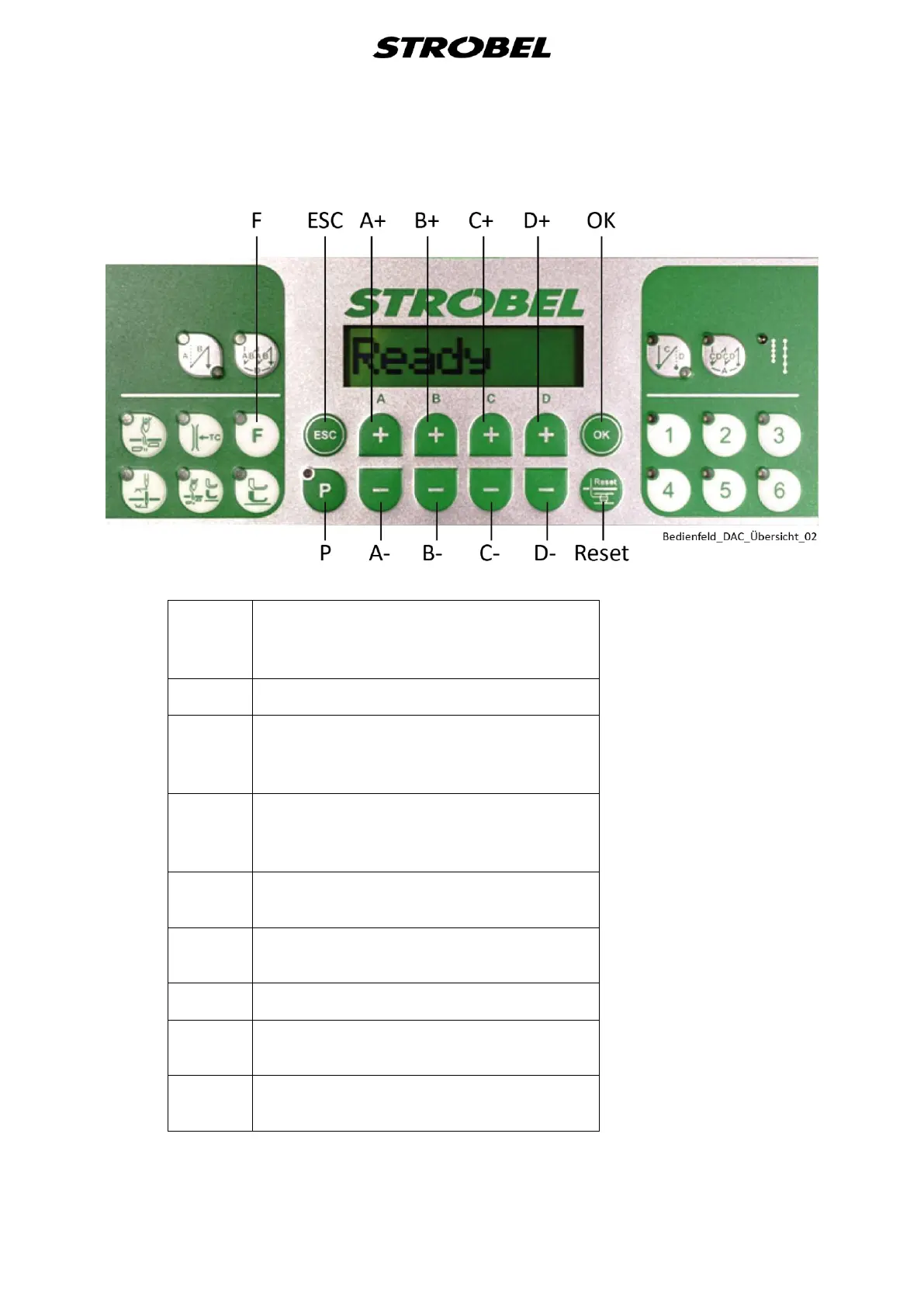
Assignment and display of button functions on operating control V810 (Fig. 8)
Fig. 8
Function key
Activates or deactivates any stored
function
Increase/reduce parameters
Switches user level
Selects sub-programme
Increase/reduce parameters
Switches to next higher category
Selects sub-programme
Increase/reduce parameters
Selects sub-programme
Increase/reduce parameters
Selects sub-programme
Recalls or saves parameters
Starts or ends the setting mode
Saves the setting values
To enter the technician level, press the "P"
and "Reset" keys simultaneously.


 To Next Page