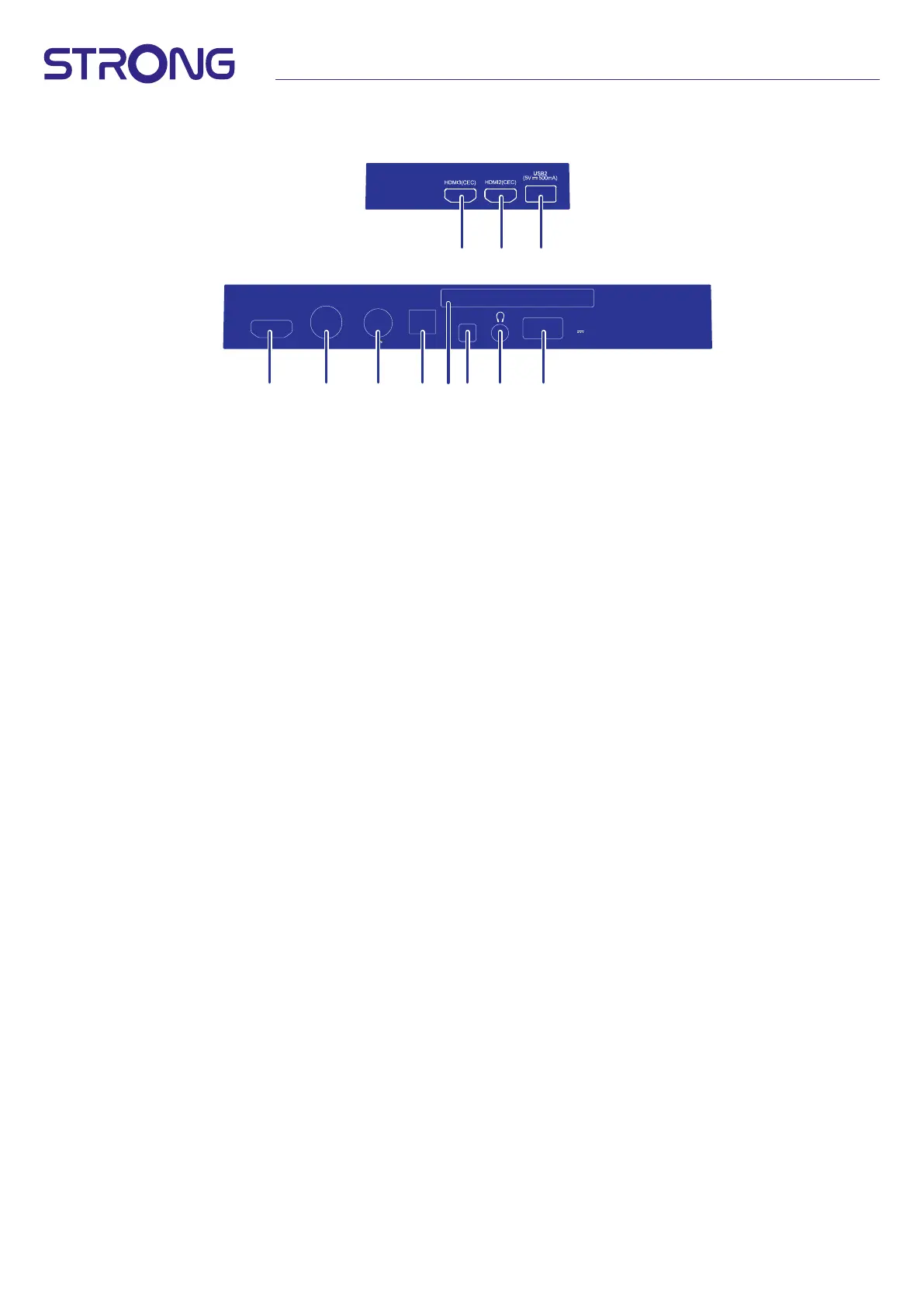
7
HDMI1(ARC/CEC)
ANT1
ANT2
SATELLITE
DIGITAL
AUDIO OUT
AV
USB1
(5V 500mA)
13/18V 400mA13/18V 400mA
COMMON INTERFACE
1
456789 10 11
2 3
40”
1. HDMI 3 (CEC) Connect HDMI input signal from a signal source such as DVD, Blu-ray player or game console.
2. HDMI 2 (CEC) Connect HDMI input signal from a signal source such as DVD, Blu-ray player or game console.
3. USB 2.0 Connect a USB device for playback of multimedia les
4. HDMI 1 Connect HDMI input signal from a signal source such as DVD, Blu-ray player or game console.
5. ANT 1 Connect a coaxial cable to receive signal from the DVB-T/T2 antenna or DVB-C cable.
6. ANT 2/ SAT IN Connect a coaxial cable to receive signal from the Dish LNB. Connect a coaxial cable to receive signal
from the DVB-T/T2 antenna or DVB-C cable.
7. S/PDIF (optical) Use an optical cable to connect your TV to a compatible digital amplier or Home theatre set.
8. COMMONINTERFACE Insert a Conditional Access Module (CAM).
9. HEADPHONE Headphone or Earphone audio output, speakers will be muted when earphone is plugged in and
headphone selected.
10. USB 2.0 Connect a USB device for playback of multimedia les
11. Mini AV IN To connect your video camera or other device using 3.5 mm AV cable to your TV to play videos on your
TV screen



 To Next Page