EasyManua.ls Logo

Strong SRT24HE4023 - User Manual

Strong SRT24HE4023
18 pages
Print Icon
To Next Page IconTo Next Page
Loading...
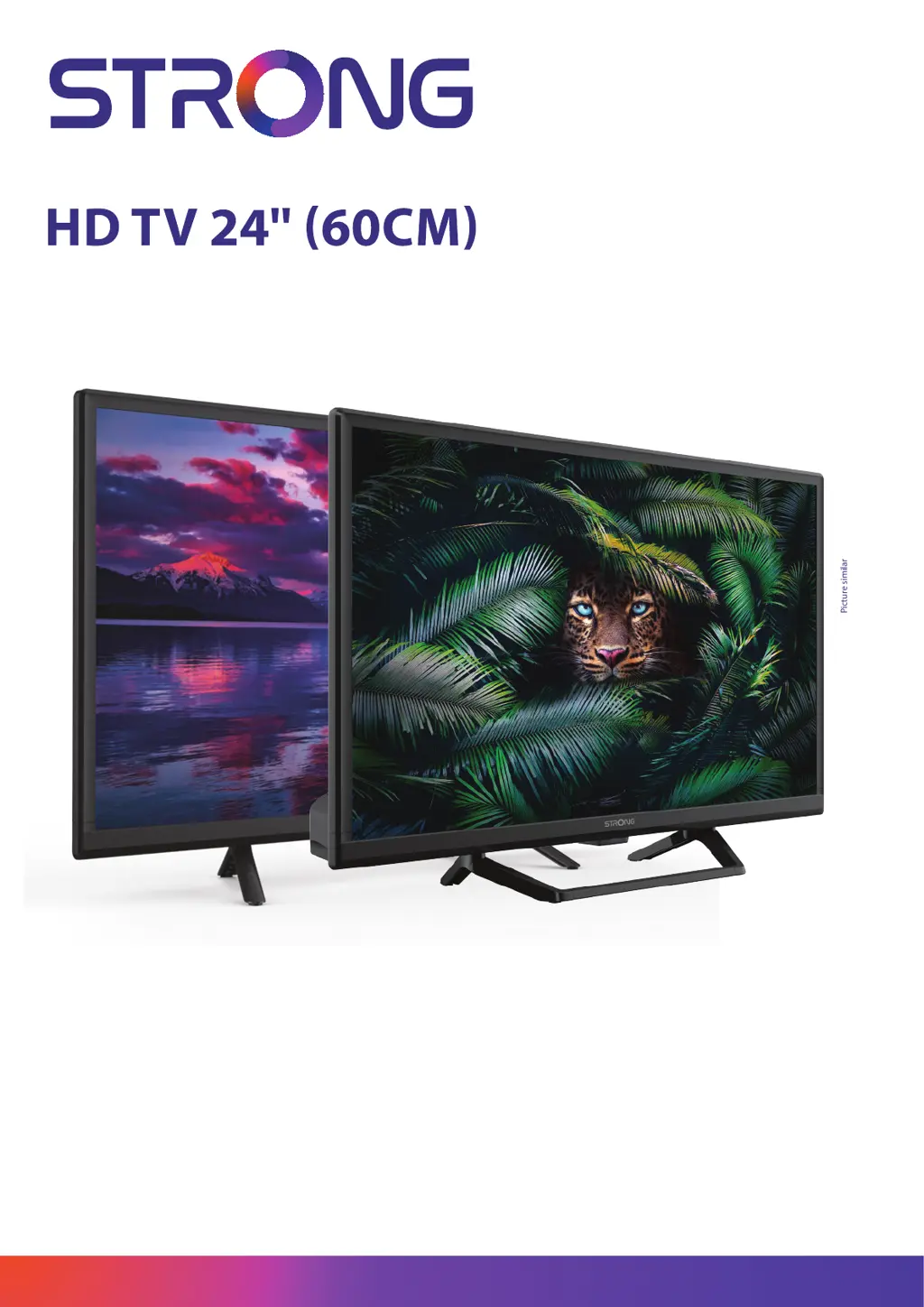
Picture similar
www.strong-eu.com
User Manual Bedienungsanlei-
tung Manuel utilisateur Manual
del Usuario Инструкции за
употреба Uživatelská příručka
Korisnički priručnik Használati
útmutató Manuale utente
Gebruiksaanwijzing Instrukcja
obsługi Manual do Utilizador
Manual de Utilizare Uputsvo
za upotrebu Používateľská
príručka Navodila za uporabo
Посібник користувача
Руководство пользователя
SRT24HE4023
SRT24HE4023C

Questions and Answers

  • N
    Nicole PalmerSep 10, 2025
    Why is there no sound on my Strong SRT24HE4023 HDTV?
    • L
      lindsay00Sep 10, 2025
      If your Strong HDTV has normal picture but no sound, first, press the volume up button to increase the volume. Check if the audio is muted and, if so, press the mute button to restore the sound. If you're using external devices, ensure the correct sources and sound modes are selected. It's also possible that the tuned channel doesn't transmit audio signals or there is some other transmission interference or failure.
  • M
    Monica MillerAug 22, 2025
    How to fix a Strong HDTV remote control that is not working?
    • D
      Daniel AvilaAug 22, 2025
      If your Strong HDTV remote isn't working, start by changing the batteries, using low self-discharge rechargeable batteries if applicable. Ensure the batteries are correctly installed and that you haven't mixed different types. Also, check if anything is blocking the IR sensor on the TV or if bright light is interfering with it.
  • M
    Michael CarpenterAug 25, 2025
    What to do if my Strong HDTV shows no signal?
    • M
      Michael GonzalesAug 25, 2025
      If your Strong HDTV displays 'No Signal', the TV might not be properly connected to a signal source like DVB-C, DVB-S/S2, or DVB-T/T2. Alternatively, the antenna might not be correctly aligned, or there could be a malfunction or defect in the connection and distribution equipment. For DVB-T/T2, ensure active antennas have antenna power switched on or external power connected and check coverage with service providers. For DVB-S/S2, verify that tuner and LNB parameters are correct.
  • R
    Robert CarsonAug 27, 2025
    Why does my Strong HDTV turn off by itself?
    • J
      Jenna LewisAug 27, 2025
      Your Strong HDTV might be switching off automatically because the automatic STBY function is enabled. By default, the TV turns off after 4 hours to save energy and comply with European regulations. You can check and adjust this setting in the TV's menu.
  • T
    Tammy GomezAug 27, 2025
    How to fix frozen picture on Strong HDTV?
    • J
      jenningsfrankAug 27, 2025
      If the picture and sound on your Strong HDTV are frozen, or you see macro blocks or distortion, it could be due to a weak reception signal or interference. For DVB-S/S2 and DVB-T/T2, electromagnetic or high-frequency signals might be the cause. For DVB-T/T2, signal reflections may be the issue. For DVB-C and DVB-S/S2, long connection cables could be causing too much signal attenuation. Also, ensure your antenna is properly adjusted, especially after storms.
  • M
    Mckenzie HamiltonAug 29, 2025
    What to do if my Strong HDTV has no picture but normal sound?
    • H
      Hailey MorenoAug 29, 2025
      If your Strong HDTV has sound but no picture, try adjusting the brightness and contrast settings. It's also possible that you've tuned into a radio channel, the program isn't transmitting video signals, or there's some other broadcasting issue.
  • S
    Susan OneillSep 18, 2025
    What to do if I have signal problems with my Strong HDTV?
    • S
      Sergio StevensonSep 18, 2025
      For any reception or signal-related problems with your Strong HDTV, first check the cable connections to ensure they are secure. Moisture might have entered the cables or connectors. If there is heavy rain or a storm, this may affect DVB-S/S2 and -T/T2 signals. Check all equipment connected between the reception point and the TV. If using DVB-S/S2, consult a local satellite specialist for dish alignment, size, obstructions, or signal strength issues.
  • T
    Timothy MooreSep 12, 2025
    What to do if my Strong SRT24HE4023 picture is frozen?
    • A
      Angela PittsSep 12, 2025
      If your Strong HDTV displays a frozen picture and sound, or shows macro blocks or similar distortion, the reception signal may be too weak or disturbed by electromagnetic or high-frequency interference (DVB-S/S2, DVB-T/T2). Also, check if the connection cables at the signal source are too long. For DVB-T/T2, DVB-S/S2, ensure the antenna is properly adjusted and hasn't been misaligned.
  • A
    Ashley SimmonsSep 8, 2025
    Why is my Strong SRT24HE4023 freezing when playing videos from USB?
    • B
      Barbara LarsonSep 8, 2025
      If you're experiencing picture freezing, macro blocks, or similar distortion on your Strong HDTV, especially with HD content, the read/write speed of your USB device might be too slow.
  • K
    Kyle NguyenSep 5, 2025
    What to do if the LED indicator on my Strong HDTV doesn't light up?
    • S
      spencertylerSep 5, 2025
      If the LED/Standby indicator on your Strong HDTV isn't lighting up, first, ensure the power connector is fully plugged into both the TV and the power socket. Also, check that the switch on any multipoint connectors is turned ON. The electrical outlet itself might be damaged. It is also possible that STBY LED is defective.

Strong SRT24HE4023 Specifications

General IconGeneral
BrandStrong
ModelSRT24HE4023
CategoryHDTV
LanguageEnglish

Related product manuals