Need help?
Do you have a question about the Stryker System 7 and is the answer not in the manual?
Crucial safety information for using the handpiece and system components.
Specifies the intended uses of the Stryker System 7 Battery Powered Heavy Duty System.
Lists any known conditions where the system should not be used.
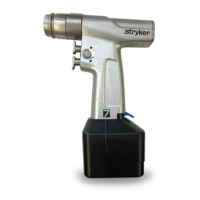
Identifies main parts: Function Switch, Shift Collar, Attachment Collar.
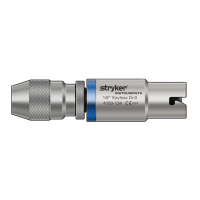
Information on available attachments and their specialized retainers.
Explains Applied Part, Reverse Trigger, and Forward Trigger functionalities.
Details the Drill Mode and Ream Mode operations of the shift collar.
Describes Forward, Forward/Reverse/Oscillate, and Safe Mode operations.
Steps for inserting and securing attachments into the handpiece.
Procedure for correctly installing the battery pack into the handpiece.
Guidance on how to operate the handpiece, including trigger and switch usage.
Instructions for safely removing accessories and the battery pack from the handpiece.
Addresses problems like no operation, reduced speed, or trigger malfunctions.
Solves problems with attachment fit, wobbling, noise, vibration, and electrical interference.
Details model, dimensions, mass, speed, duty cycle, power, and ingress protection.
Lists product safety certifications and compliance standards like CSA, ANSI, IEC, CENELEC.
Specifies operating and storage/transportation temperature, humidity, and pressure limits.
Declaration on RF emissions, harmonic emissions, and voltage fluctuations.
Guidance on immunity to ESD, fast transients, surge, voltage dips, and magnetic fields.
Recommended separation distances for RF equipment to prevent interference.
The Stryker System 7 Dual Trigger Rotary Handpiece is a component of the Stryker System 7 Battery Powered Heavy Duty System, designed for use in various surgical procedures involving bone and bone-related tissue. Its primary functions include cutting, drilling, decorticating, and smoothing bone, as well as facilitating the placement of screws, wires, pins, and other fixation devices.
The handpiece operates with a dual-trigger mechanism, allowing for variable speed control in both clockwise (forward) and counterclockwise (reverse) directions. Pressing both triggers simultaneously activates an oscillate mode. A function switch provides three operational modes:
A shift collar on the handpiece allows users to select between two speed and torque settings:
The handpiece is designed to be used with a variety of attachments, each featuring specialized retainers for different accessories such as wires, pins, tools, and cutting accessories. The distal end of the handpiece and the attachment form the applied part as defined by product safety certification standards.
Before each use, the handpiece and its components must be cleaned and sterilized according to the Heavy Duty Care Instructions manual. Users should always inspect the equipment for damage upon initial receipt and before each use, and refrain from using any damaged components.
To install an attachment, the function switch must first be slid to the safe mode position. The attachment is then inserted into the handpiece until it snaps into place. If the attachment has notches, one must be aligned with a tab under the attachment collar. After installation, a gentle tug on the attachment confirms it is securely locked. Wires, pins, tools, or cutting accessories can then be installed as required.
For battery installation, the function switch must also be in the safe mode position. A fully charged battery pack is slid into the handpiece until it snaps into place, and a gentle tug verifies secure locking. The handpiece's operation should be tested by sliding the function switch to the forward or forward/reverse/oscillate mode and depressing the trigger.
When operating the handpiece, the shift collar should be rotated to either the drill or ream mode position. The function switch is then slid to the desired operational mode (forward or forward/reverse/oscillate), and the pressure-sensitive trigger is depressed for variable speed control.
Safety precautions during use include:
To remove an accessory, it should first be taken out of the attachment. Then, the attachment collar is pulled back, and the attachment is removed from the handpiece. For battery removal, the battery latch is depressed, and the battery pack is slid out of the handpiece, ensuring the function switch is in the safe mode.
The handpiece is designed for professional healthcare facility environments. For processing instructions, including cleaning and sterilization, and disposal/recycle information, users should refer to the care instructions manual supplied with the equipment.
Troubleshooting guidance is provided for common issues:
The device is not intended for disassembly or servicing by the user; for service, the Stryker sales representative or customer service should be contacted. Only Stryker-approved system components and accessories should be used, and no modifications should be made to any system component or accessory. The product is not suitable for use in MRI environments or areas with flammable anesthetics or agents. Special precautions regarding electromagnetic compatibility (EMC) must be observed, and the equipment should not be stacked or placed adjacent to other products if it degrades performance. The device is intended for multiple uses and should not be reused, reprocessed, or repackaged if intended for single use.
 General
| Battery Type | Lithium-Ion |
|---|---|
| Handpiece Options | Multiple |
| Sterilization | Autoclavable |
| Ergonomics | Designed for comfort and reduced fatigue |
| Application | Orthopedic and trauma surgeries |
| Power Source | Battery Powered |
| Dimensions | Varies by handpiece |
| Compatibility | Compatible with Stryker System 7 attachments and accessories |
| Warranty | 1 year |

 To Next Page