E-6
CAUTION
:
This unit should not be adjusted or repaired by anyone except qualified service
personnel.
RADIO OPERATION
1. Rotate the FUNCTION SELECTOR (#4) to select the desired band (AM or FM). The
dial scale LED will light up
2. Tune to the required station by turning the TUNING KNOB (#5).
3. Adjust POWER/VOLUME ON/OFF SWITCH (#3) to the desired volume level.
4. When you wish to turn off the Radio, rotate the POWER/VOLUME ON/OFF SWITCH
(#3) to OFF position.
5. When an FM station is received in stereo, the FM STEREO INDICATOR (#1) will light.
Hints for best reception:-
- AM : The receiver has a built-in AM bar antenna. If AM reception is weak, slightly
rotate or change the position of the unit will usually improve the AM reception.
- FM : The receiver has a built-in FM ANTENNA (#19) hanging at the rear cabinet. This
wire should be totally unraveled and extended for best reception.
PHONO OPERATION
Please Note - Before Use
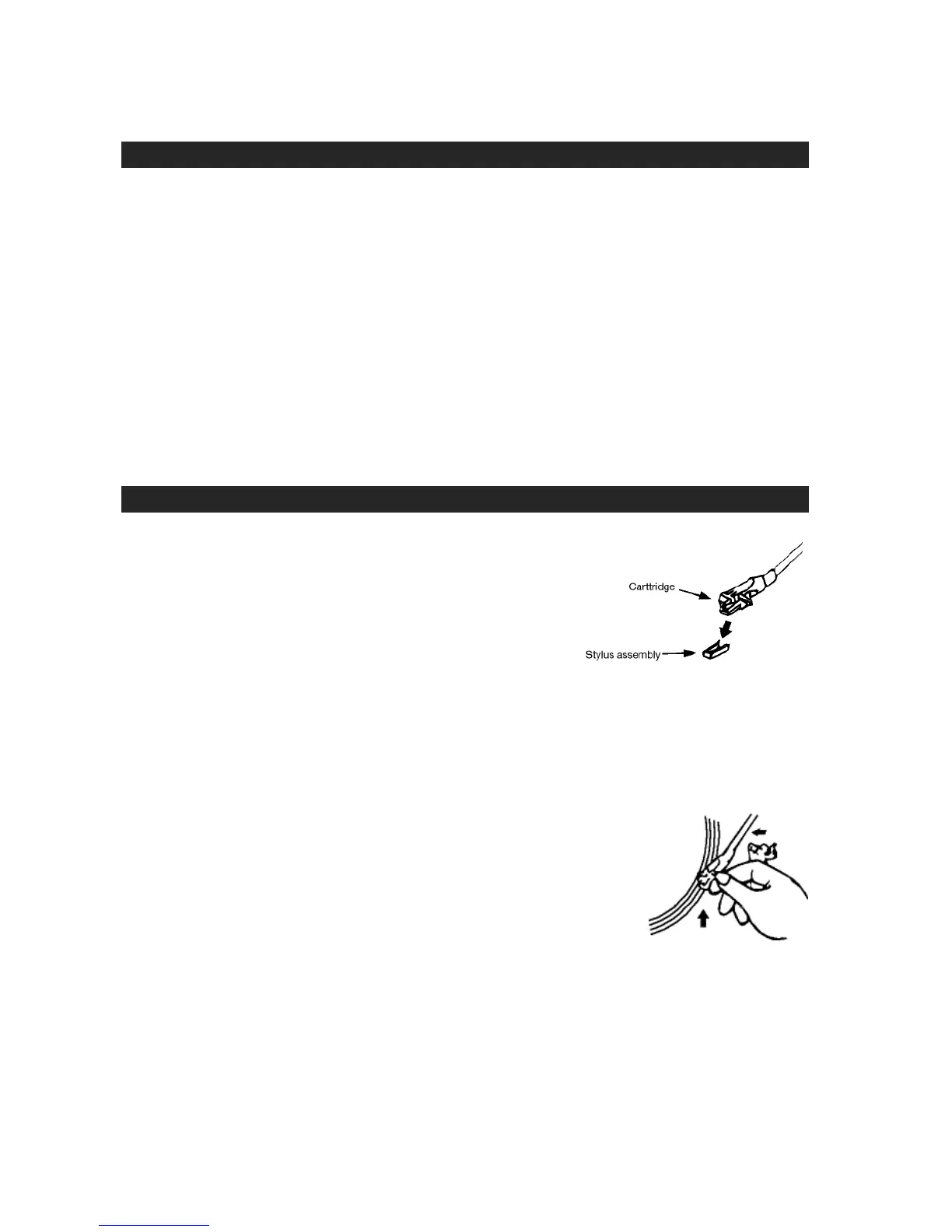
- Remove the stylus protector.
- Be sure that the TONE ARM (#15) is unlocked
and free to move from the TONE ARM REST
(#11) prior to operating. Lock the TONE ARM
(#15) in place again when not in use.
1. Rotate the FUNCTION SELECTOR (#4) to select the PHONO position
2. Raise the turntable DUST COVER (#16).
3. Place a record on the TURNTABLE PLATTER (#8), use the 45 RPM ADAPTER (#9) if
required.
4. Set the SPEED SELECTOR (#13) to the proper position depending on the record to
be played.
5. Lift the TONE ARM (#15) from the TONE ARM REST (#11) by
using the LIFT LEVER (#10) and slowly move it over the record.
The TURNTABLE PLATTER (#8) will start to rotate.
6. Place the TONE ARM (#15) to the desired position of the
record.
7. Adjust the volume to the desired level.
8. At the end of record, the platter will automatically stop spinning.
Lift the TONE ARM (#15) from the record and return it to the TONE ARM REST (#11).
9. To stop playing manually, lift the TONE ARM (#15) from the record and return it to the
TONE ARM REST (#11).
NOTES:
Certain types of records may have an auto-stop area outside the preset limit, so the
turntable may stop before the last track finishes. If this occurs, set the AUTO-STOP
SWITCH (#12) to the “OFF” position. This allows the record to play to the end, but please
note that it will not stop automatically. You must manually raise the TONE ARM (#15)


 To Next Page