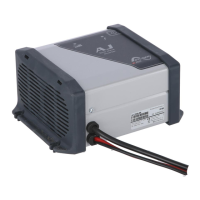
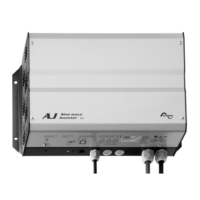
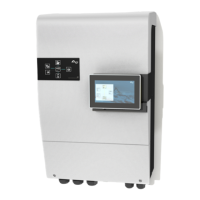
STUDER Innotec AJ
AJ V2.7 6/50
Check that the cables are well adjusted and
well tightened.
As long as it is possible, do not extend the
cables supplied with the batteries. Extending
them may increase the losses and lead to a
malfunction of the inverter.
Once the inverter is connected to the
batteries, a 230 V voltage is present at the
output of the inverter.
USE
C
ONTROL AND INDICATORS
“Functionning” indicator (green LED 1)
A green light on the inverter indicates its
functioning mode:
Illuminated : A 230 V voltage is present at
the output, the inverter is on.
Blinking :
_ _ _ _ _ No load (stand-by).
__ __ __ __ __ The 230 V voltage has been
cut due to an alarm; the
inverter will automatically
resume function when the
failure has disappeared (see
the failure table p. 9).
Off : The 230 V voltage is NOT
present at the output, the
inverter is off.
B.L.O. indicator (green LED 2)
Led only on AJ 275-12 to 700-48
This indicator is illuminated only if the
enhanced B
attery Lifetime Optimizer function
(description p. 9) is activated.
Activation/Deactivation described in p. 8.
ACOUSTIC INDICATOR
The AJ inverter has an acoustic indicator for
the following cases:
Intermittent beep :
There is a failure in the inverter and the output
voltage will be interrupted.
Overheat :
The acoustic indicator beeps 3 ºC before
cutting the voltage. Reduce the consumption
in order to lower the inverter temperature and
to avoid the output voltage is cut off.
Low battery voltage :
The indicator beeps for a minute before the
interruption. Reduce the consumption in order
to get the battery voltage rise and to avoid
that the output voltage is cut off.
Continuous beep for two seconds:
You have pushed the ON/OFF switch to restart
the inverter. The output voltage will be
immediately present after the acoustic signal.
The acoustic warning can be deactivated as
per the procedure described p. 8.
ALARM BY VOLTAGE FLICKERING
When the acoustic indicator is deactivated or
when the inverter is out of hearing, it can be
useful to be warned of an imminent inverter
stop due to an “overheat” or a “battery
undervoltage”. If this function is activated (see
p. 8 for Activation/Deactivation of functions),
the output voltage will flicker slightly (max.
20%), leading to a variation of the lights
intensity and therefore indicating the imminent
stop of energy supply.
The user can then choose to reduce his
consumption in order to secure the supply to
priority loads (for instance lighting).



 To Next Page