SL Controllers by Studiologic®
12
Setup parameters
The 3 Sticks on the left side of the instruments are program-
mable real-time controls:
• Stick 1 has springs in both the vertical and horizontal axes
and it goes back to zero automatically; a typical setting for
such kind of control is for Pitch Bending functions;
• Stick 2 has a spring only on the horizontal axis and it goes
back to center on that side; a typical setting for such king of
control is for Modulation or Filter cuto, when controlling
any kind of virtual Synthesizer;
• Stick 3 is totally free and it keeps the position where you
move it, on both X and Y axes, allowing to control any para-
meter that needs to stay stable where it is set.
Programmable Sticks
How to program the sticks
Once you have selected a Zone, by clicking the IN button you
enter in EDIT MODE and you can scroll with the Encoder’s ver-
tical switches thru all the programming pages, until you nd
the page related to the Sticks programming.
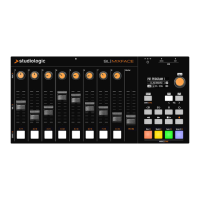
Select one of the sticks, press IN again and enter in the pro-
gramming page, where all available Stick’s functions are li-
sted, for both the horizontal and vertical axes.
Zone Edit If you assign one of the special multi-pedals to a Zone, the
other Zones can only be set to OFF or to the same kind of
pedal (all other functions are shown in grey).
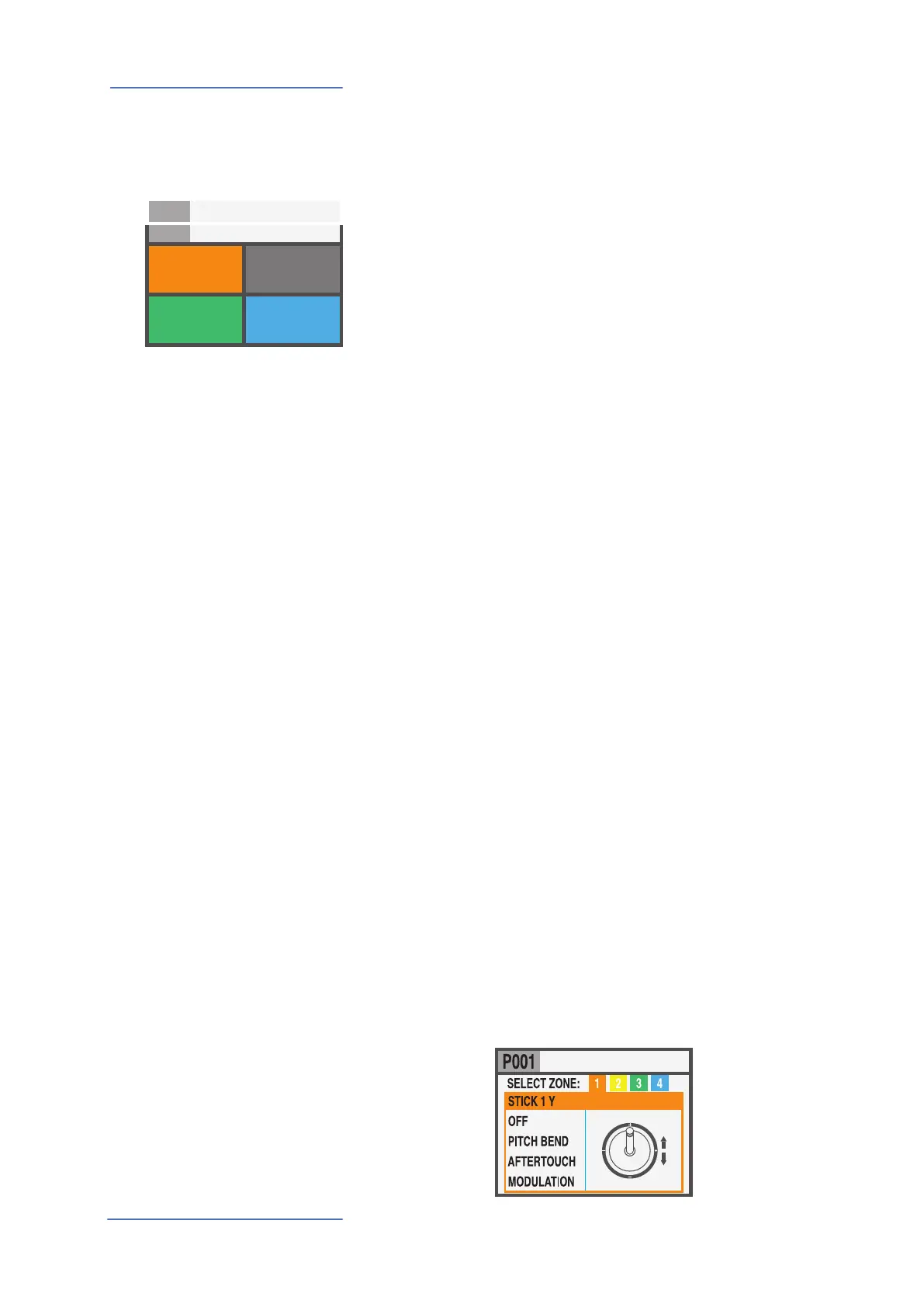
A Zone can be have 3 states: ON/OFF/Standby.
To enable or disable a Zone press IN and set it ON or OFF; if a
Zone is OFF the display will only show a colored background.
Clicking the Encoder, you can set the Zone in Standby and
the display will show it in grey.
(The picture shows Zone 1 ON, Zone 2 Standby, Zones 3 and
4 OFF).
Please note that you can also set all parameters of a disabled
Zone (in the Program) in order to be ready to enable it at any
time, with all pre-programmed parameters for that particular
Program.
1
SOUND
VOL 122
A0 / F#2
GROUP SAGA SETUP
INSTRUMENT 2
SOUND
VOL 096
G3 / Db4
INSTRUMENT 3
SOUND
VOL 101
B7 / C8
INSTRUMENT 4
SOUND
VOL 124
A0 / F#2
INSTRUMENT
3 4
INSTRUMENT 2
SOUND
VOL 096
G3 / Db4



 To Next Page