SL Controllers by Studiologic®
8
Setup parameters
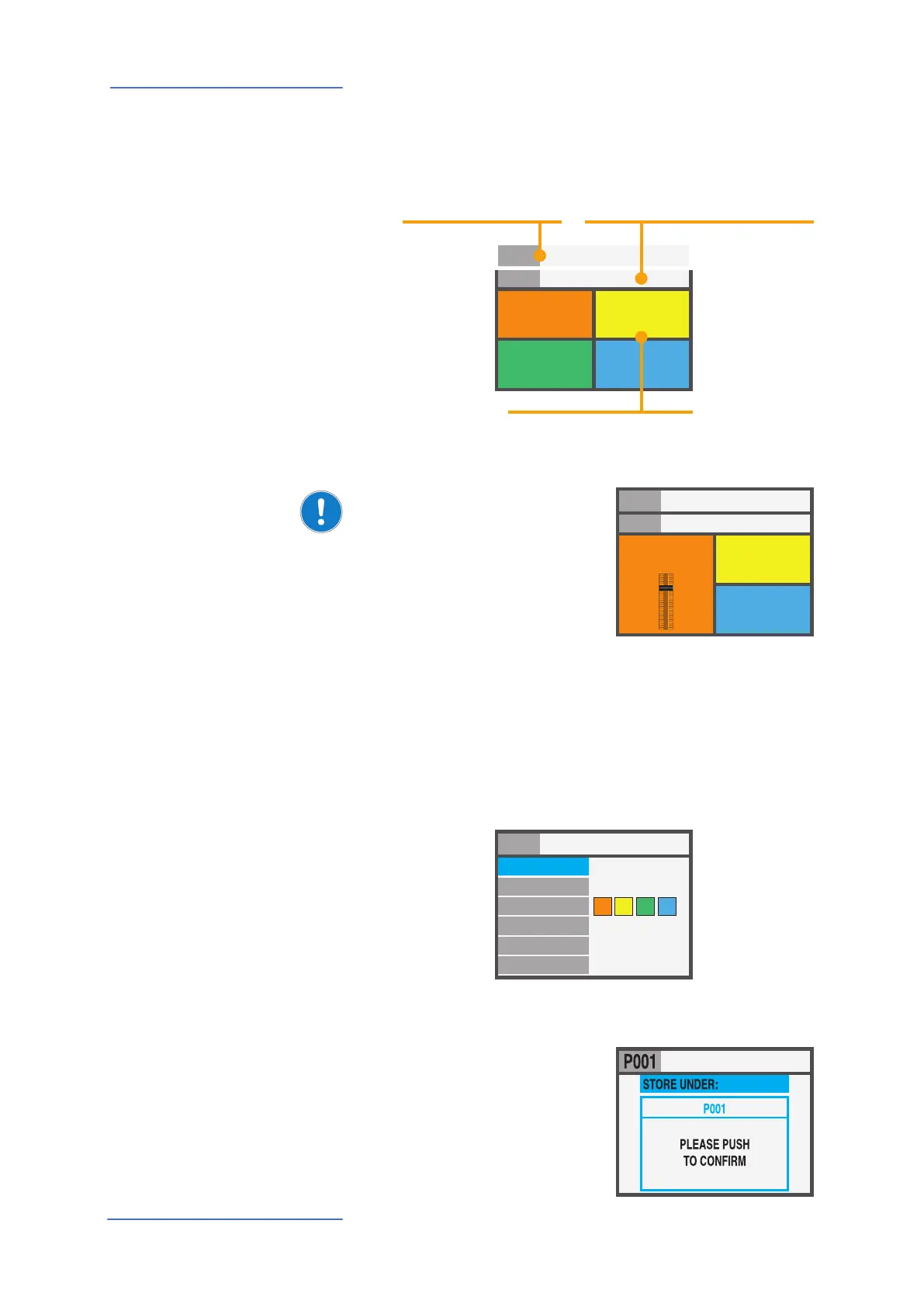
The SL main page (HOME) is a very clear and complete pic-
ture of the main functions, as it follows:
HOME Display
1
SOUND
VOL 122
A0 / F#2
GROUP SAGA SETUP
INSTRUMENT 2
SOUND
VOL 096
G3 / Db4
INSTRUMENT 3
SOUND
VOL 101
B7 / C8
INSTRUMENT 4
SOUND
VOL 124
A0 / F#2
INSTRUMENT
Program
(i.e. 001 NAME)
the selected Program
GROUP
the related GROUP of the selected program
(-------- if no GROUPS are selected)
ZONES (color coded)
active Zones and main parameters
(Volume, Keyboard range)
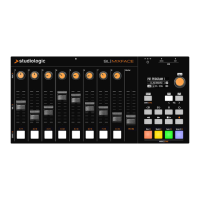
By rotating the encoder,
when a ZONE is selected, you
can immediately control the
Volume (000-127).
1
SOUND
VOL 122
A0 / F#2
GROUP SAGA SETUP
INSTRUMENT 2
SOUND
VOL 096
G3 / Db4
INSTRUMENT 3
SOUND
VOL 101
B7 / C8
INSTRUMENT 4
SOUND
VOL 124
A0 / F#2
INSTRUMENT
97
Program Selection & Edit To select a Program, you can either rotate the Encoder (direct
selection) or Click the Encoder, rotate to select and Click to
conrm.
When a Program is selected (by moving the cursor to the top
area of the display) pressing IN you enter in Program Edit.
STORE UNDER:
NAME:
ZONE EDIT:
MERGE SOURCE:
MERGE DEST.:
MERGE FILTER:
P001
SL 88 STUDIO
SYS OFF - ALL
OFF
USB OUT
1
2 3 4
The following parameters are avaible:
STORE UNDER
To select the position where
you want to store the current
Program.


 To Next Page