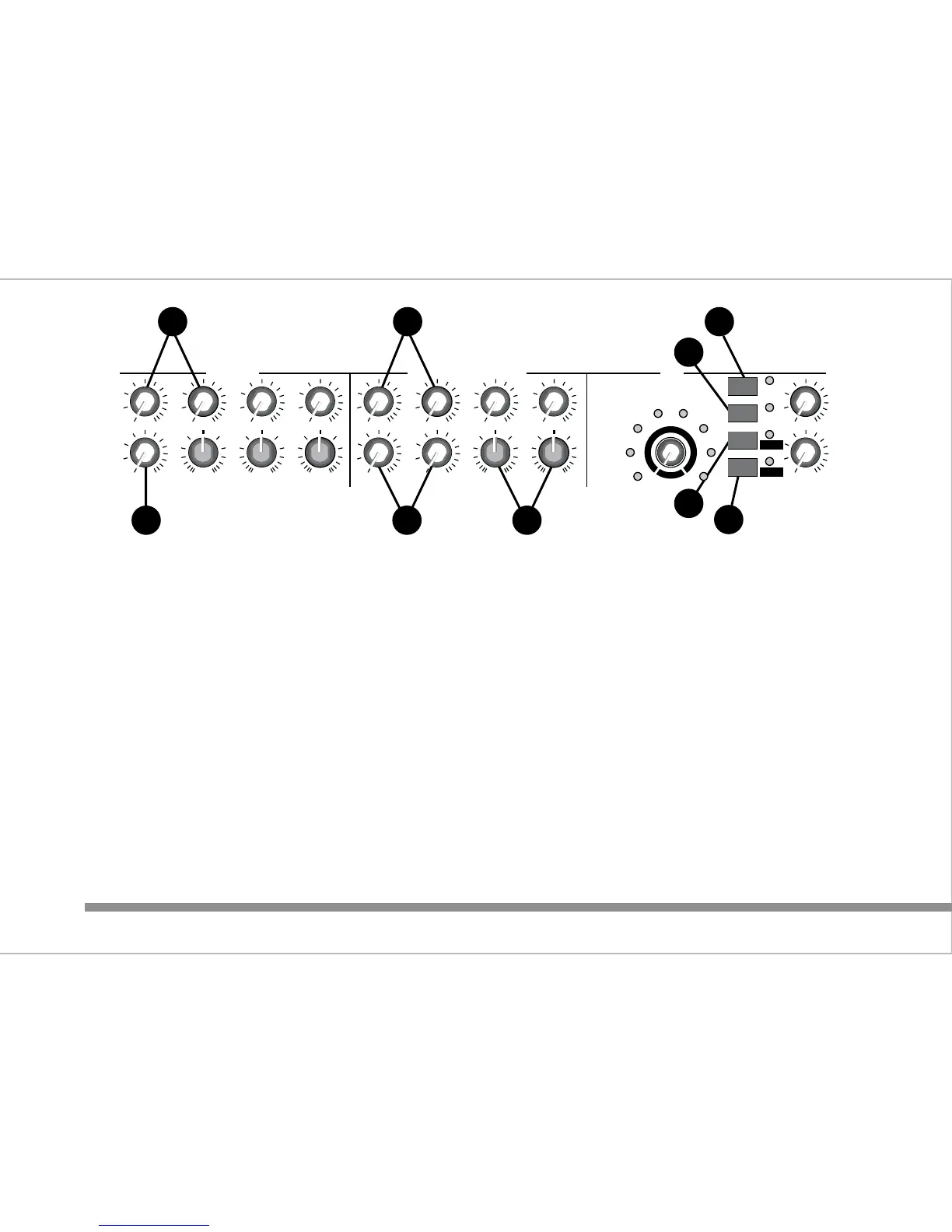
6. Input level controls 2, 3 & 4 :
Controls the volume level from their respective inputs located on
the rear panel. These inputs share MON, AUX and EQ controls.
7. Stereo Input level controls 5/6, 7/8, 9/10 & 11/12 :
Controls the volume level from their respective inputs located on
the rear panel.
8. Stereo Input EQ (tone control) section :
LO : 15dB of cut & boost at 60Hz
HI : 15dB of cut & boost at 12kHz
9. DSP (digital signal processor) section (C3X only) :
a) On/Off switch :
Turns on or off the output from the DSP. The LED illuminates
when on. This function can also be controlled by a foot switch -
see rear panel section for details.
b) REVERB switch :
This sets the DSP to reverb mode and illuminates the adjacent
LED. Use the rotary encoder to select the effect required. One of
the 8 LEDs surrounding the encoder shows the selection made.
c) DELAY switch :
This sets the DSP to delay mode and illuminates the adjacent
LED. The encoder is now used to increase or decrease the delay
or repeat time between 10mS and 720mS. This is displayed by
the LEDs surrounding the encoder.
d) REGEN switch :
If selected when in DELAY mode this effect adds a percentage of
the output back to the input signal and can be increased or
decreased depending on the position of the encoder. In this
mode the LEDs surrounding the encoder now display the amount
of regen applied.
NOTE : To return to DELAY mode, REGEN must be turned off.
4
6 7
9a
9b
9c
9d
6 7 8
INPUT 2/3/4
HI
12kHz
LEVELLEVEL
LEVEL
24
3
ADT
VOCAL1
S REV
VOCAL2
VOCAL3
L REV
PLATE1
PLATE2
REVERB
DELAY
REGEN
DSP ON
LEVEL
TO MON
INPUT 5/6 - 7/8 - 9/10 - 11/12 DSP
LO
60Hz
MID
2.5kHz
AUX/DSP
MON
PRE
POST
LO
60Hz
HI
12kHz
AUX/DSP
MON
LEVELLEVEL
5/6
LEVEL LEVEL
PRE
POST
9/10
7/8
11/12
010010
010
-
+
010
-
+
0
10
-
+
010010
010010
010
-
+
0
10
-
+
010
010
1
0
m
s
2
5
0
m
s
7
2
0
m
s














 To Next Page