EasyManua.ls Logo

Studiomaster digiLiVE - Page 19

Studiomaster digiLiVE
36 pages
Print Icon
To Next Page IconTo Next Page
To Previous Page IconTo Previous Page
Loading...


In this layer only, the MUTEMUTE button to turn the

the send level.
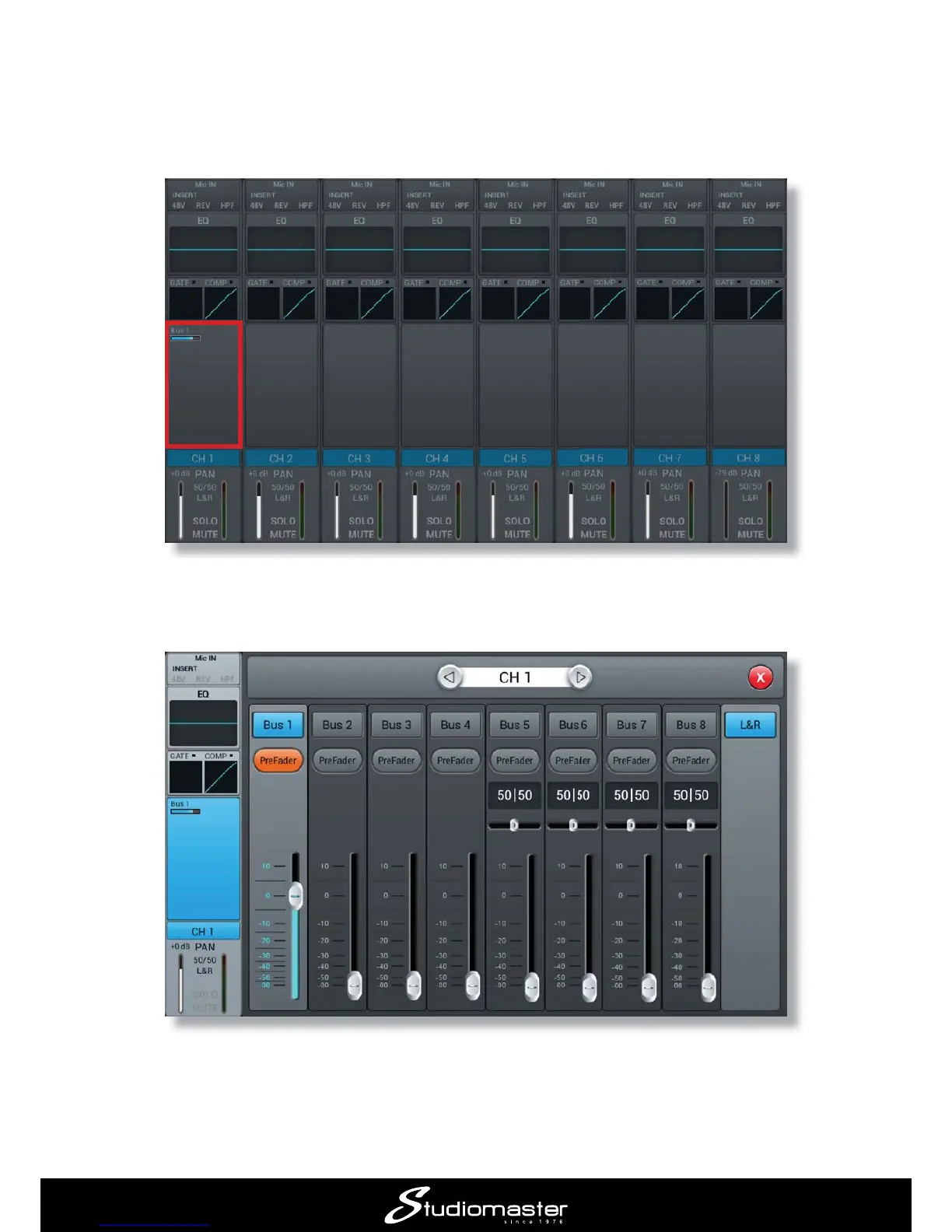
Touching this section opens up the bus send display for channel 1, providing increased detail for
all the channel’s bus sends.
It is now easy to set how much of the instrument or vocal in the input channel should go to each
of the busses, and thus to each output. You can “scroll through” Channels 1 to 8 by pressing the
SELECTINPUT 9-12 ST-USB
input channels.

Related product manuals