EasyManua.ls Logo

Studiomaster digiLiVE - Page 24

Studiomaster digiLiVE
36 pages
Print Icon
To Next Page IconTo Next Page
To Previous Page IconTo Previous Page
Loading...
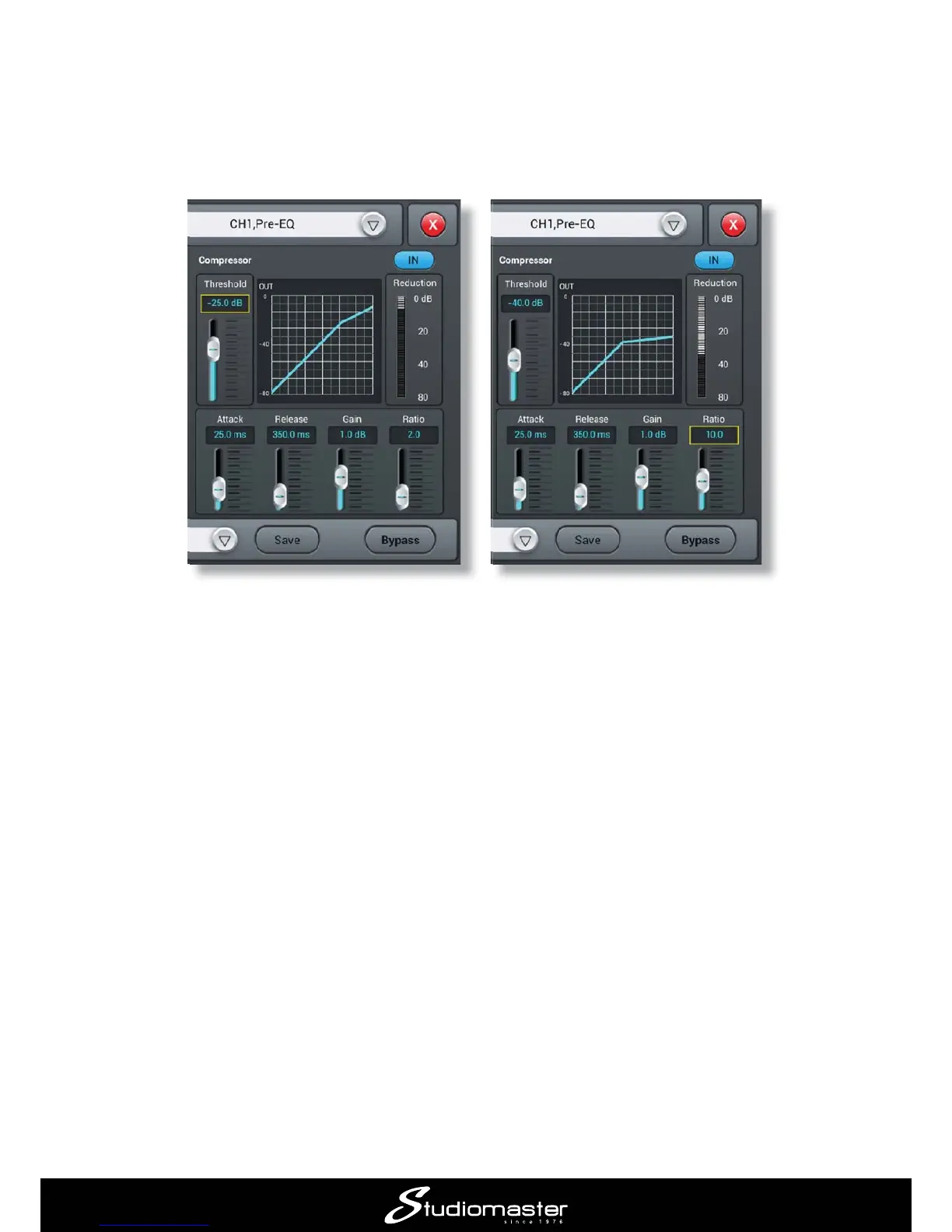
To enable the compressor section, tap its IN button. The two main controls for adjusting how much
compression is applied are Threshold and Ratio. You can either tap a control and then use the
ADJUST
Threshold and the higher the Ratio, the more the signal will be compressed. The graph depicts
  
currently set up.
The Reduction meter to the right of the graph gives you an idea of how hard the compressor is
working; as you increase Ratio, lower Threshold
the channel GAIN
When Ratio
level will not exceed the value set with the Gain control.
The Attack and Release controls control how fast the compressor operates and are best adjusted


quieter; use the Gain control to bring the level back up to where it needs to be in the mix.

Related product manuals