Application Examples
The examples shown here use digiLiVE’s basic “out of the box” factory default settings. All of the
situations described can be expanded upon in various ways by using digiLiVE’s many additional
features; please consult the User Guide for more detailed descriptions.
IMPORTANT: Always start setting up your live sound application with digiLiVE’s faders fully closed
GAIN
This should ensure that no bangs or thumps will be heard from your system while you’re setting
everything up.
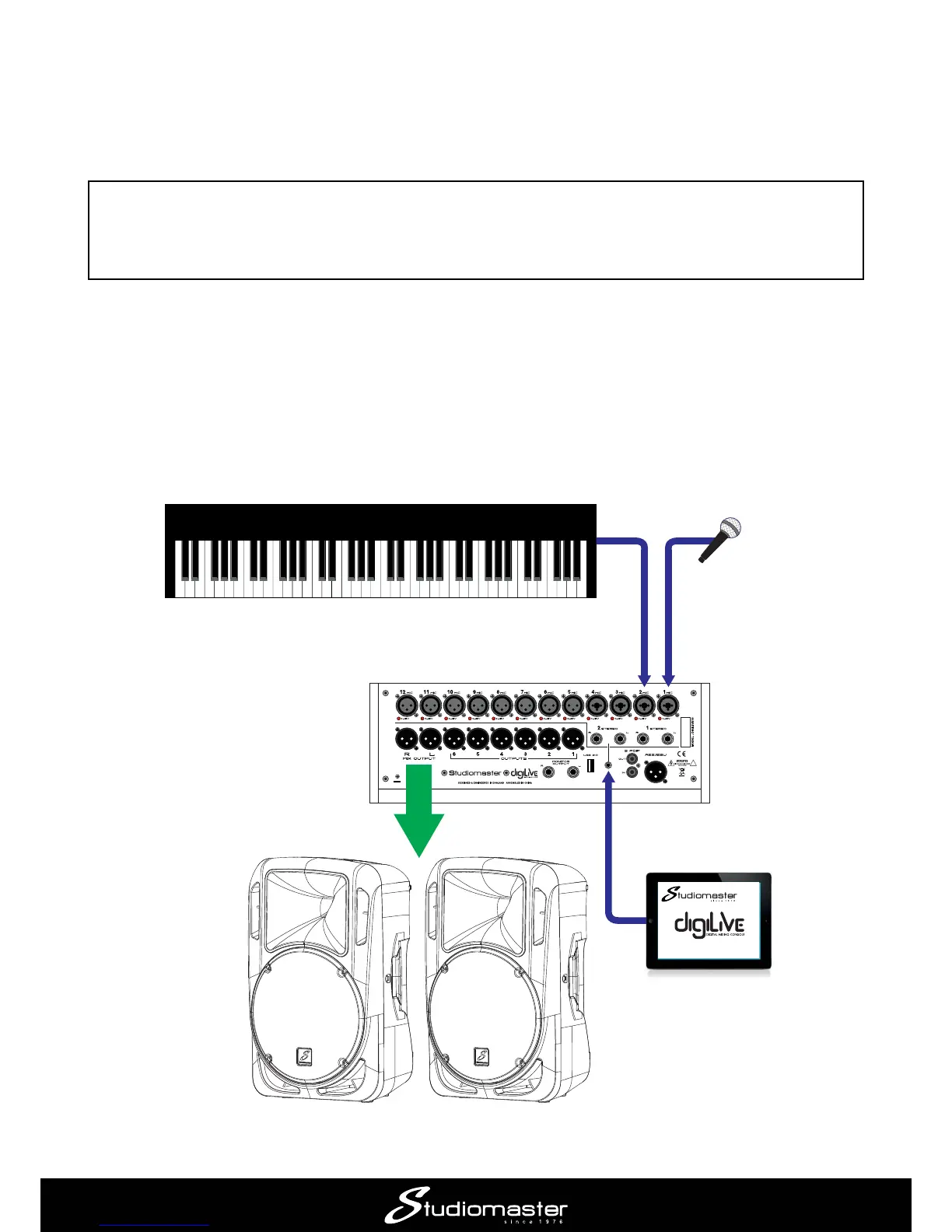
Application Example 1 – solo performer
This simple application would be suitable for a solo performer, e.g., a singer/instrumentalist. It would
also be appropriate for an AV situation such as in a school classroom, or anywhere a presenter is
using a laptop or similar audio source as part of his/her presentation.
INSTRUMENT
(via mic, DI box or from
Line Out on amplifier)
MIC
LAPTOP, TABLET, ETC
POWERED SPEAKERS
(L & R)














 To Next Page