Making a monitor mix
The main PA speakers use digiLiVE’s L & R mix busses, which with the console’s default routing,
are connected directly to the MIX OUTPUTS. To create a separate monitor mix, one of digiLiVE’s
further eight mix busses is also used.
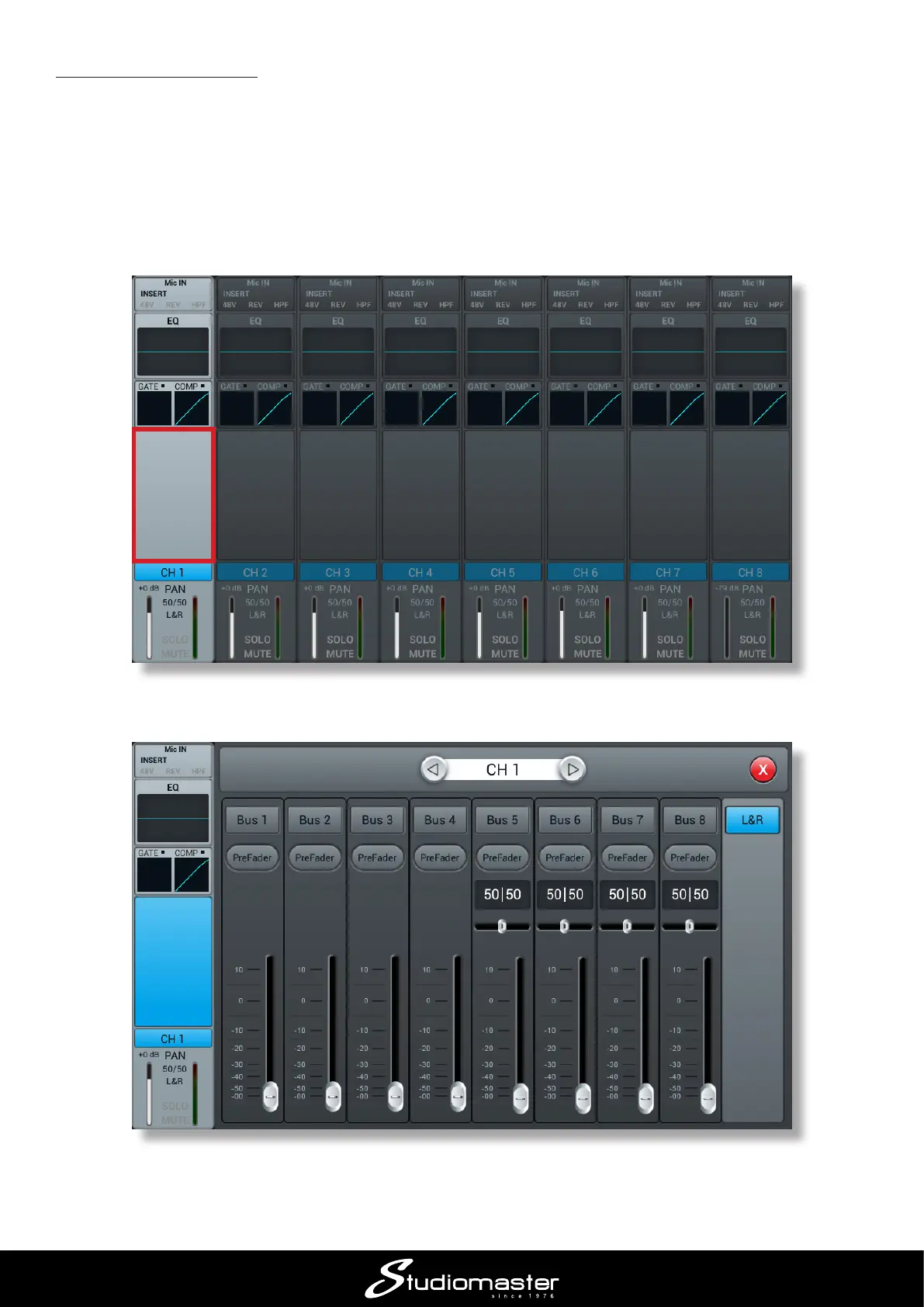
1. With the main screen for Channels 1 to 8 displayed, press the SELECT button for the lead
singer’s mic (we assume this is Ch. 1).
2. Touch the blank area above the CH 1 ident strip.
3. This opens the Bus Send sub-page for Channel 1.














 To Next Page