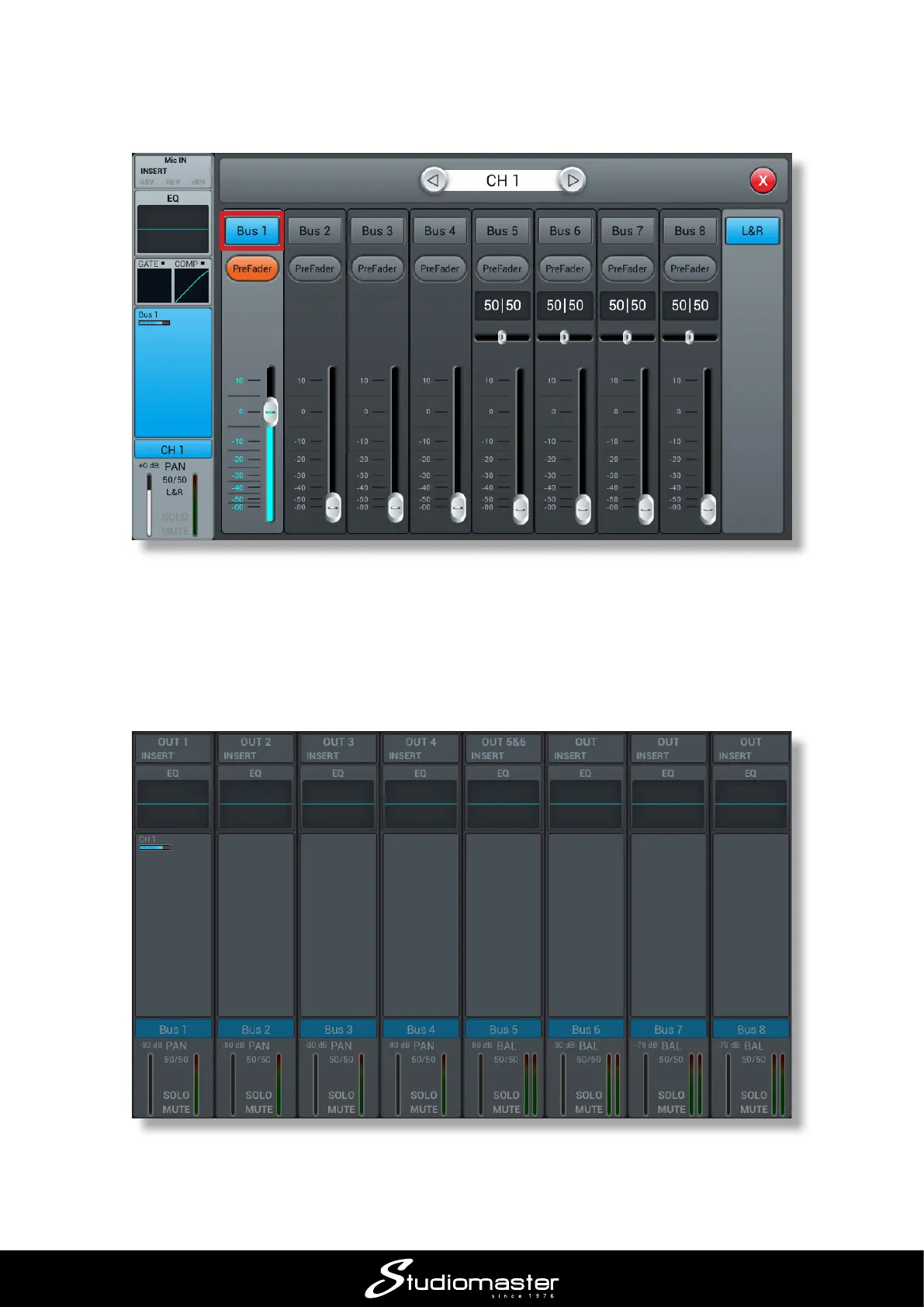
4. Touch (switch on) the Bus 1 button: this sends the mic signal to the bus. Drag the on-screen
Bus 1 fader to zero.
Note the PreFader button; this means that the level sent to the monitor will be independent of the
channel fader setting. You can continue to adjust your FOH mix without altering the monitor mix.
5. Close the Bus Send sub-page. You have now set a “send” level from the input channel. Next
you have to turn up the Bus Master level to set the level that actually leaves the console. Press
the BUS 1-8 LAYER button.
Note that the Bus 1 channel strip now shows that it is receiving a send from Channel 1: the small
blue bar indicates the level set in Step 4. Raise the fader (which now controls Bus 1’s output level);
you should be able to hear the vocal mic in the monitor.














 To Next Page