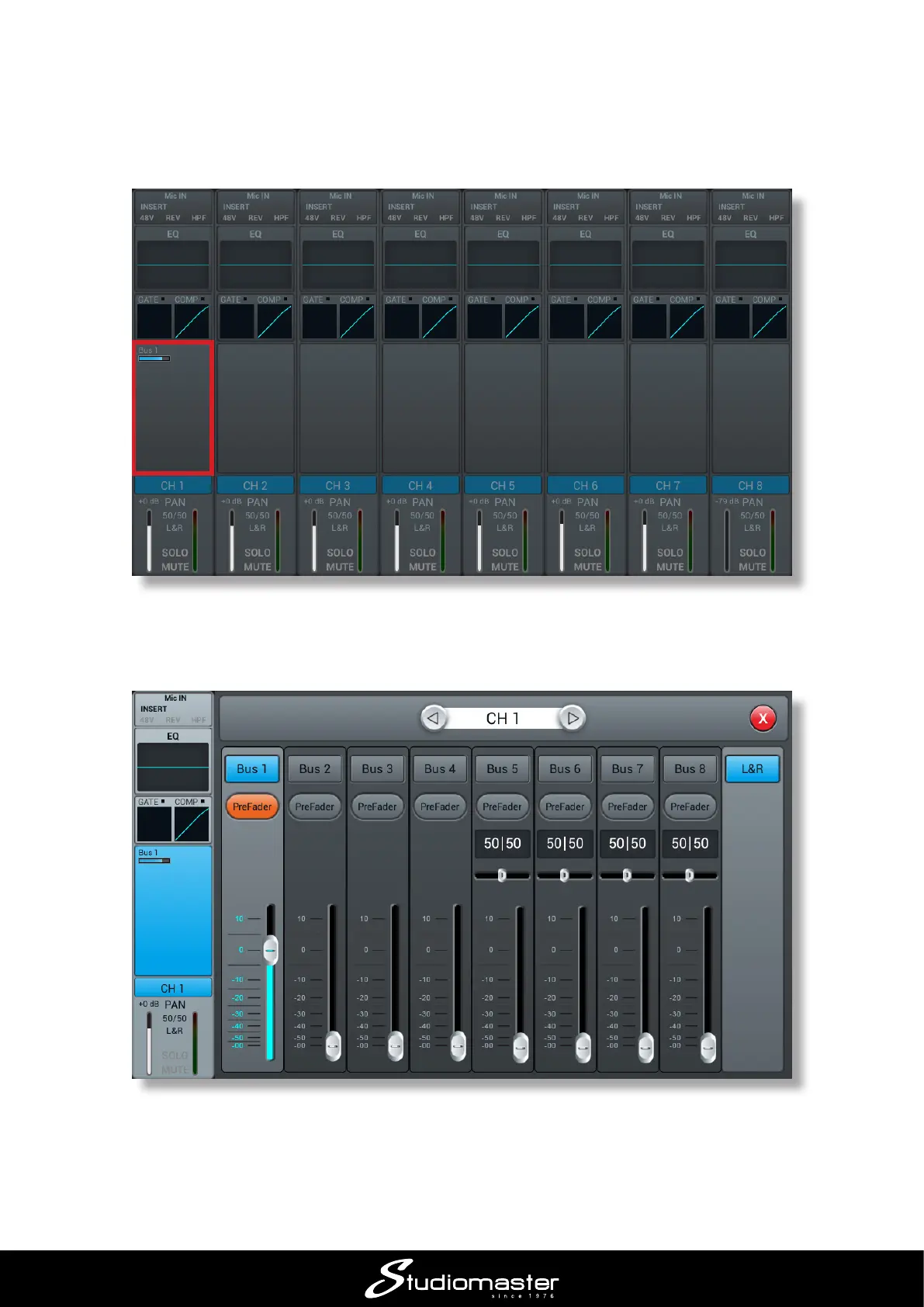
When Send mode is selected, the faders become the Bus send level controls for the selected input
channel: Fader 1 controls the level sent to Bus 1, Fader 2 controls the level sent to Bus 2 and so on.
In this layer only, the MUTE buttons become “ON” buttons: press Bus 1’s MUTE button to turn the
output on. Once on, a small blue “Bus 1” bar appears in the send section of the channel indicating
the send level.
Touching this section opens up the bus send display for channel 1, providing increased detail for
all the channel’s bus sends.
It is now easy to set how much of the instrument or vocal in the input channel should go to each
of the busses, and thus to each output. You can “scroll through” Channels 1 to 8 by pressing the
SELECT buttons in turn; Then by selecting the second layer (INPUT 9-12 ST-USB) the remaining
input channels.














 To Next Page