Application Example 5 – Enhancing the mix
5.1 Adding EQ
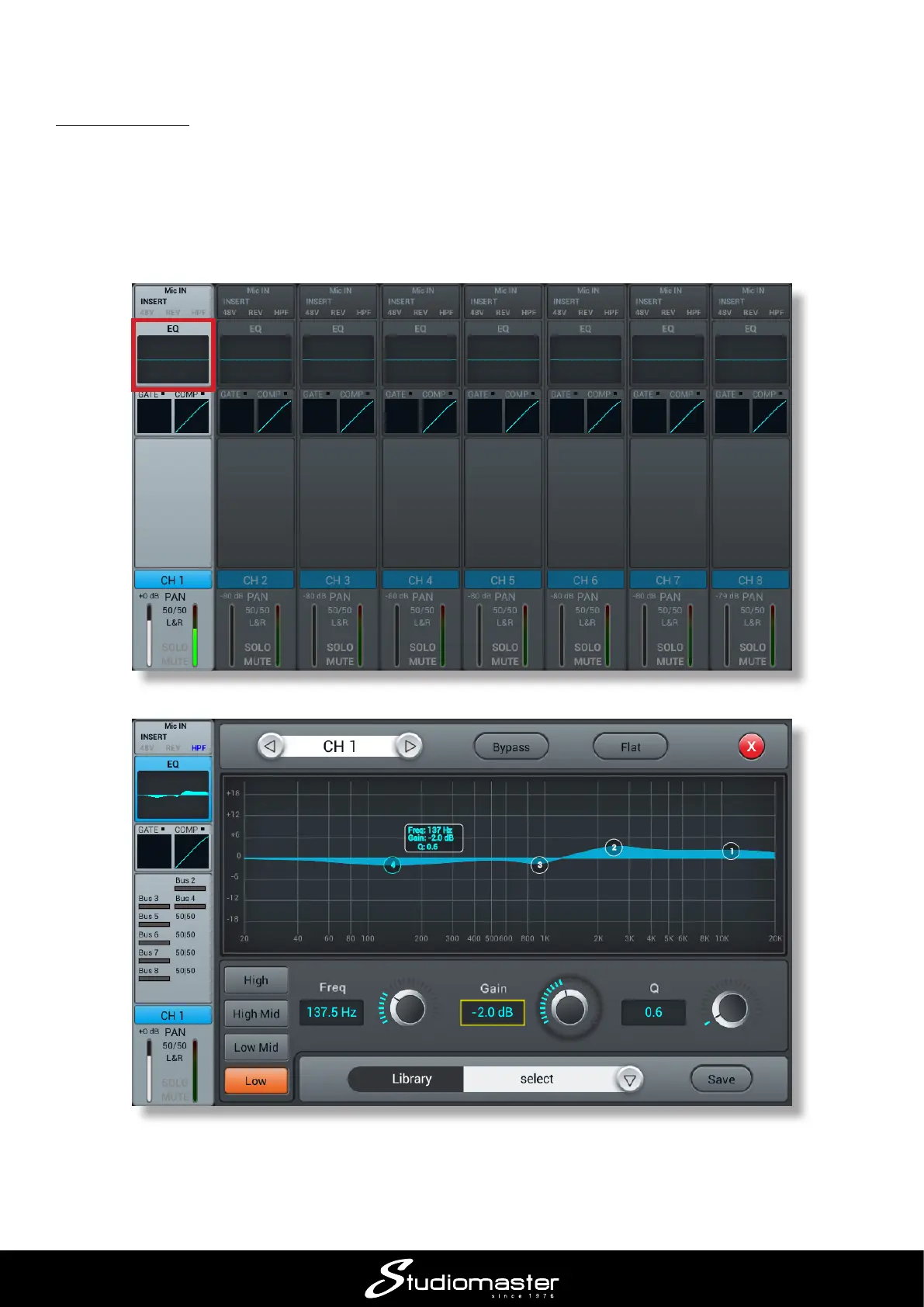
You will probably want to adjust the equalisation (EQ) on one or more inputs to optimise sound
quality.
Each digiLiVE input channel has a 4-band parametric EQ section. Until you make an adjustment,
channels have a “at” frequency response. To access the EQ controls for any channel, touch the
EQ area of its channel strip: the EQ sub-page opens.














 To Next Page