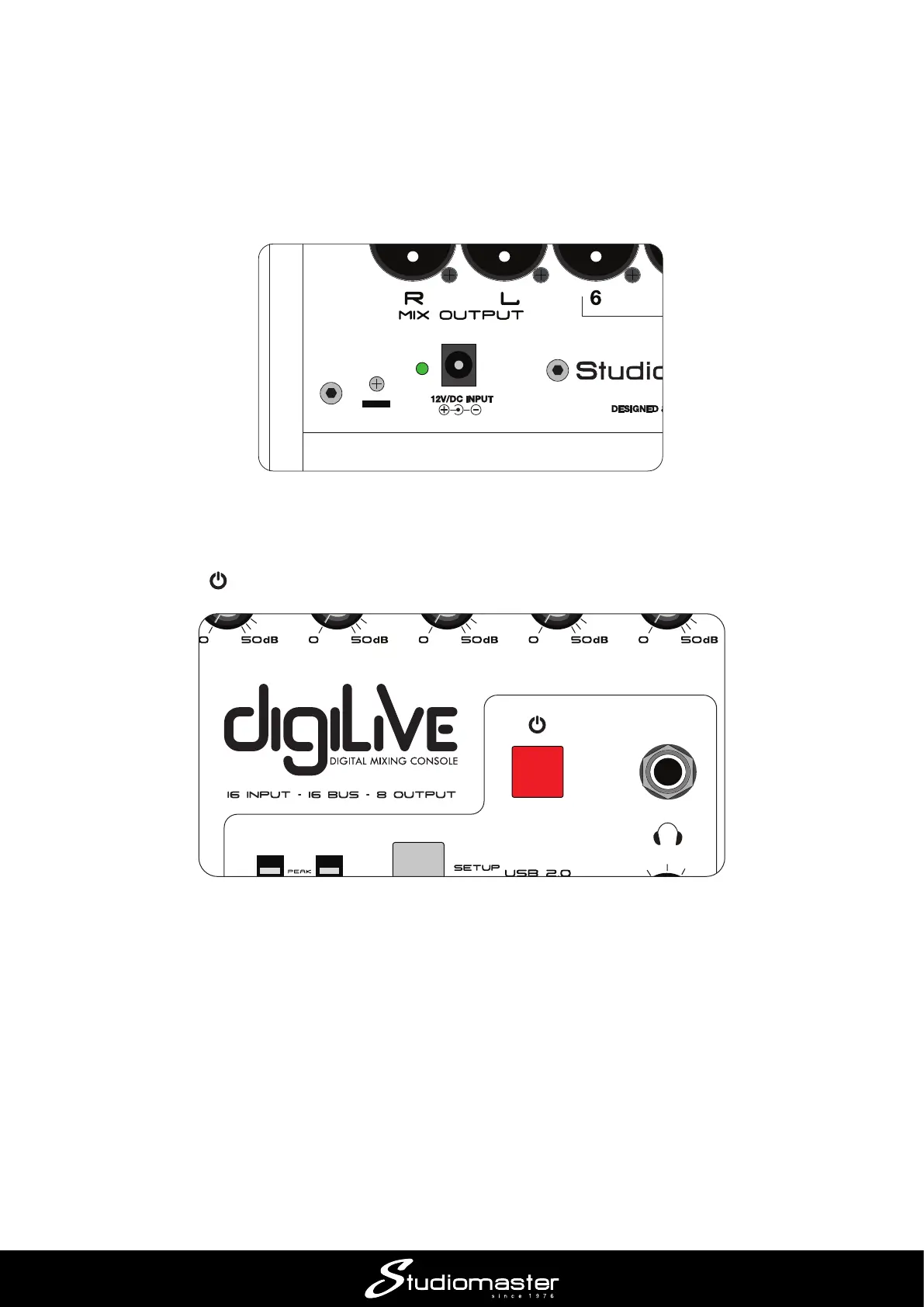
Powering your digiLiVE
Your digiLiVE is powered from the 12 V DC power supply (PSU) packed separately in the carton.
Never use any other PSU: your warranty will be invalidated if you do. Connect the PSU to the AC
mains supply with the cable supplied; it can operate on mains voltages from 100 V to 240 V. When
the PSU is connected to AC mains, a blue LED on the PSU lights. The DC output cable should be
plugged in to the 12V/DC INPUT socket on digiLiVE’s rear panel.
Once connected, digiLiVE starts its boot-up sequence as soon as you turn the AC mains on; this
takes approximately 30 seconds.
The Power button has several functions:
• A short press (less than 3 seconds) when the console is ON places it in SAFE mode. The screen
and all other displays turn o and the controls become inoperative, but audio will continue to be
passed with all console settings retained;
• A short press when the console is in SAFE mode returns it to its normal operating state;
• A long press (more than 3 seconds) when the console is ON turns it o;
• A long press (more than 3 seconds) when the console is OFF switches it back on.
Whenever digiLiVE powers down, all current console settings are saved. Next time you power it
up, digiLiVE will have exactly the same settings you last used.














 To Next Page