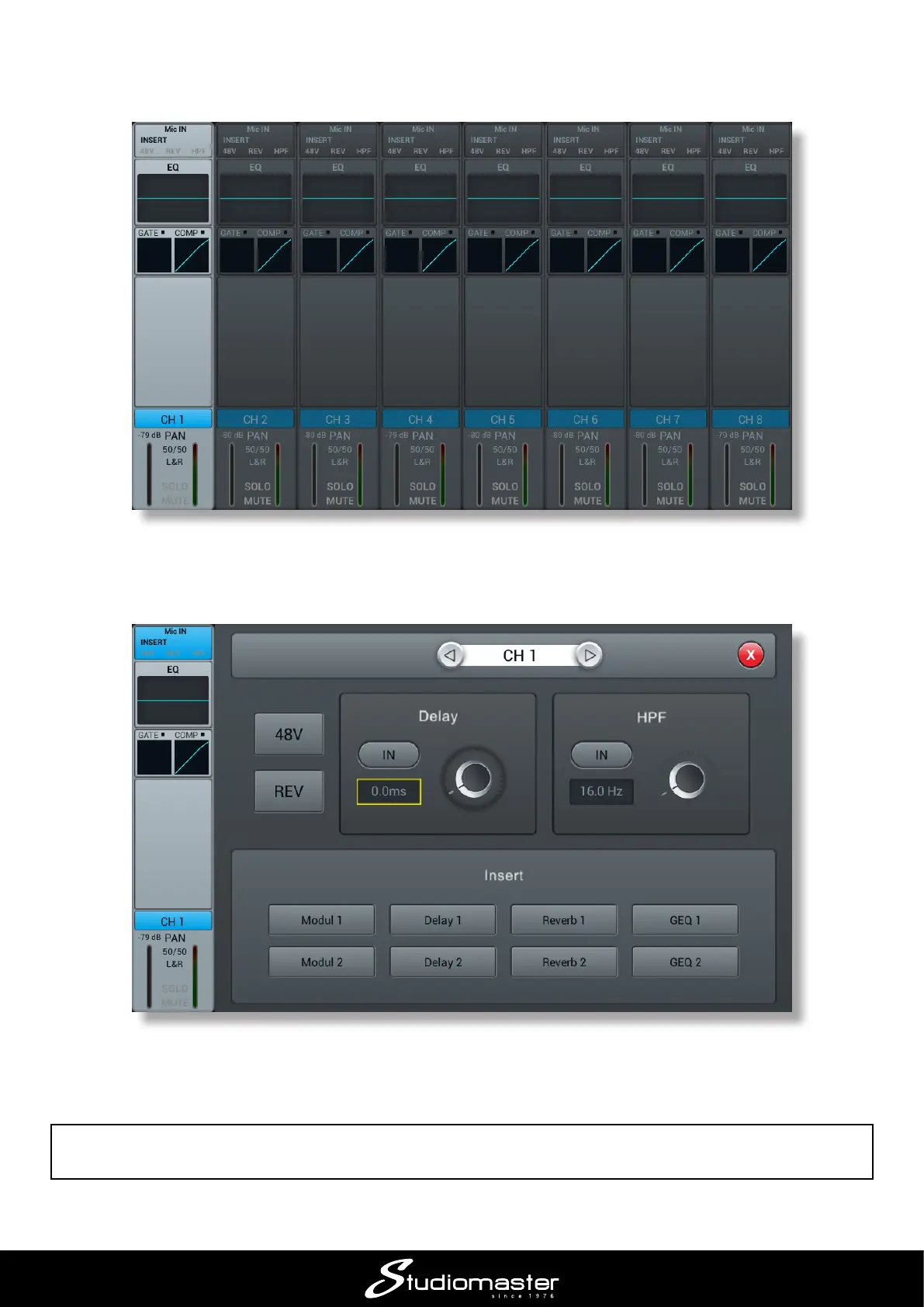
If you are using a condenser mic, press the SELECT button for Channel 1, and then tap the Input
Stage area of the highlighted channel (the topmost area, labelled Mic IN).
Touch the 48V button to enable phantom power for Channel 1. Touch the red cross (top right-hand
corner of the screen) to return to the Channels 1 to 8 page.
The 48V indicator at the top of the on-screen channel strip turns to red to remind you that phantom
power is on.
IMPORTANT: Only turn phantom power on when condenser mics are in use. Do not turn it on for
any other type of source (however, phantom-powered active DI boxes are an exception to this rule).














 To Next Page