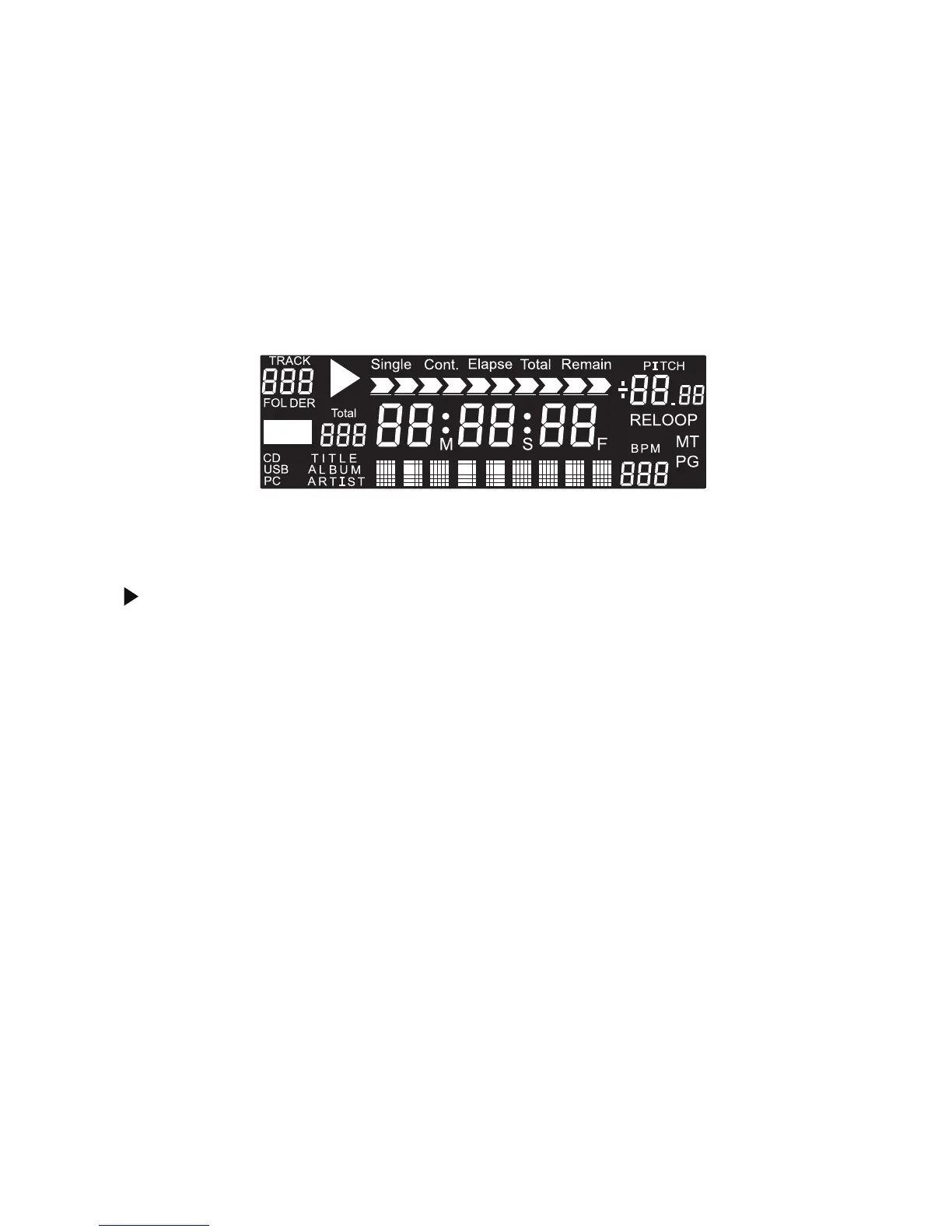
Display Instruction
1. TOTAL TRACK: The number of tracks that are in the CD.
2. : The unit is in play.
3. CUE: This indicates that a cue has been memorized.
4. CD: Indicates the unit is in CD mode.
5. USB: Indicates the unit is in USB mode. USB lights stably when reading USB A and flashing when reading USB 2.
6. SINGLE: Shows when the unit is set to play only one track.
7. CONT: Shows when the unit is set to play all tracks continuously.
8. ELAPSE: Shows the time as it is taking place.
9. TOTAL: Shows how much time is left on the full CD. It's only for CDDA format.
10. REMAIN: Shows how much time is left on a particular track.
11. MT: Lights up when performing Master Tempo function.
12. RELOOP: Lights up when performing the loop function
13. M/S/F: Minutes, seconds, and frames
14. PITCH: Pitch value shows and changes with the pitch slider movement.
15. BPM: Beats per minute of the particular song
5. LINE OUT: The audio from each CD player outputs from these jacks. Connect to the line input of a mixer.
The port has to be connected correctly to its relative port and both ports (A&B) have to be connected to activate
all functions.
6. Fader START: This connector is used for connecting to FADERSTART wire remote control unit.
7. TACT-LOCK option: Select the type of switch in the mixer for FADERSTART wire remote control.
8. CONNECTION PORTS: Connect from this port to the remote control unit.
5


 To Next Page