28
/07.2016/G20EN
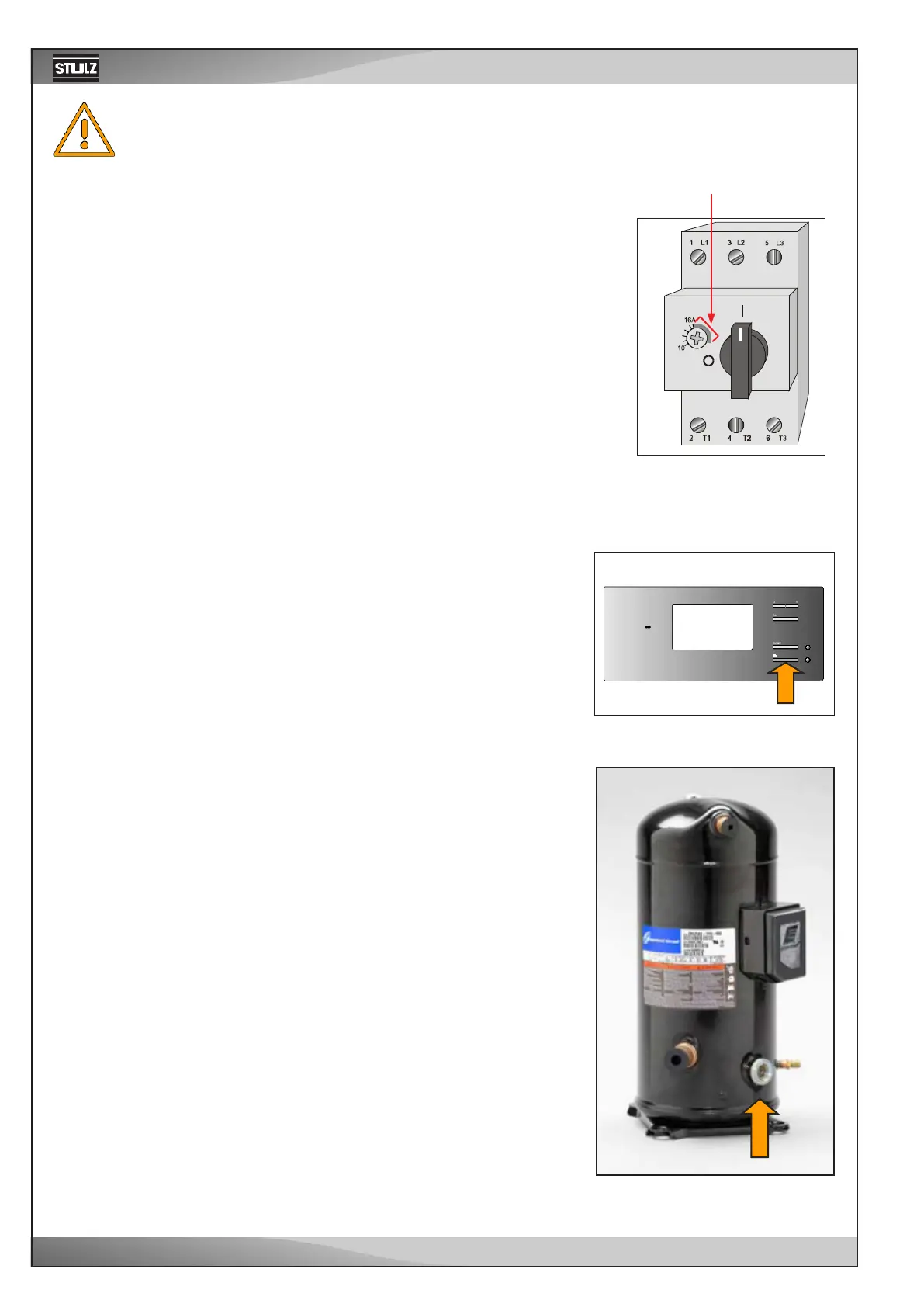
• Adjustment of the power switches according to electrical data sheet.
• Switch on the A/C unit at the master switch.
• Switch on the control-circuit fuses and the power switches of the fan and the
compressor in sequence.
• Close
the electrical compartment door.
The controller is now supplied with power, so you can use it for adjustments.
Make sure that the heat rejecting system is operating.
A - air-cooled condenser
G - dry cooler
Switching on power switch
Do not turn the adjustment screw beyond the end of the calibrated scale range, as it may result
in overheating and short-circuit at the consumer or in the destruction of the power switch.
non-calibrated range
Controller C7000, Start/stop-key
• Adjust the desired return air temperature at the controller.
• Start the A/C unit by pressing the Start/Stop-key on the controller.
• Check after 20 minutes operation, whether bubbles are visible in the
sight glass of the liquid line. If this is the case, refrigerant might have
escaped by a leak. Check the circuit on leaks, eliminate these and top
up the circuit with R407C in regard of the chapter "Maintenance".
• Check the oil level at the compressor in respect of the right level.
The oil level should be between the lower quarter and the middle of the
sight glass.
• Check the current consumption of the compressors and the fans com-
paring it with the values of the technical data.
• Instruct the operational staff of the controller manipulation (refer to the
controller manual).
Oil level at the compressor



 To Next Page