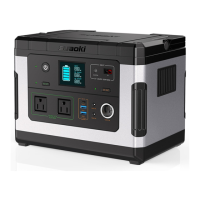
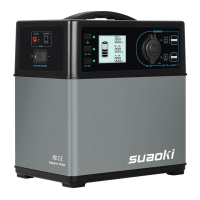
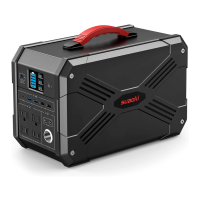
Step 2: Turn on AC/DC output
Long press the AC/DC power button for 2 seconds to turn on. The corresponding indicator
light would be on and the LCD display would show ‘AC ON’/‘DC ON’.
Note: You need to long press the master power button first before using DC Power Button
and AC Power Button. DC Power Button and AC Power Button cannot work when the
product is not turned on.
When not using certain ports, make sure to turn off the output to conserve power.
Step 3: Charge your electronic device
Connect your device to the portable power supply.
You will know if it’s powering your electronic devices when the numbers on the LCD
changes.The numbers indicate the amount of power your devices gets from the portable
power supply.
Step 4: Turn off AC/DC Output
Press the AC power button, DC power button, master power button for 2 seconds to shut
down the AC output, DC output and main power supply respectively.
Step 5: Turn off the portable power supply
Turn off manually:
Long press the master power button for 2 seconds to turn off the product. Hold the button
until the LCD display lights off. Release the button and the indicator light would be off.
Turn off automatically:
When the product is turned on while the DC and AC power output are off, main power supply
will shut down automatically in 10 minutes of inactivity.
The portable power supply will shut itself down when the battery capacity is lower than 10%.
Note:
Keep in mind to turn off the product when you don’t need it.
When you are not going to use this product for a long time, it is best to fully charge it before
storing it away.
50Hz/60Hz Frequency Selection
(英语日文里面加,其他语种不加)
1. Long press the master power button for 3 seconds to turn on the product. The default
setting is 60 Hz.
2. With AC output and DC output turned off, long press AC Power Button and DC Power
Button for 3 seconds at the same time. You could then select frequency.
3. Click on AC Power Button or DC Power Button to select. You can discover that the AC
output power displayed on LCD would change accordingly.
4. Once you have made your selection, press both AC and DC power button to confirm your
choice and exit.
■
Cold Weather Usage
Cold temperatures(below freezing) can impact the battery capacity of the portable power


 To Next Page
 Loading...