2-22
Keys and doors
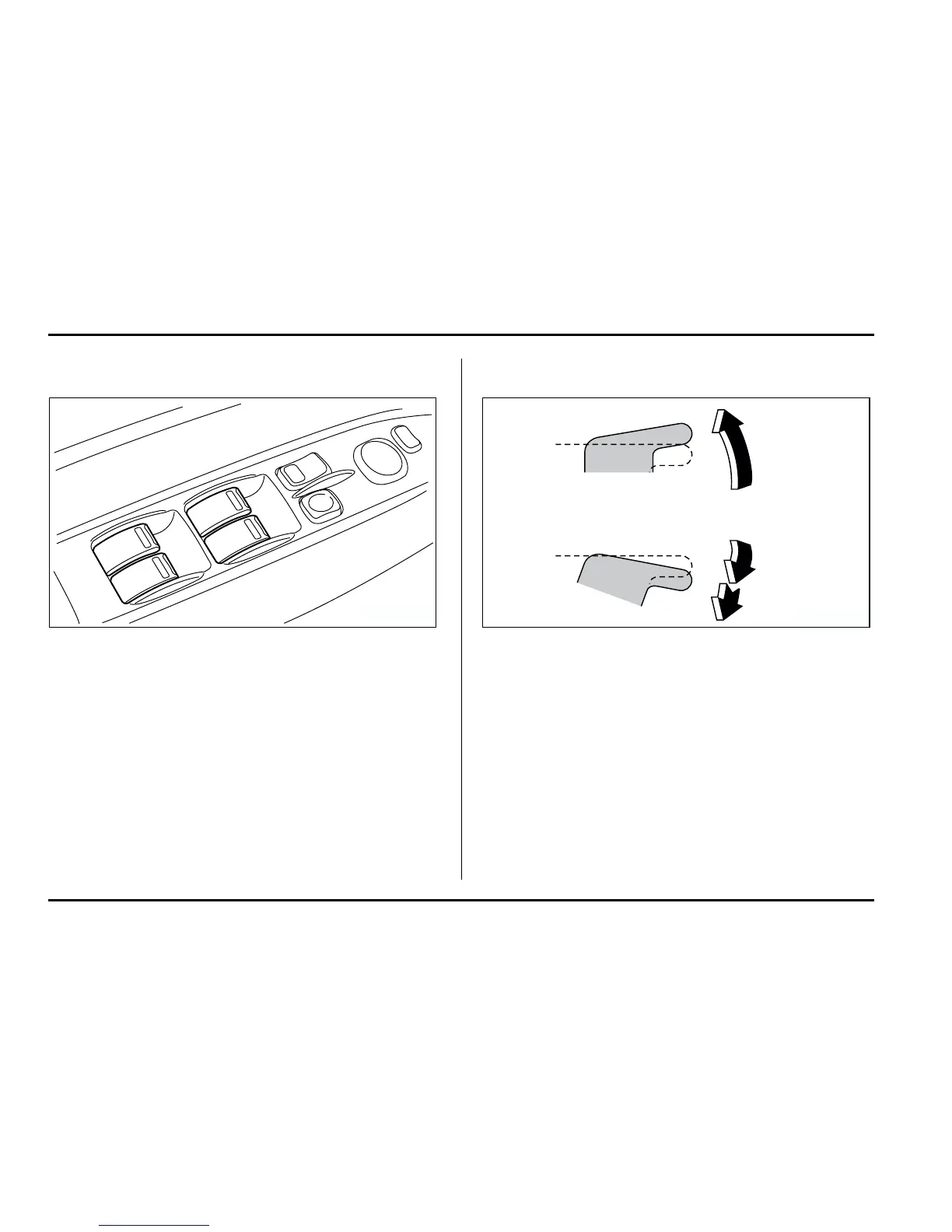
T Driver’s side switches
1) Lock switch
2) For driver’s window (with one-touch auto down fea-
ture)
3) For front passenger’s window
4) For rear left window
5) For rear right window
All door windows can be controlled by the power win-
dow switch cluster at the driver side door.
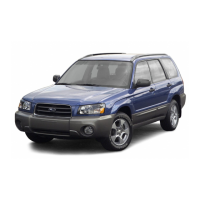
V Operating the driver’s window
1) Open
2) Automatically open
3) Close
To open:
Push the switch down lightly and hold it. The window
will open as long as the switch is held.
This switch also has a one-touch auto down feature
that allows the window to be opened fully without hold-
ing the switch.
Push the switch down until it clicks and release it, and
the window will fully open. To stop the window half-
way, pull the switch up lightly.
1
2
4
5
3
HS2026BB
3
1
2
HS2027BB









 To Next Page