226
2-2. Instrument cluster
BRZ_EGE
Using the multi-information display
■ Using the content display area
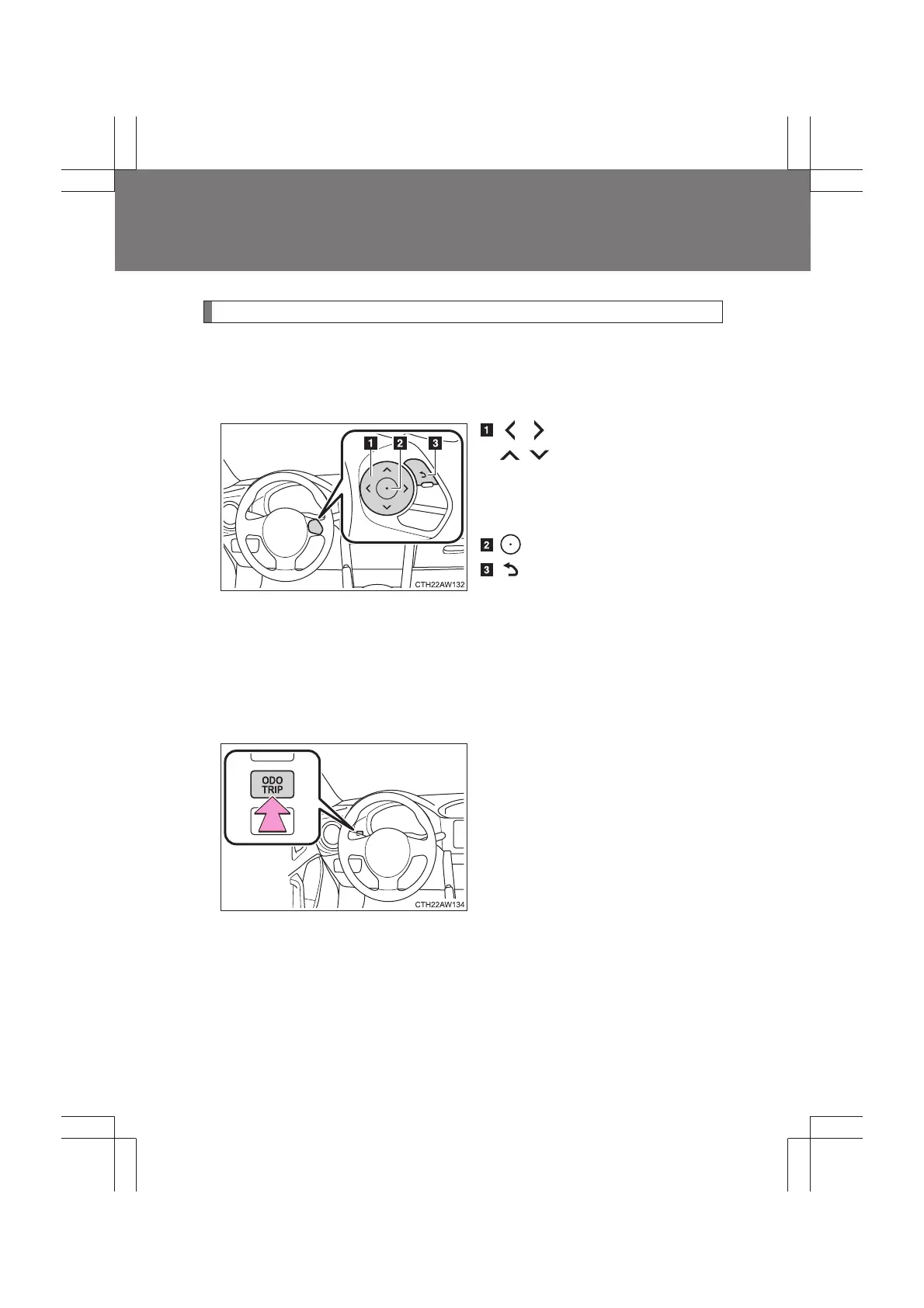
The content display area is operated using the meter control
switches.
: Select menu icons
: Change displayed
content, scroll up/
down the screen
and move the cursor
: Enter
: Return to the previ-
ous screen
For information pertaining to the content of each menu icon, refer to
the explanation of each item under the heading of the relevant menu
icon.
■ Using the odometer/trip meter display area
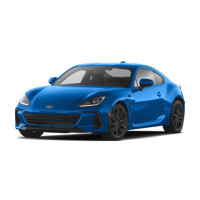
Items in this area are operated using the “ODO/TRIP” switch.
Press: Change displayed item
Each time the switch is pressed,
the displayed item changes in the
order of odometer → trip meter A
→ trip meter B.
Press and hold: Reset
Display the desired trip meter and
press and hold the switch to reset
the trip meter.


 To Next Page