297
3-2. Using the audio system
3
Interior features
BRZ_EGE
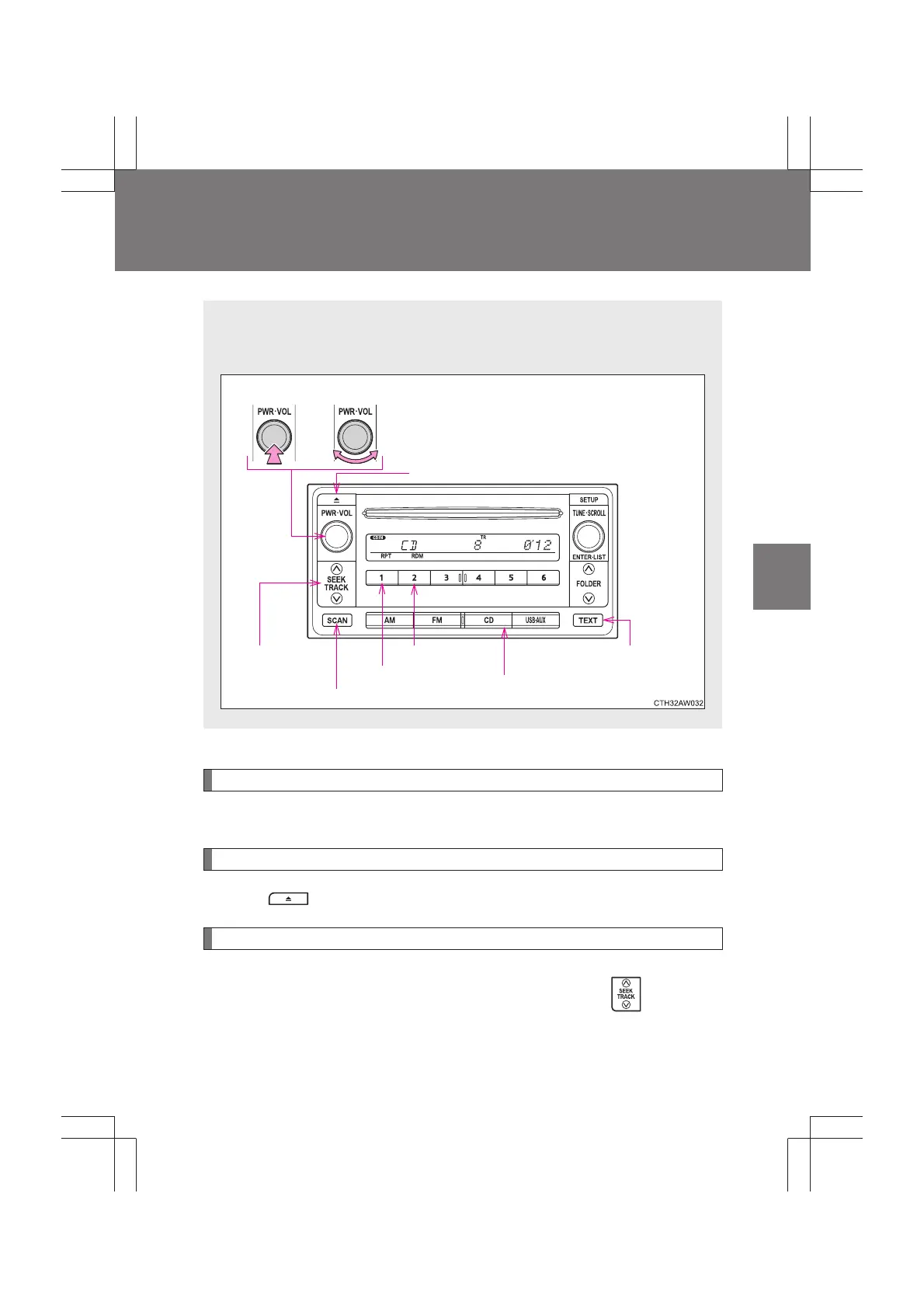
Using the CD player
∗
Loading CDs
Insert a CD.
Ejecting CDs
Press and remove the CD.
Selecting a track
Press “
∧” to move up or “∨” to move down using until the
desired track number is displayed.
The illustrations below are for left-hand drive vehicles.
The button positions may differ slightly for right-hand drive vehicles.
Volume
Random playback
Repeat play
Playback
Power
CD eject
Displays text messagesSelecting a track/
fast-forwarding
and rewinding
Search playback
∗: If equipped


 To Next Page