295
3-2. Using the audio system
3
Interior features
BRZ_EGE
Using the radio
∗
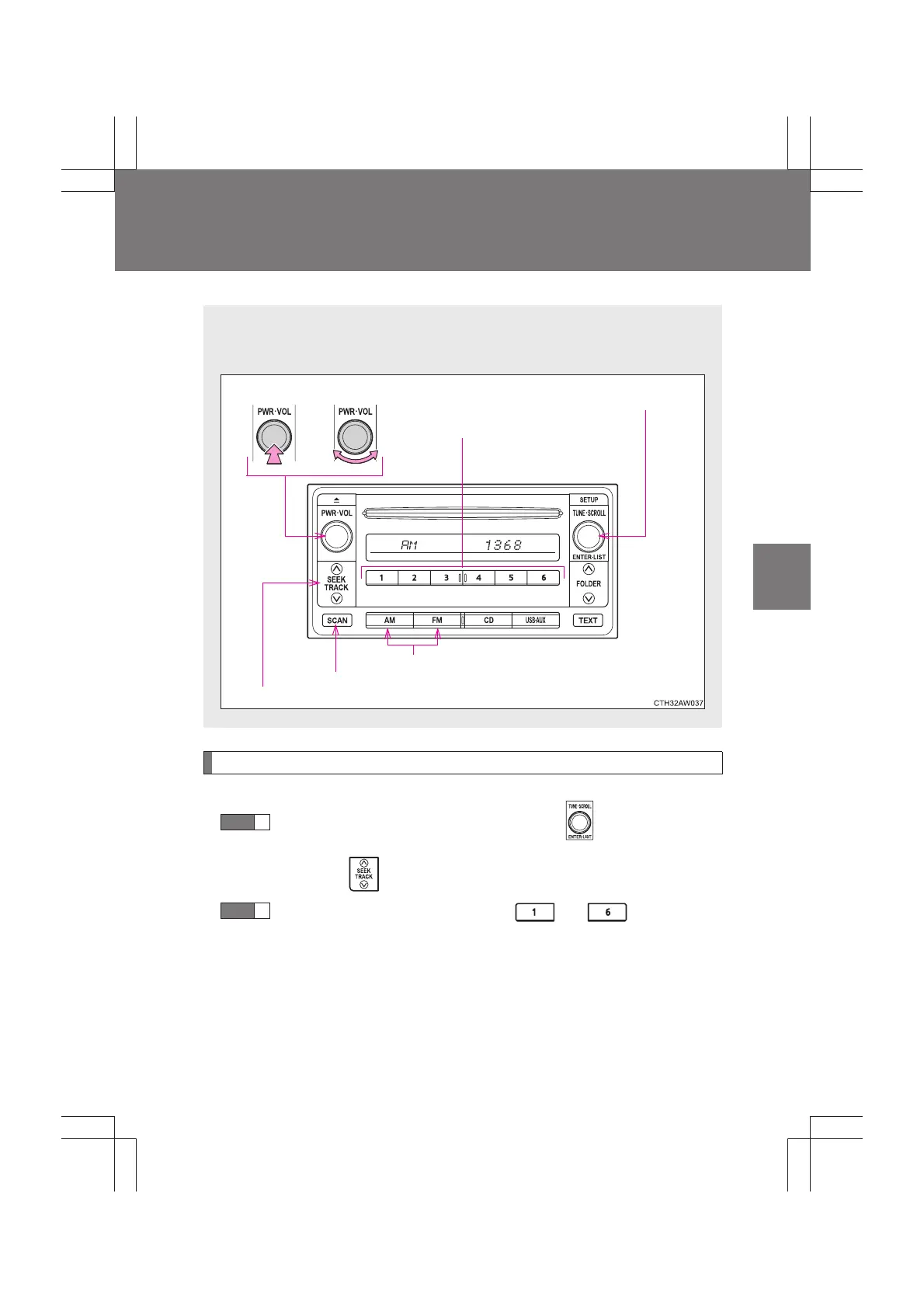
Setting station presets
Search for desired stations by turning or pressing “
∧”
or “∨” on .
Press and hold the button (from to ) the station
is to be set to until you hear a beep.
∗: If equipped
The illustrations below are for left-hand drive vehicles.
The button positions may differ slightly for right-hand drive vehicles.
Volume
Seeking a frequency
Station selector
AM/FM mode buttons
Adjusting the frequency
Power
Scanning for receivable stations
STEP
1
STEP
2


 To Next Page