234
2-2. Instrument cluster
BRZ_EGE
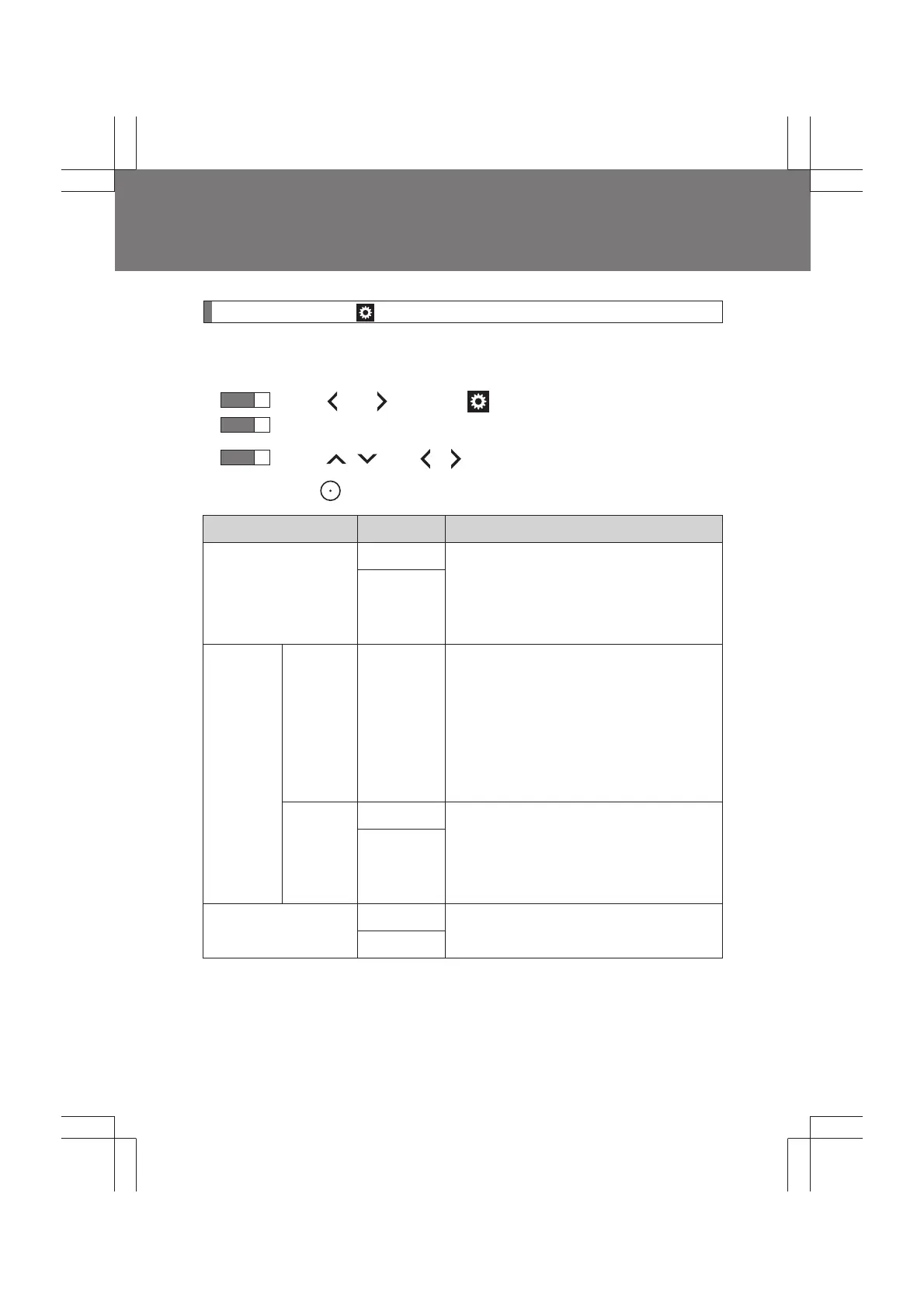
Settings display ( )
Use the meter control switches on the steering wheel to change set-
tings.
Press or to select .
Operate the switches to select a desired item.
Press / or / to change the setting and then
press to confirm the change.
Item Settings Details
Welcome screen
On Select to enable/disable the welcome
screen and tachometer indicator nee-
dle movement function when the push-
button ignition switch is turned to “ON”
mode.
Off
REV.
RPM
--00 rpm
(OFF) ~
7400 rpm
Select to enable/disable the REV indi-
cator and set the engine speed at
which the REV indicator will be illumi-
nated.
To disable, select “--” for the engine
speed (--00 rpm)
Selectable engine speed range: 2000
to 7400 rpm
Buzzer
On Select to enable/disable the sounding
of a buzzer when the REV indicator is
illuminated. This setting can be
changed only when the REV indicator
is enabled.
Off
GSI*
On
Select to enable/disable the shift posi-
tion indicator and shift-up indicator.
Off
STEP
1
STEP
2
STEP
3


 To Next Page