24
Controls
1
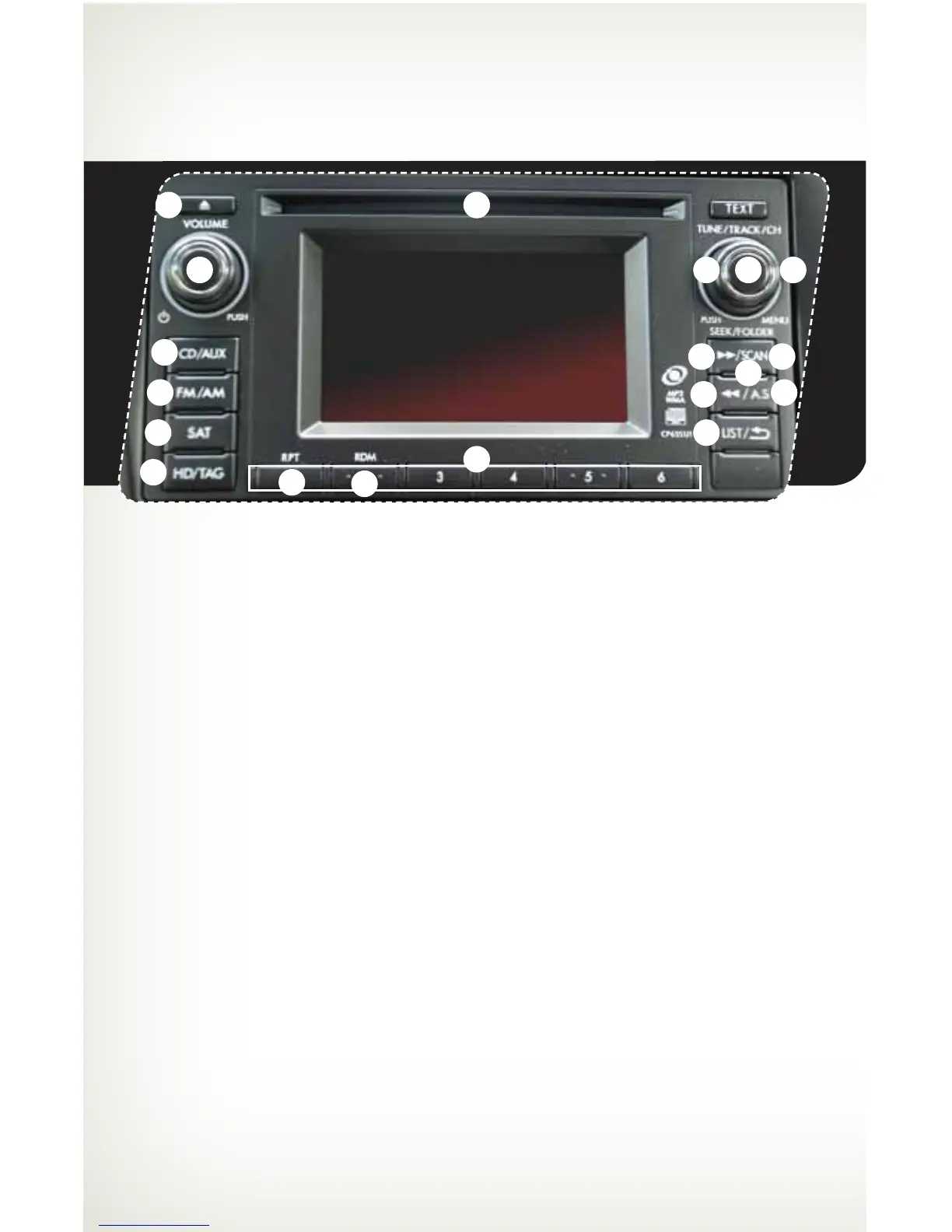
AM/FM Stereo, HD Radio™
with Single Disc CD/MP3/
WMA Player (if equipped)
Radio Functions
1. Power / Volume Control
Press the power / volume control knob
for on or off; rotate the knob to control
the volume.
2. Bass, Treble, Balance and Fader
Press the “TUNE/TRACK/CH” button
to display the setting menu. Using the
“TUNE/TRACK/CH” dial you can adjust
the settings on the Bass, Mid, Treble,
Balance and Fader.
3. FM / AM
Press the “FM/AM” button to
choose FM1, FM2, FM-AS, AM or
AM-AS reception.
4. Tune / Track
Rotate the “TUNE/TRACK/CH”
knob clockwise to increase the
tuning frequency; rotate the knob
counterclockwise to decrease it.
5. Seek
Press the right or left arrow of the “SEEK”
button to pick up the next highest or
lowest frequency.
6. Presets
You can save up to six favorite stations for
each band – FM1, FM2, FM-3 and AM.
Select a frequency and press one of the
preset buttons for more than 1.5 seconds
to store it.
7. Satellite Radio
An optional satellite radio tuner and
antenna can be connected to this audio
unit. You can hear satellite radio programs
by pressing the “SAT” button after
connecting optional equipment. To receive
satellite radio service, it is necessary to
enter into a separate contract with a
satellite radio provider.
11
9
8
15
13
5
5
3
7
16
17
14 10
4 2
6
12
16
784214_11a_Subaru_Forester_QRG_110410.indd 24 11/4/10 8:24 AM















 To Next Page