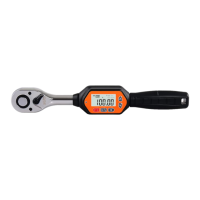
POWER ON
Press P/C key to turn the digital torque tool on.
After the display showed the Max measuring value for 3 second, the display will
show the last Data before it was switched off.
POWER OFF
Press P/C key and hold for 2 seconds to switch off .
RESET
Press P/C key to reset.
HOW TO SELECT UNIT
Press U/S key to select N-m, Kg-cm, lb-in, and lb-ft; the preset unit is N-m.
Torque Unit Conversion Table
PRESET MEMORY GROUP FUNCTION
All preset memory data sets are preset as 10 values. To set a memory value, press and
hold the M KEY, after 2 sec, then the memory group number is flashing, enter
memory group number selection mode, use ∧
(up) or ∨ (down) to select the memory data set (up and down keys can be held down
for continuous increasing or decreasing. Press the M Key after selected, will leave the
select mode to stop flashing. You can press ∧(up) or ∨ (down) KEY to change the
selected preset value.
HOW TO SET TARGET VALUE
In (T)trace mode or (P)peak mode, press and hold ∧ (up) or ∨ (down) to increase or
decrease the target value.
HOW TO SET TRACE MODE (T), PEAK MODE (P)
Press M key to change trace mode (T) or peak mode (P) .
TRACE MODE (T)



 To Next Page