8
STOP
OFFL
COOL
AIR
MODE
TURN
FAN
5
How to use
1. Operating the unit
2. Adjusting the direction of airflow
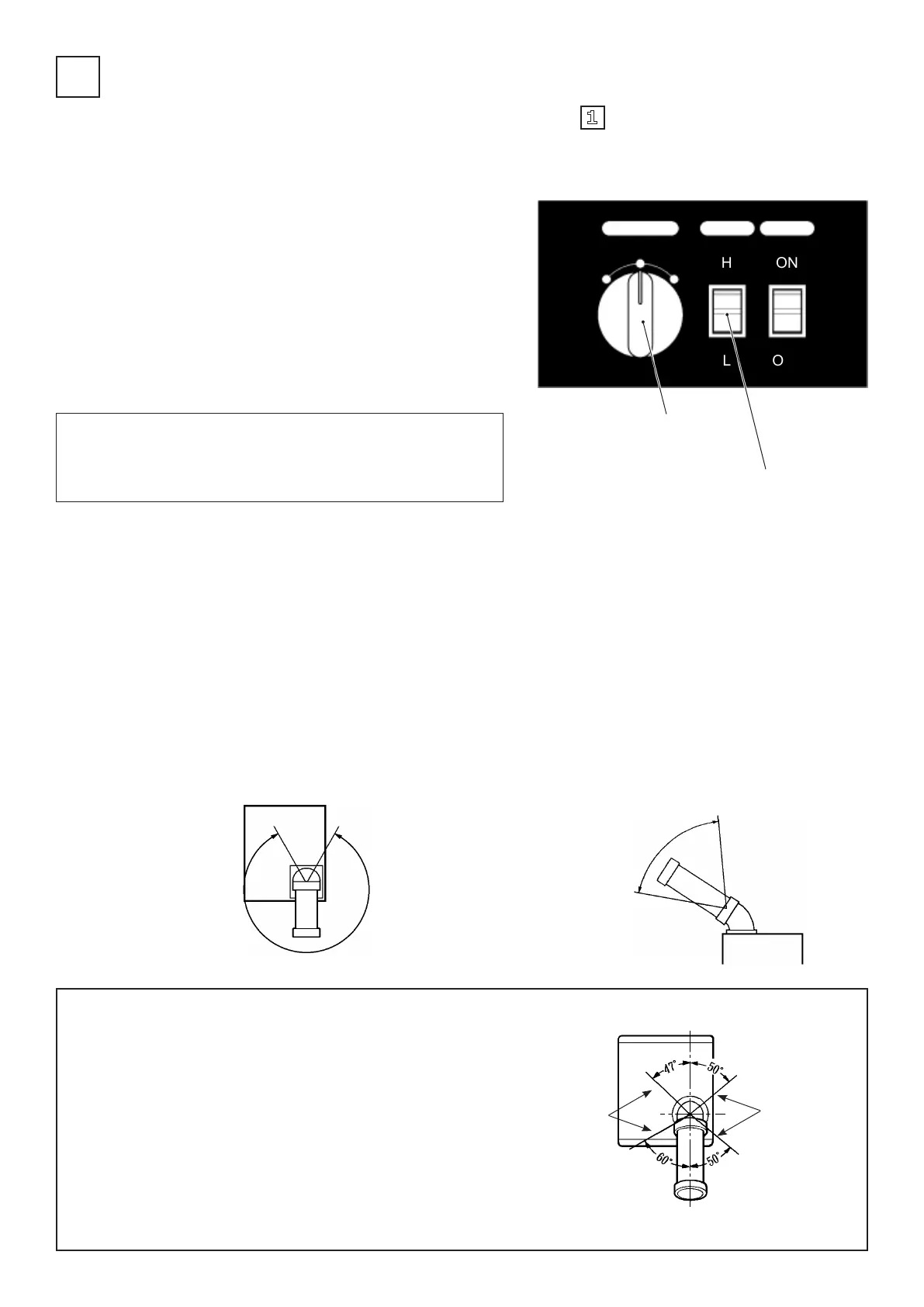
(1) Operating the power switch (MODE)
I. Open the control panel cover on the top of the unit.
II. Turn the power switch on the control panel to “AIR” or
“COOL”.
* “AIR“: The fan is working but not the compressor
(No cool air is coming).
* “COOL“: The fan and the compressor is working
(Cool air is coming).
∆ Note:
When you turn off the “COOL” option with the power switch and
change it to “STOP” or “AIR”, wait at least 3 minutes before
turning the switch to “COOL” again.
The cool air duct can be adjusted, so please operate the unit
after having pointed it in the desired direction.
● Horizontal adjustment
The cool air duct can be turned approximately 300
degrees.
● Vertical adjustment
The cool air duct is exible and can be bent in any desired
way within its possible range.
∆ Note:
I. Bend the cool air duct gently, rmly holding the duct
elbow with your other hand.
* The duct can get damaged if forcedly bent too far.
II. If something is dropped into the exhaust air vent, do
not use a stick or similar object to try to retrieve it.
* You may damage internal parts and cause
malfunction.
III. Where the duct’s attachment peg and the air air vent’s
attachment notch align, the unit comes off. Therefore
use the cool air duct within the indicated range.
Important: To ensure safety, read section one “ 1 For your safety!“ rst.
(2) Operating the airflow adjustment switch
Set the airow to strong (H) or weak (L).
Possible
vertical
adjustment
range
Can be turned
approx. 300º
Do not use
within this
range
Power switch
Airow adjustment switch
Do not use
within this
range


 To Next Page