Manual / Function
1. Full Auto Shut-Off Screwdriver
It stops automatically when the screw has been tightened up and reached the set-up torque level. The device will
not cause damage of task since no continue running after screws are tightened.
(1) Trigger Switch
The LED lights on when the trigger switch has been pressed about one-third down, and then the
screwdriver starts functioning when the switch trigger has been pressed half way down; on the contrary, it
stops when the screw has been tightened up or the trigger has been released.
(2) Forward / Reverse Switch
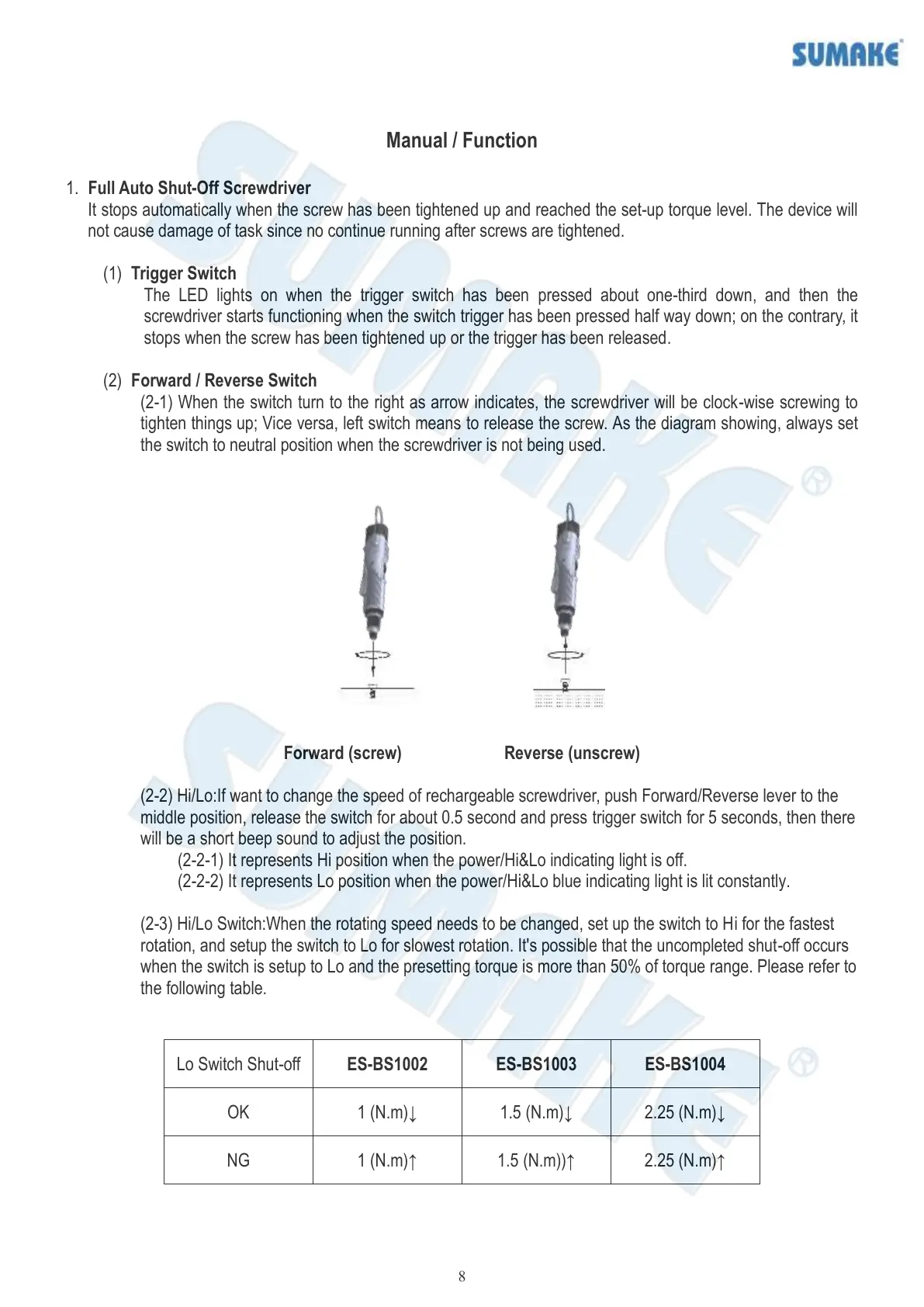
(2-1) When the switch turn to the right as arrow indicates, the screwdriver will be clock-wise screwing to
tighten things up; Vice versa, left switch means to release the screw. As the diagram showing, always set
the switch to neutral position when the screwdriver is not being used.
Forward (screw) Reverse (unscrew)
(2-2) Hi/Lo:If want to change the speed of rechargeable screwdriver, push Forward/Reverse lever to the
middle position, release the switch for about 0.5 second and press trigger switch for 5 seconds, then there
will be a short beep sound to adjust the position.
(2-2-1) It represents Hi position when the power/Hi&Lo indicating light is off.
(2-2-2) It represents Lo position when the power/Hi&Lo blue indicating light is lit constantly.
(2-3) Hi/Lo Switch:When the rotating speed needs to be changed, set up the switch to Hi for the fastest
rotation, and setup the switch to Lo for slowest rotation. It's possible that the uncompleted shut-off occurs
when the switch is setup to Lo and the presetting torque is more than 50% of torque range. Please refer to
the following table.


 To Next Page
 Loading...