SummaSign Pro T-series Cutters User’s Manual
Contour Cutting 5.4
NOTE
The SummaSign Series cutters can also be equipped with an Optical
POsitioning System (OPOS). This automatic system guarantees precise
contour cutting. The use of the OPOS is explained in a separate manual
(MI9981).
Alignment methods:
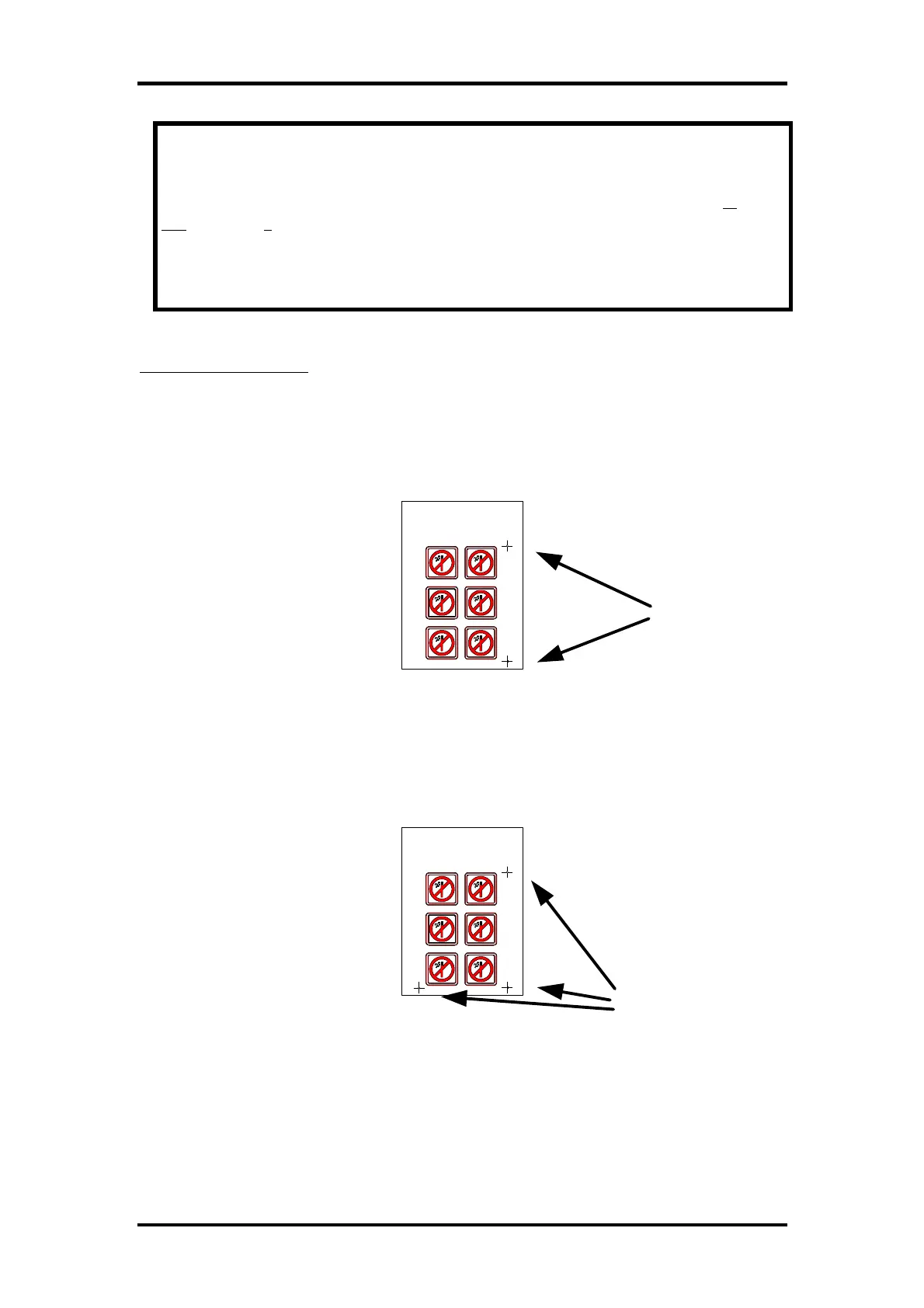
1. X-Alignment : counterbalances a “rotated design” problem. For this
method, the origin and one point along the x-axis must be specified. This
method only rotates the contour. It does not require any distance
parameters. This is the fastest and easiest method. It is advised to use this
method with small sheets (up to A3 (11” x 17”)).
2. XY-Alignment : counterbalances the “rotated design” and “skewed
design” problems. For this method, the origin, one point along the x-axis
and one point along the y-axis must be specified. This method rotates and
skews the drawing. It does not need any distance parameters. This method
is the most precise method without using any distance parameters.
3. XY-Adjustment : counterbalances the “rotated design”, “skewed design”
and “Incorrectly scaled design” problems. For this method, the origin, one
defined point along the x-axis and one defined point along the y-axis must
be specified. This method rotates, skews and scales the drawing. It requires
Origin point
X-Axis point
Two cross-marks
indicating the
origin and the X-
axis.
Y-Axis point
X-Axis point
Origin point
Three cross-
marks indicating
the origin, the X-
axis and the Y-
axis.



 To Next Page