EasyManua.ls Logo

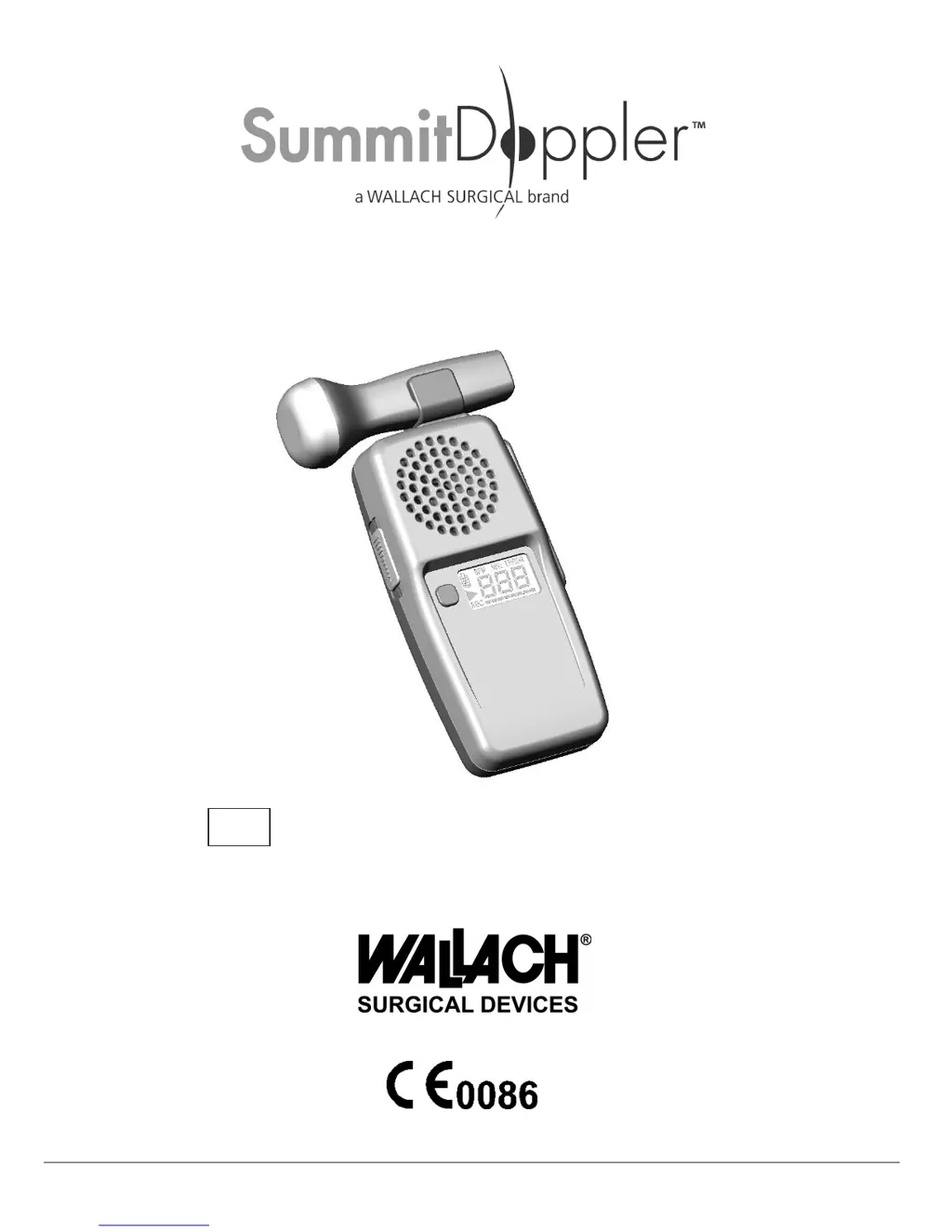
Summit Doppler LifeDop MC250 - User Manual

Default Icon
23 pages
Print Icon
To Next Page IconTo Next Page
Loading...
MAN0001-DFU • Rev. A • 11/12 Wallach Surgical Devices
User Manual for LifeDop
®
L150 Series (Handheld Doppler without Display)
L250 Series (Handheld Doppler with Display)
L150, L150A, L150R, L250, L250AR, L250R,
MC150, MC150R, MC250, MC250R
REF

Questions and Answers

  • J
    joshuacooperAug 5, 2025
    What to do if there is radio frequency interference with Summit Doppler Medical Equipment?
    • L
      Lonnie JohnsonAug 5, 2025
      If you experience radio frequency interference with your Summit Doppler Medical Equipment, try increasing the distance between the LifeDop and the source of the interference.
  • K
    Kim MorrisonAug 9, 2025
    Why is the heart rate inaccurate on my Summit Doppler Medical Equipment?
    • B
      bsloanAug 9, 2025
      If the heart rate displayed on your Summit Doppler Medical Equipment is inaccurate, relocate the probe for a better signal. For OB applications, make sure that maternal sounds are not mixing with fetal sounds. Also, manually count to ensure the rate is between 50 and 220 BPM.
  • S
    Sharon ReedAug 13, 2025
    Why doesn't my Summit Doppler Medical Equipment rechargeable unit hold a charge?
    • K
      Kelsey PerezAug 13, 2025
      If your Summit Doppler Medical Equipment rechargeable unit does not hold a charge, first verify that you are using the correct recharge adapter, specifically Wallach Surgical Devices products. If the batteries are old, refer to the Maintenance Section.
  • L
    Lisa RichardsonAug 17, 2025
    Why is the recharge indicator flashing on my Summit Doppler Medical Equipment?
    • W
      Wendy LucasAug 18, 2025
      If the recharge indicator is flashing on your Summit Doppler Medical Equipment, it means the recharge cycle is complete or the batteries didn’t require recharge.
  • K
    Katherine JohnsonAug 22, 2025
    How to improve poor sound quality on Summit Doppler Medical Equipment?
    • C
      Cynthia PetersonAug 22, 2025
      If the sound quality of your Summit Doppler Medical Equipment is poor, relocate the probe for a better signal. Refer to the Signal Strength Indicator.
  • T
    Travis HayesAug 27, 2025
    What to do if probe frequency does not match the connected probe on Summit Doppler Medical Equipment?
    • T
      thompsonwesleyAug 27, 2025
      If the probe frequency does not match the connected probe on your Summit Doppler Medical Equipment, check that the attached probe is the correct one and properly attached. If the correct probe is being used, contact Wallach Surgical Devices’ Service Department.
  • E
    elizabethperezAug 31, 2025
    Why is the recharge indicator off after charging Summit Doppler Medical Equipment?
    • N
      Nicole DavisAug 31, 2025
      If the recharge indicator is off after charging your Summit Doppler Medical Equipment, a battery level error has occurred. Refer to Diagnostic Codes and contact service.

Summary

Intended Use

Usage Restrictions & Warnings

Covers contraindications, probe usage limitations, and electrical connection restrictions.

Safety of Ultrasound

Ultrasound Probes

Vascular Probes (4, 5, & 8 MHz)

For peripheral vascular assessment, with varying depths and applications.

Operating the Device

Diagnostic Monitoring Features

Describes device self-checks, probe frequency display, and error reporting.

Battery Management

Recharging Procedures and Warnings

Guidance on recharging, including warnings for incompatible chargers/batteries.

PC Audio Download

PC Connection Warnings

Safety guidelines for connecting to external accessories and PCs.

Windows Audio Download Procedure

Instructions for using Sound Recorder to capture audio from the device.

Mac Audio Download

Macintosh Audio Capture

Steps to record audio using SimpleSound on Apple computers.

Obtaining Doppler Signals

Obstetrical Signal Detection

Guidance on locating fetal heart sounds based on gestation stage.

Vascular and Obstetrical Techniques

5 & 8 MHz Vascular Scanning

Methods for acquiring peripheral arterial and venous signals.

Maintenance and Cleaning

Safety Warnings for Maintenance

Precautions against immersion, sterilization, and use on open skin.

Replacing Batteries

Battery Replacement Cautions

Use only specified batteries; AA size only.

Troubleshooting

General Troubleshooting Warnings

Safety advice and general precautions for troubleshooting device issues.

Device Specifications

Warranty and Servicing

Product Warranty Information

Covers warranty period, product life, and limitations of liability.

Summit Doppler LifeDop MC250 Specifications

General IconGeneral
CategoryMedical Equipment
DisplayLCD
Auto ShutoffYes
TypeDoppler
BatteryYes
Audio OutputYes

Related product manuals