Document No. 8128000560
Software Revision – N1B (07 Oct 04)
7-43
RT-9000 B
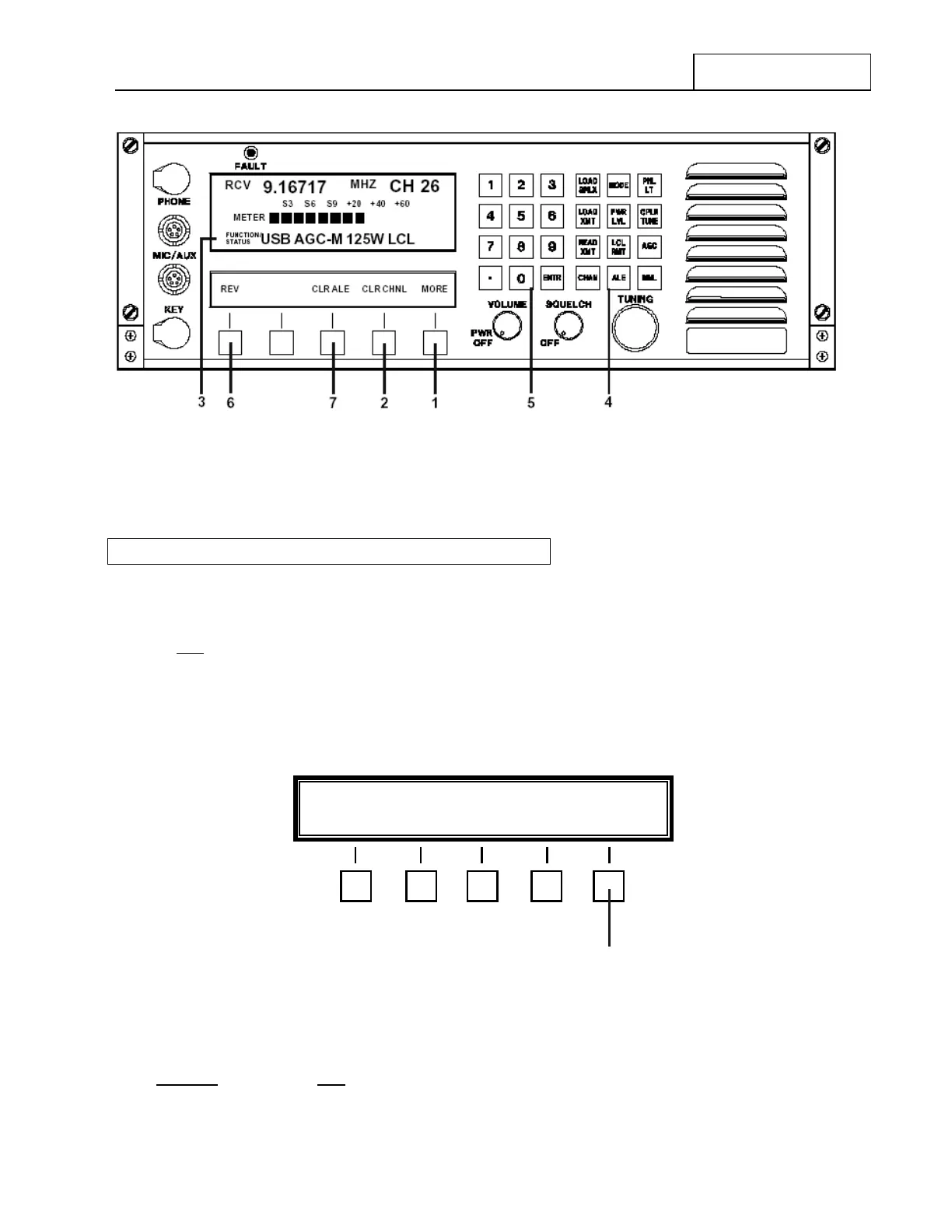
Figure 7.3.3.10 Main Menu containing Software Revision Level and Channel & ALE Clearing Selections
7.3.3.7 CHANNEL and ALE IDENTITY CLEARING
7.3.3.7.1 Channel Clearing
To clear ALL
RT-9000 B Pre-set Channels, depress the main menu ‘MORE’ key at 1 until Feature Menu
Display shown in Figure 7.3.3.10 appears.
Depress the Clear Channel (‘CLR-CHNL’) key at 2 . The Operational Display at 3 will blank and the
Feature Menu Display will change to that shown in Figure 7.3.3.11.
Figure 7.3.3.11 Channel Clearing Feature Menu
If you DO NOT
wish to clear ALL RT-9000 B Pre-set Channels, depress the ‘END’ key at 8 NOW. All front
panel displays will revert to their normal state.
RT-9000 B
PRESS Ä 0 Ä TO CLEAR ALL CHANNELS END
8



 To Next Page