4
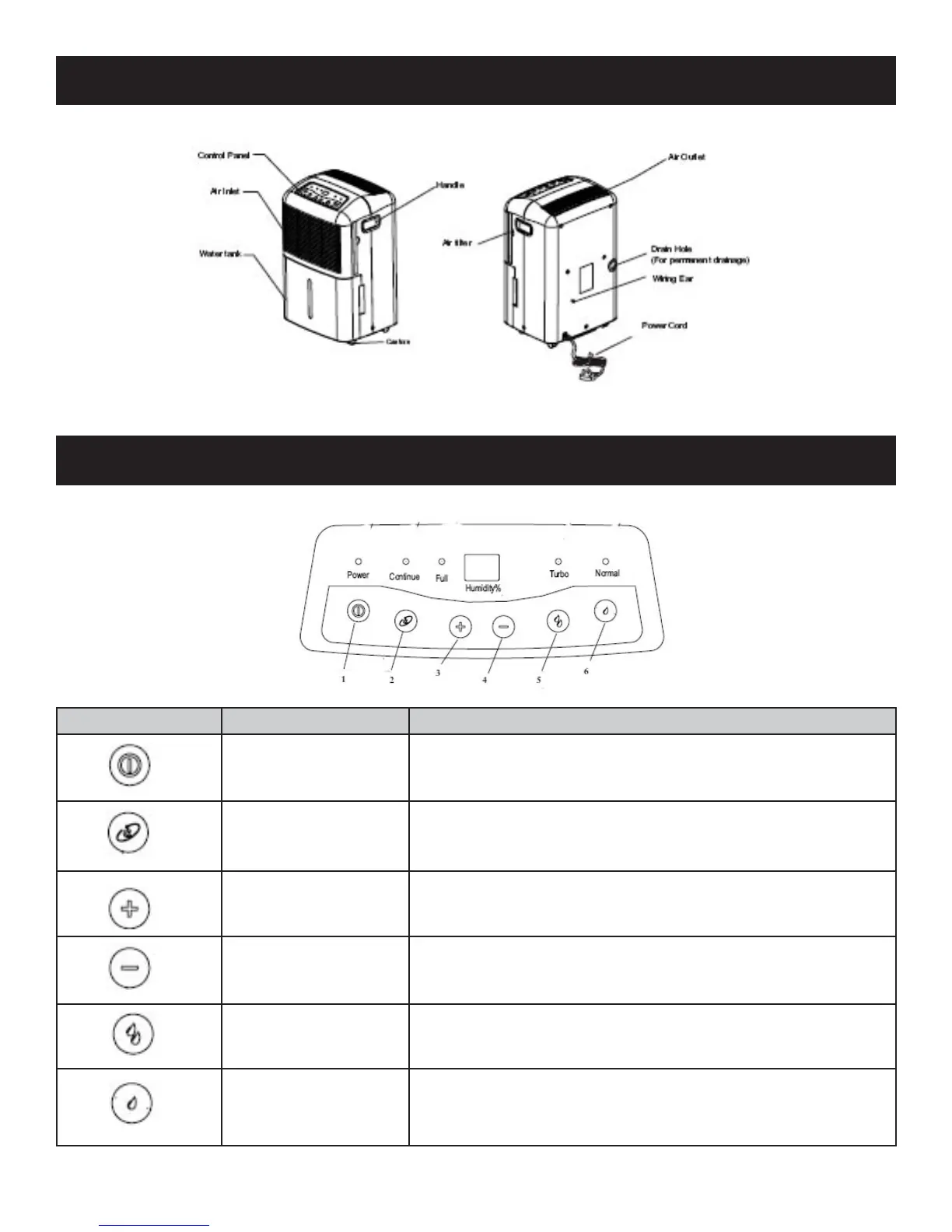
PARTS DIAGRAM
CONTROL PANEL
SYMBOL FEATURE DESCRIPTION
1
Power Press to turn on and off the dehumidifi er
2
Continue Press to set the continuous dehumidifying function
3
Humidity + Press to increase the humidity percentage
4
Humidity - Press to decrease the humidity percentage
5
Turbo Press to set the fan speed to High
6
Normal Press to set the fan speed to Low


 To Next Page