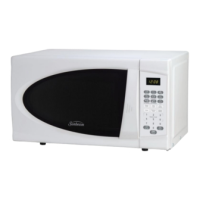
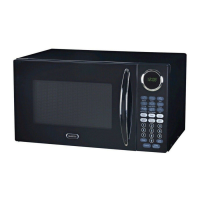
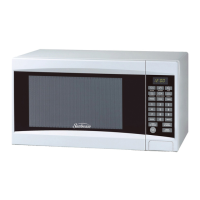
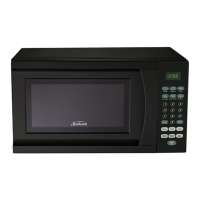
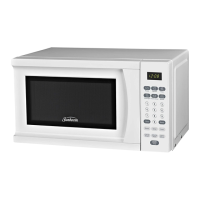
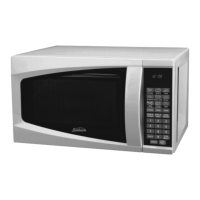
This document is a user manual for a Sunbeam 0.7 Cu. Ft. Countertop Microwave, models SGC7701 and SGC7702.
Function Description
The Sunbeam 0.7 Cu. Ft. Countertop Microwave is designed for heating and cooking food using microwave energy. It offers various cooking functions, including quick cook settings for popular foods like popcorn, beverages, reheat, pizza, baked potato, and frozen dinner. The microwave also features a speed defrost function and a cook by weight option for precise defrosting and cooking based on food weight. It includes a child lock for safety.
Important Technical Specifications
- Power Consumption: 120V~60Hz, 1050W
- Output: 700W
- Operation Frequency: 2450MHz
- Outside Dimensions (H×W×D): 10 5/16 × 17 13/16 × 12 1/16 inches
- Oven Cavity Dimensions (H×W×D): 8 11/16 × 12 3/8 × 11 9/16 inches
- Oven Capacity: 0.7 cu. ft.
- Cooking Uniformity: Turntable System
- Net Weight: Approx. 23.1 lbs.
The microwave is equipped with a 3-prong grounded plug and requires a 120V, 60Hz, AC only, 15 amp electrical outlet.
Usage Features
Control Panel:
The control panel features a display, quick cook buttons, number pads (0-9), power button, timer button, cook button, cook by weight button, defrost by weight button, speed defrost button, clock button, reset button, and start/stop button.
Setting the Clock:
To set the clock, touch the CLOCK pad, then use the number pads to enter the correct time. Touch CLOCK pad again to confirm. The display will show ENTER CLOCK TIME. If you prefer not to have the clock displayed, touch RESET.
Setting the Timer:
To use the timer, touch the TIMER pad, enter the desired time using the number pads, then touch START/STOP. The timer counts down in the display, and a beeper will sound when the time is complete.
Setting a Cooking Program:
The microwave supports one-stage and two-stage cooking.
- One-stage Cooking: Touch the number pads to set a cooking time (up to 99 minutes and 99 seconds). The default setting is 100% microwave power output. To set a lower power level, touch POWER, then use the number pads to enter the power level (e.g., 9 for 90%, 8 for 80%, down to 0 for 0%). Touch START/STOP to begin.
- Two-stage Cooking: This allows for cooking at two different temperatures or power levels. Follow steps for SET STAGE 1 (first stage) and SET STAGE 2 (second stage), then touch START/STOP.
Speed Defrost:
To use speed defrost, touch the DEFROST pad, enter the desired defrosting time using the number pads, then touch START/STOP. During defrosting, the system will pause automatically and remind the user to turn the meat over.
Cook by Weight:
This feature allows cooking based on the weight of the food. Touch COOK BY WEIGHT, enter the digit code for the food type (1 for Beef, 2 for Chicken, 3 for Pork), then enter the weight in pounds and ounces (e.g., 1 lb. to 5 lb. and 0 oz. digit from 1 oz. to 16 oz.). Touch START/STOP. The manual provides a conversion chart for fractions of a pound to ounces.
Defrost by Weight:
To use defrost by weight, touch DEFROST BY WEIGHT, enter the number pad to enter the food weight, then touch START/STOP. The microwave will automatically calculate the defrosting time.
Setting Child Lock:
To activate the child lock, press and hold RESET for 3 seconds. "Lock" will be indicated on the display. To cancel, press and hold RESET for 3 seconds again.
Quick Cook Settings:
- Popcorn: Touch POPCORN. The microwave automatically sets the cooking time for a 3.5 oz. bag of microwave popcorn.
- Beverage: For cups (5-7 oz./each), touch BEVERAGE once. For larger coffee mugs (9-11 oz./each), touch BEVERAGE twice. Enter the number of cups using the number pads.
- Reheat: Press the REHEAT button.
- Pizza: For reheating a slice of pizza, touch PIZZA once. For heating a whole pizza, touch PIZZA twice.
- Baked Potato: For potatoes (4-6 oz./each), touch POTATO once. For larger potatoes (8-10 oz./each), touch POTATO twice. Enter the number of potatoes using the number pads.
- Frozen Dinner: For one or two small (7-9 oz.) frozen dinners, touch FROZEN DINNER once. For one entree or two entrees, touch the number pad "1" or "2". For microwaving one large (10-12 oz.) frozen dinner, touch FROZEN DINNER twice. For one entree or two entrees, touch the number pad "1" or "2".
Cooking Utensils Guide:
- Recommended: Microwave browning dish, microwaveable plastic wrap, paper towels and napkins, glass and glass-ceramic bowls and dishes, paper plates and cups, wax paper, thermometers.
- Limited Use: Aluminum foil (small, smooth pieces to prevent overcooking), ceramic, porcelain, and stoneware (if labeled "Microwave Safe"), plastic (if labeled "Microwave Safe").
- Not Recommended: Glass jars and bottles, paper bags, styrofoam plates and cups, plastic storage and food containers, metal utensils.
Cooking Techniques:
- Stirring: Stir foods such as casseroles and vegetables to distribute heat evenly.
- Arrangement: Arrange evenly shaped foods, such as chicken pieces or chops, with the thicker, meatier parts towards the outside of the turntable.
- Shielding: Use narrow strips of aluminum foil to prevent overcooking.
- Turning: Turn foods over midway through cooking to expose all parts to microwave energy.
- Standing: Foods cooked in a microwave build up internal heat and continue to cook for a few minutes after heating stops.
- Adding Moisture: Microwave energy is attracted to water molecules. Food that is uneven in moisture content should be covered or allowed to stand so that the heat disperses evenly. Add a small amount of water to dry food to help it cook.
Maintenance Features
Cleaning and Care:
- Power Cord: Turn off the microwave and unplug the power cord from the wall when cleaning.
- Interior: Keep the inside of the microwave clean. Wipe food spatters or spilled liquids with a damp cloth. Mild detergents may be used. The outside of the microwave should be cleaned with a damp cloth.
- Door: Wipe the window on both sides with a damp cloth to remove any spills or spatters. Do not allow the control panel to become wet. Clean with a soft, damp cloth.
- Turntable: The glass tray and roller ring should be cleaned regularly to avoid excessive noise. Wipe the bottom surface of the microwave with a mild detergent. The roller ring may be washed in mild, soapy water or in a dishwasher.
- Odor Removal: Remove odors from your microwave by combining a cup of water with the juice and skin of one lemon in a microwaveable bowl. Microwave for 5 minutes. Wipe thoroughly and dry with a soft cloth.
- Light Bulb: If the light bulb burns out, contact customer service for replacement.
- General Cleaning: The microwave should be cleaned regularly and any food deposits should be removed. Failure to maintain the microwave in a clean condition could lead to deterioration of surfaces that could adversely affect the life of the unit and could possibly result in a hazardous situation.
- Disposal: Please do not dispose of this appliance into a regular garbage receptacle. Please check to see where you can dispose such appliances.
Before Calling for Service:
- Check that the microwave is plugged in securely.
- Check for a blown circuit fuse or a tripped main circuit breaker.
- Check that the control panel is programmed correctly and the timer is set.
- Check that the door is securely closed, engaging the door safety lock system. If the door is not properly closed, the microwave energy will not flow inside.
For service, support and warranty information, contact 1-866-257-3336.

 Need help?
 General

 To Next Page