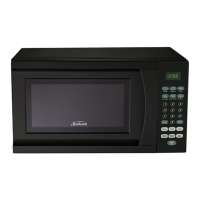
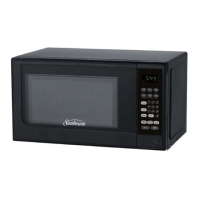
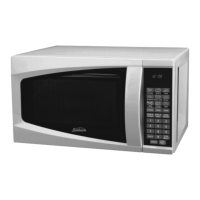
This document is the user manual for the Sunbeam 0.7 Cu. Ft. Countertop Microwave, model SGS90701W. It provides comprehensive instructions for operating, maintaining, and troubleshooting the appliance, ensuring safe and efficient use.
Function Description
The Sunbeam 0.7 Cu. Ft. Countertop Microwave is designed for heating, cooking, and defrosting various food items. It operates on 120V, 60Hz, and 15 amps, with a power output of 700W. The microwave utilizes a 3-prong grounding plug for safety and requires a properly grounded wall outlet. It is specifically designed for domestic use and is not intended for laboratory or deep-frying applications. The appliance features a turntable system to ensure even cooking and heating.
Usage Features
The microwave offers a range of features to simplify cooking:
- Control Panel: The control panel includes a display for cooking time, power, indicators, and the current time. It features quick cook buttons for popular foods, number pads (0-9) for setting times or weights, and dedicated buttons for Clock, Reset, Power, Timer, Cook, Cook by Weight, Defrost by Weight, Speed Defrost, and Start/Stop.
- Setting the Clock: Users can set the time of day using the CLOCK pad and number pads. The microwave operates on a 12-hour clock system. If the clock is not desired, it can be cleared by pressing RESET.
- Setting the Timer: A standalone timer function allows users to set a countdown for up to 99 minutes and 99 seconds, which operates independently even during a cooking program. The timer can be canceled at any point by pressing TIMER followed by RESET.
- One-stage Cooking: To cook, users set the desired time using the number pads. The default power output is 100%, but a different power level can be selected by pressing POWER and then the corresponding number pad. Cooking starts by pressing START/STOP.
- Two-stage Cooking: For recipes requiring different cooking stages, the microwave supports multi-stage cooking. Users first set the parameters for Stage 1 (time and power level), then press COOK to set Stage 2 (time and a typically lower power level), and finally START/STOP to begin.
- Speed Defrost: This quick defrost function alternates defrost and stand times to efficiently defrost foods. Users enter the desired defrosting time, and the system pauses automatically to prompt turning the food over, resuming after START/STOP is pressed. This feature can be combined with one- or two-stage cooking programs.
- Cook by Weight: This feature allows programmed cooking based on the weight of the food. Users select a code for the food type (Beef, Chicken, Pork) and enter the weight in pounds and ounces. The system automatically pauses to remind the user to turn the meat over.
- Defrost by Weight: Similar to Cook by Weight, this function enables programmed defrosting based on the food's weight. Users enter the weight, and the system pauses to prompt turning the food over for even defrosting.
- Quick Cook Settings: Pre-programmed settings for common foods simplify operation. These include:
- Popcorn: Automatically sets cooking time for a 3.5 oz. bag of microwave popcorn. The preset time can be customized.
- Potato: Cooks small (4-6 oz.) or larger (8-10 oz.) potatoes, allowing selection of 1 to 4 potatoes.
- Pizza: Reheats a single slice or heats a whole frozen pizza.
- Beverage: Heats small (5-7 oz.) or larger (9-11 oz.) cups, allowing selection of 1 to 4 cups/mugs.
- Frozen Dinner: Heats small (7-9 oz.) or larger (10-12 oz.) frozen dinners, allowing selection of 1 or 2 entrees.
- Reheat: Reheats a dinner plate of chilled leftovers effectively.
- Child Lock: To prevent unsupervised operation, a child lock can be activated by pressing and holding RESET for 3 seconds in standby mode. The "LOCK" indicator appears on the display. To deactivate, press and hold RESET again for 3 seconds.
- Cooking Techniques: The manual provides tips for optimal cooking, including stirring foods for even heat distribution, arranging food with thicker parts towards the outside of the turntable, shielding delicate areas with aluminum foil to prevent overcooking, and turning large foods midway through cooking. It also highlights the importance of "standing time" after cooking to allow internal heat to complete the process and adding moisture to dry foods.
Maintenance Features
Proper maintenance ensures the longevity and safe operation of the microwave:
- Cleaning: The microwave should be cleaned regularly. The interior can be wiped with a damp cloth and mild detergent to remove food splatters and spills. Harsh cleaners should be avoided as they may stain or dull surfaces. The exterior should also be cleaned with a damp cloth, taking care to prevent water from seeping into ventilation openings. The window should be wiped on both sides to remove spills. The control panel should be cleaned with a soft, damp cloth, keeping the door open to prevent accidental activation.
- Turntable Care: The glass tray and roller ring assembly should always be in place during operation. These components can be washed in warm, soapy water or in a dishwasher. The roller ring and microwave floor should be cleaned regularly to prevent excessive noise.
- Odor Removal: Unpleasant odors can be removed by microwaving a cup of water with lemon juice and skin for 5 minutes, then wiping the interior thoroughly.
- Light Bulb Replacement: If the light bulb burns out, users are advised to contact customer service for replacement.
- General Safety: The manual emphasizes the importance of keeping the microwave clean and removing food deposits, as failure to do so can lead to deterioration of surfaces and potentially hazardous situations. It also advises against disposing of the appliance in regular garbage and encourages checking local disposal guidelines.
- Troubleshooting: Before calling for service, users are instructed to check several items: ensuring the microwave is securely plugged in, checking for blown fuses or tripped circuit breakers, verifying correct control panel programming and timer settings, and confirming that the door is securely closed to engage the safety lock system.

 Need help?
 General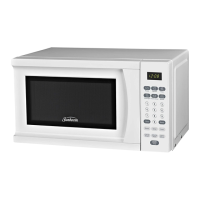

 To Next Page