26
Connecting External Devices
RF US B
YP bP r
RF USB
Y L R
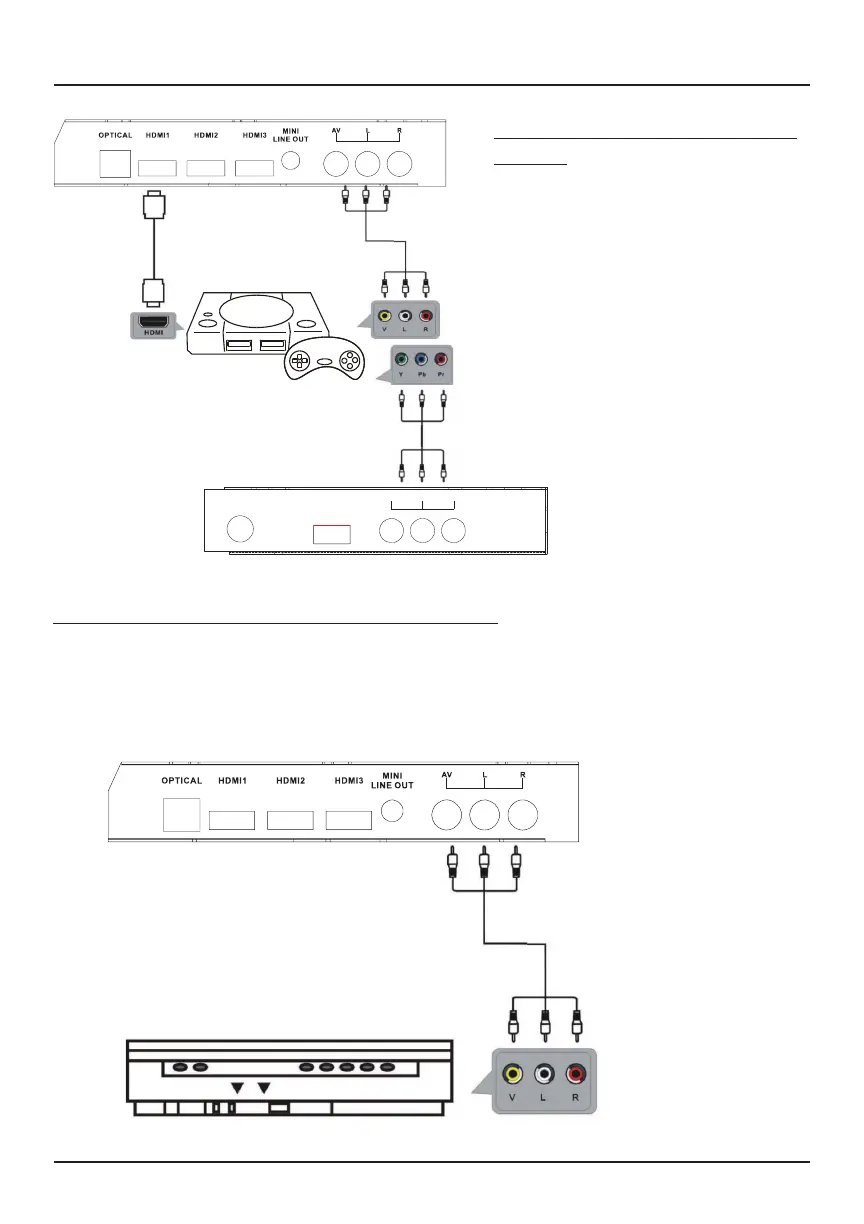
Gaming Console
Use the composite audio L/R (white/red) and video (yellow) cables (sold separately)
to connect an external device, such as a speaker, to your TV.
Press the SOURCE button on your TV’s remote until you reach “AV”.
AV cable
(sold separately)
Connecting an external device to your TV via AV
Back of DVD/VCR
Connecting a gaming console to
your TV
Use an HDMI cable, AV cable and
YPbPr cable (sold separately) to
connect a gaming console to your
TV. Be sure to match the cables to
the proper inputs.



 To Next Page