Setting the Last value of Odometer
Sleep Mode
Maximum Speed (MXS)
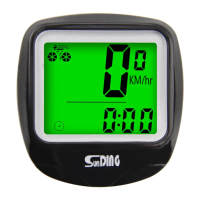
Speedometer
Odometer
Trip Distance (DST)
Scan
Incorrect magnet / sensor alignment.
Inaccurate value is
indicated
Improper input, such as wheel
circumference.
Temperature exceeds operating limits
(0°C~55°C).
Temperature too high, or placed in
direct sunlight for too long. Let the unit
cool down.
Poor battery contact or dead battery.
Display shows irregular
figures
Take out battery and re-install after 10
seconds.
Backlight long Bright
Auto Backlight
Function Descriptions
Malfunctions and Problems
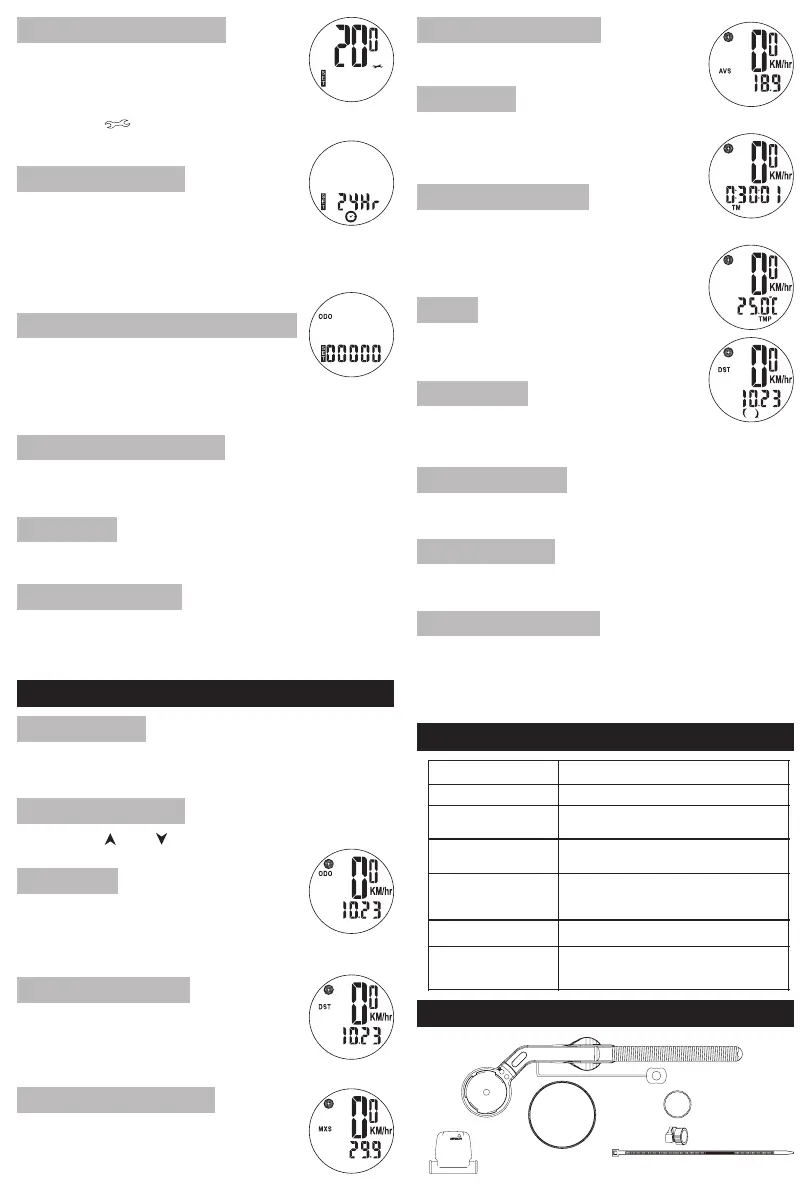
Accessories
Trip Time
Speed Comparator
CLK Mode(12H/24H)
Setting Maintenance alert
Temperature (TMP)
Sensor
Mounting Shoe
Cable Ties
Wheel Magnet
CR2032 Battery
Computer
Average Speed (AVS)
Clear Data
Temperature Unit SettIng
Deep Sleep Setting
Deep Sleep Mode
Max speed in a single trip (DST)
Press the MODE button to enter AVS mode.
This is the single trip mode. Shows the
distance from the last data reset.
Counting range: 0.01~9999KM/M, It will
automatically reset to 0 after exceeding.
Press the MODE button to enter MXS mode.
The odometer shows the total mileage from the last
reset to the present, The total mileage counting range
is 0~99999KM(Mile), It will automatically reset to 0
after exceeding.
Press the MODE button to enter DST mode.
During riding, ‘ ’ and ‘ ’ indicates the current speed
is higher or lower than the average speed (AVS).
The speed is always displayed on the screen, with a maximum
reading of 99.9km/h(mile/h) and an accuracy of +/- 0.1 km/h
(mile/h).
Press and hold the mode key for 4 seconds to turn on
Backlight long Bright. Press and hold the mode key for 4
seconds and the Backlight long Bright will turn off. After the
computer enters the sleep mode the Backlight long Bright is
turned off.
In DST\ MXS\ AVS\ TM\ SCAN mode, hold SET button
4 seconds DST\ MXS\ AVS\ TM to clear all data.
Press and hold SET key for 4 seconds in temperature display mode
to switch to Fahrenheit (°F). The temperature unit defaults to
Celsius (°C).
To set the ODO value, press and hold SET button
for 4 seconds in ODO mode. The default value is
0000.0. Press MODE button to change the flashing
figure, and SET button to confirm and move on to the next figure.
NOTE: Before replacing the battery, write down your mileage
and then reenter it after the battery is replaced.
To enter setting in the clock mode, press and hold
SET buttonfor 4 seconds to enter 12/24H format
setting. Press it again to switch formats. Press SET
button to set Hour, and press MODE button to change
the flashing hour figure. Press SET button one more time to set
Minute, and press MODE button to change the flashing minute figure.
Press SET button to confirm and press it once more to go back to
ODO mode.
To set the maintenance alert, press the MODE
button to choose from 200/400/600/800 km/mile
while the default value of 200km/mile flashes. Press
the button to confirm and go to Clock mode.SET
(When the reaches the maintenance alertODO
value you set, symbol will show up on the
screen to remind you. Press both button andSET
button to clear it.)MODE
The Smart Backlight will activate when there is insufficient light.
Press any button to turn on the Backlight for 5 seconds.
The screen displays SLEEP. In deep sleep mode, the
only way to wake up the computer is to press any key.
CLK clock is retained. When there is a signal
input or key press computer will return to the mode before
sleep, and remember the values before sleep.
It displays DST, MXS, AVS, and TM in
turn for four seconds per mode.
Press the MODE button to enter CLOCK Mode.
measures and displays the external
environment temperature, which defaults
to Celsius (°C), with a temperature
measurement range of -10°C~70°C.
Press the MODE button to enter SCAN Mode.
The cumulative riding time for a singletrip (DST).
Timing range: 0:00:00~9:59:59, it will reset to
zero and recount after exceeding.
Press the MODE button to enter TMP Mode.
Average speed in a single trip (DST)
Press the MODE button to enter TM mode.
Press and hold MODE key + SET key for 6 seconds, after the screen
displays SLEEP, computer will enter deep sleep mode, The computer
unit will automatically enter deep sleep mode if there is no operation
within 7 days.



 To Previous Page
 Loading...