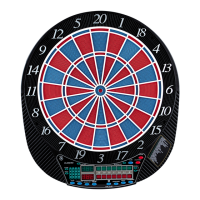
Electronic Dartboard 24/40
register a “missed” dart. Player can press when dart lands outside target area so computer registers a
thrown dart.
PLAYER/PAGE button – This button is used at the start of each game to select the number of
players you want to play the game. In addition, this button allows players to see other player scores of
not on active display. LCD dartboard keeps track of scores for up to 8 players or up to 4 two-person
teams.
GAME button – Press to page through the on-screen game menu and select game.
SELECT button – Press to select various difficulty settings for games. Many games contain several
difficulty options that can be accessed by pressing this button
RESET button – Press to clear display and reset dartboard to opening sound.
CYBERMATCH button – This exciting feature allows single player to play against the computer at
one of five different levels of skill! Only 1 player can complete against the Cybermatch competitor at a
time. The Cybermatch feature adds a level of competition to normally routine practice sessions.
Cybermatch Skill Levels Level 1 (C1) Professional
Level 2 (C2) Advanced
Level 3 (C3) Intermediate
Level 4 (C4) Novice
Level 5 (C5) Beginner
Press to activate Cybermatch feature where you can play against the computer and then press START.
When play begins: the ‘human’ player throws first. After 3 darts art thrown, go to the board to take darts
out and press START to change the next player (Cybermatch). Watch as the Cybermatch opponent’s
dart scores are registered on the display. The dartboard will indicate the segment the Cybermatch
opponent is throwing for the in Active Score Display (the ATTEMPT LED will light). Then the Active
Score Display will indicate the segment that the Cybermatch opponent actually scored (the RESULT
LED will light).
After the Cybermatch opponent completes his round, the board will automatically reset for the ‘human’
- level C5 is currently not working optimal


 To Next Page
 Loading...