SunFounder PiDog Kit, Release 1.0
2.2.8 Face Track
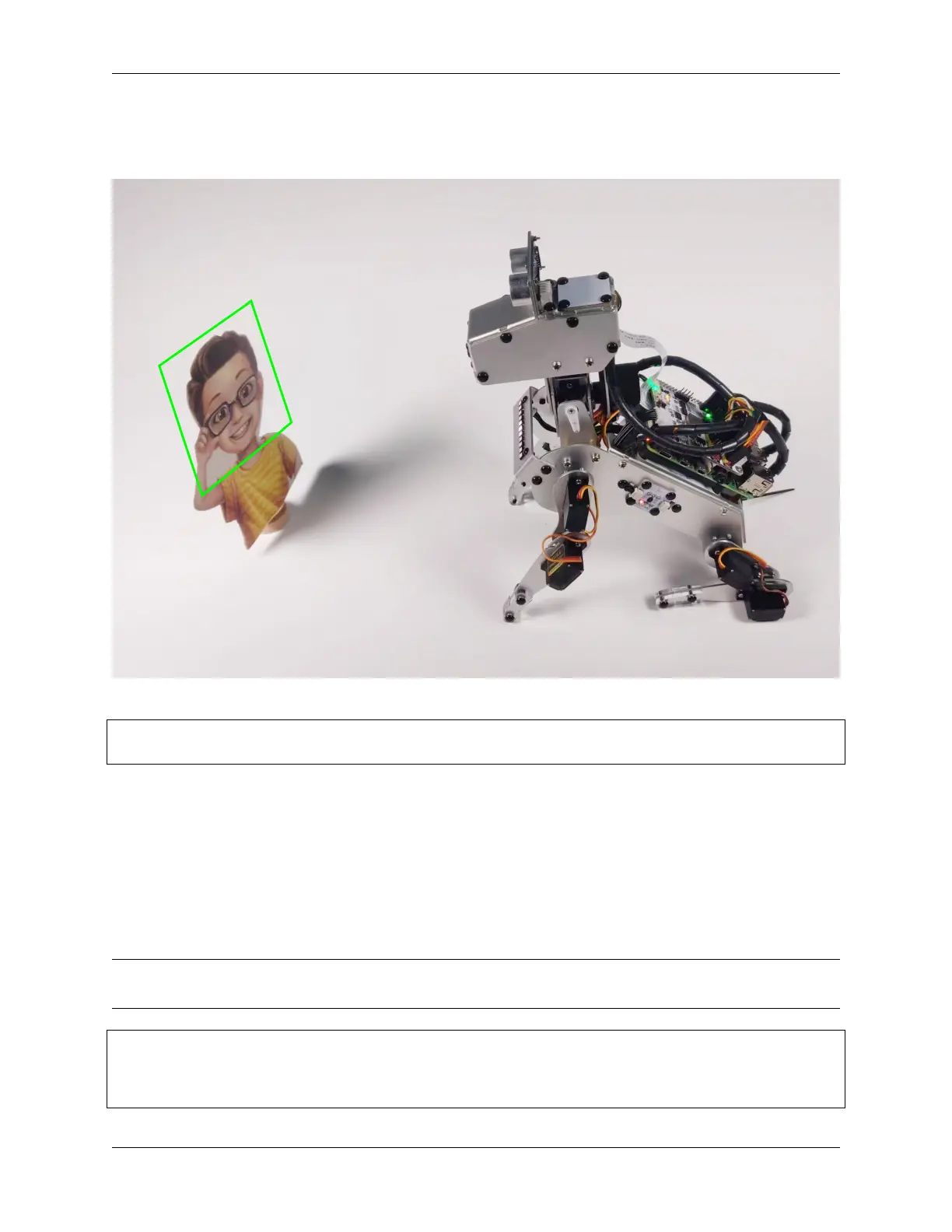
PiDog will sit quietly in place. You applaud it, it looks your way, and if it sees you, it says hello.
Run the Code
cd /home/pi/pidog/examples
sudo python3 7_face_track.py
After running this code, PiDog will start the camera and enable the face detection function. You can visit http://
+ PiDog's IP +/mjpg (like mine is http://192.168.18.138:9000/mjpg) in your browser to view the
camera’s picture.
Then PiDog will sit down and activate the Sound Direction Sensor Module to detect the direction of your clapping.
When PiDog hears clapping (or other noise), it turns its head toward the sound source, trying to find you.
If it sees you (face detection finds an object), it will wag its tail and let out a bark.
Code
Note: You can Modify/Reset/Copy/Run/Stop the code below. But before that, you need to go to source code path
like pidog\examples. After modifying the code, you can run it directly to see the effect.
#!/usr/bin/env python3
from pidog import Pidog
from time import sleep
from vilib import Vilib
(continues on next page)
58 Chapter 2. Play with Python



 To Next Page