SunFounder PiDog Kit, Release 1.0
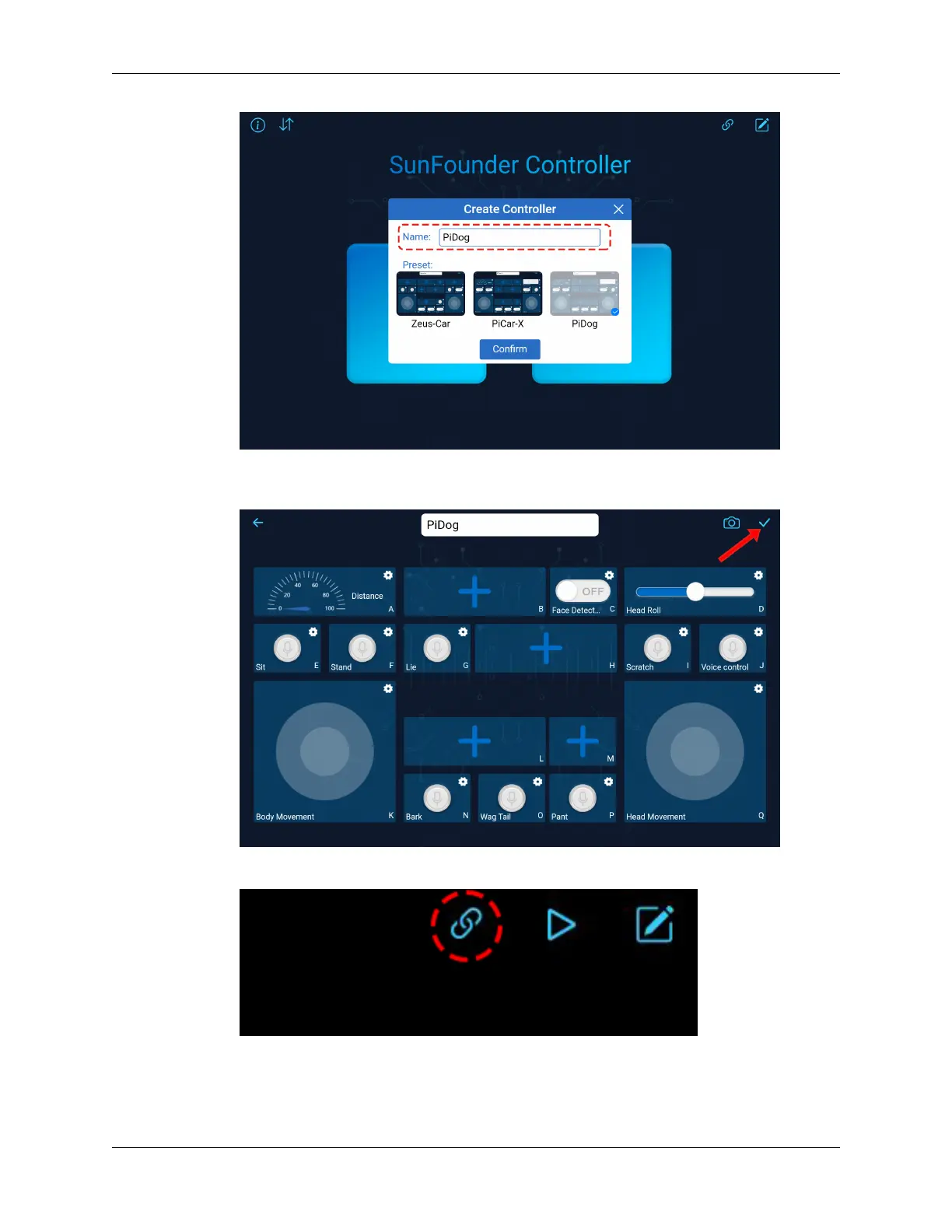
• Now you have entered the inside of the remote control, which has several components for setting.
Click the save button in the upper right corner.
• Next you need to connect PiDog with your device by pressing the connect button.
• Wait a few seconds, MyDog(IP) will appear, click it to connect.
72 Chapter 2. Play with Python



 To Next Page