57
Type in the following address (replace 192.168.0.xxx with the IP address of
your Raspberry Pi) at the address bar of your browser (Firefox is
recommended):
http://192.168.0.xxx:8080/stream.html
Press Enter and you will see the view captured by the camera displayed on the
screen in a real-time manner.
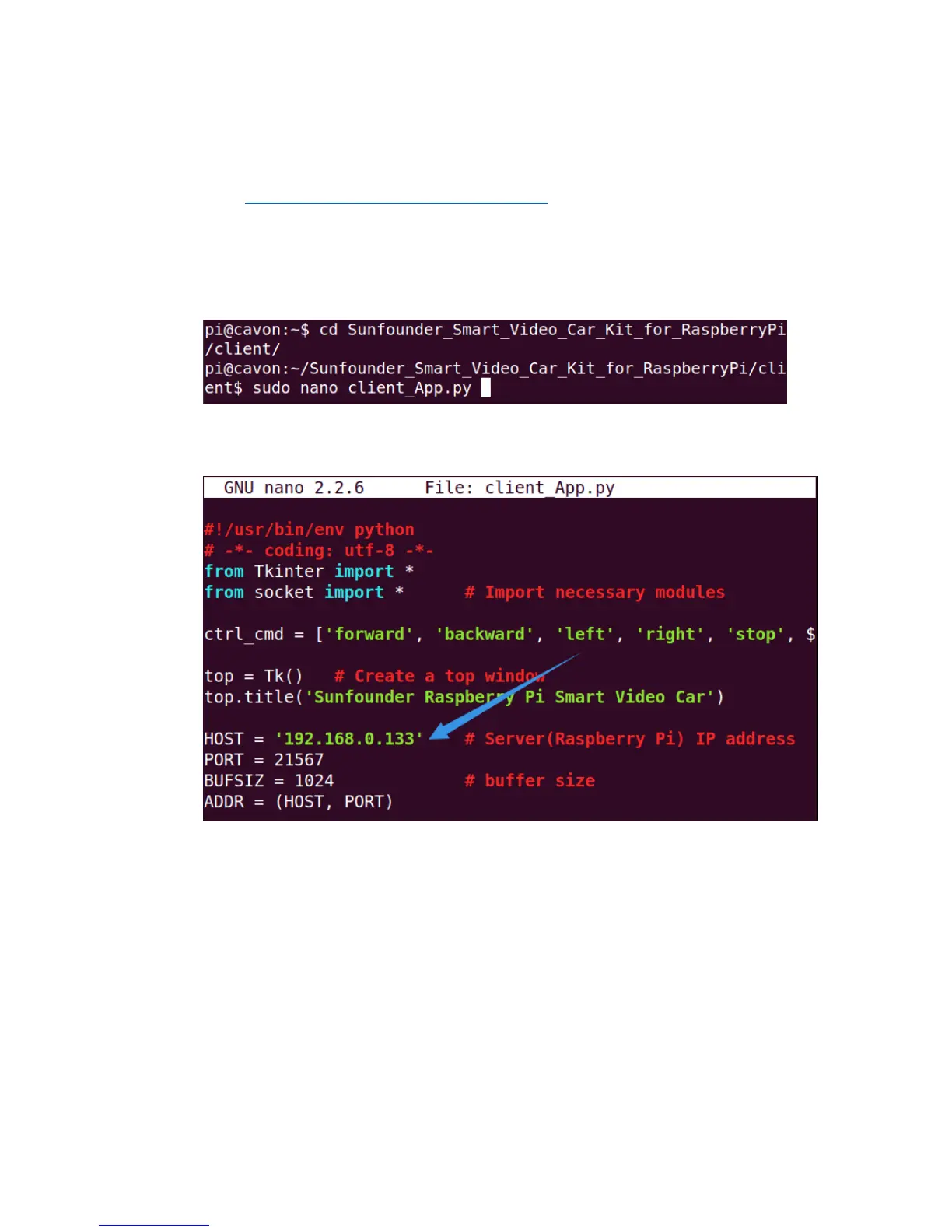
- Open the last terminal, Terminal 3. Go to client with cd and edit the file
client.py:
Similar to the change in calibration, change the IP address in the client program
in your PC:
After the alteration, press Ctrl+O and save and Ctrl+X to exit.
Then run the client program:
sudo python client_app.py


 To Next Page