58
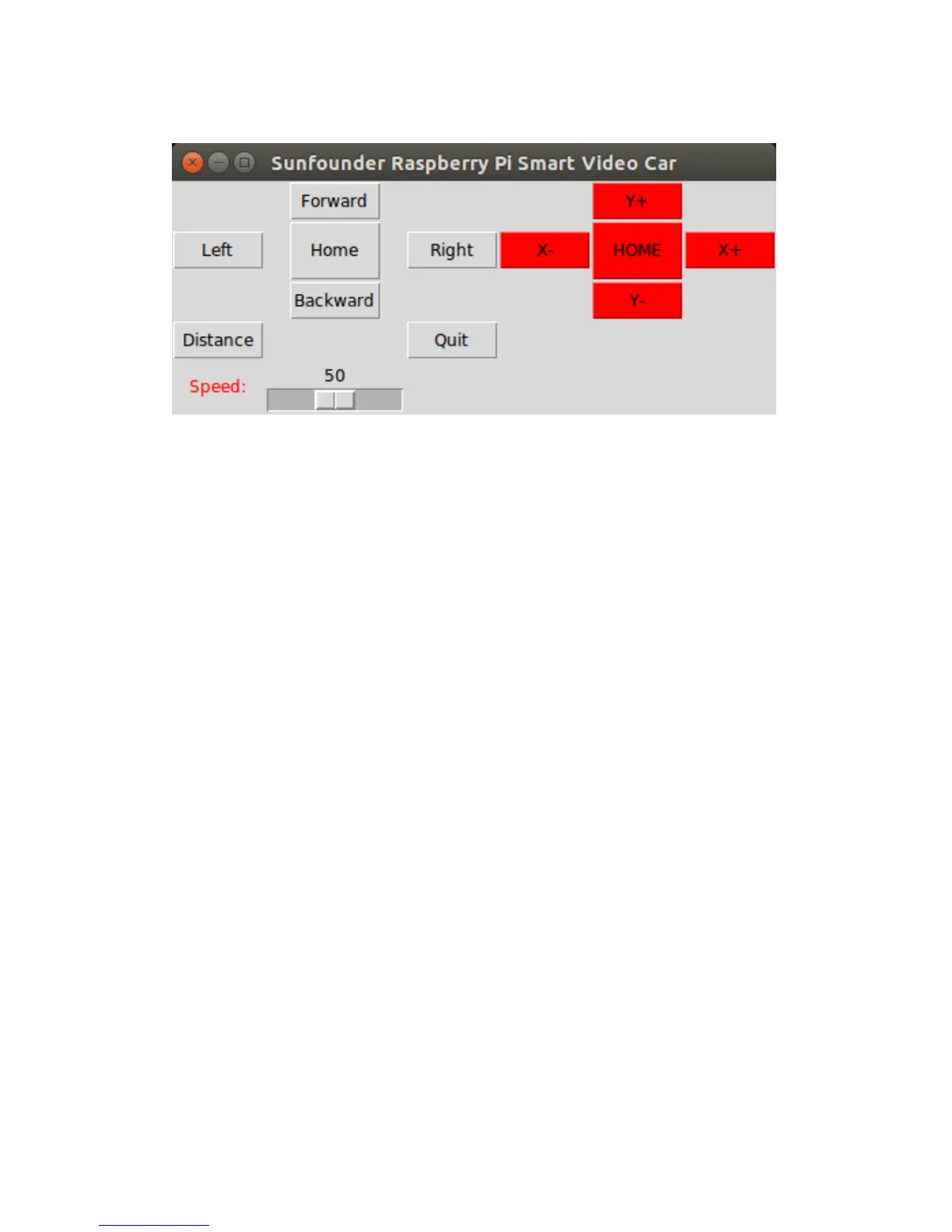
The following picture will appear on your screen:
You can click buttons such as Forward and Backward to control the car moving
remotely. Or click X+, X-, Y+, and Y- to control the coverage of the camera.
Note:
The server program must be run before you run the client program. Some settings must be
completed for the server before the service is done. A communication endpoint needs to be
created for the server to "listen" to requests from the client. Take the server as a receptionist
or an operator of the bus phone in a company. Once the phone and device installation is
completed and the receptionist or operator is in place, the service begins.


 To Next Page