TS7-Pro 7-inch Touch Screen
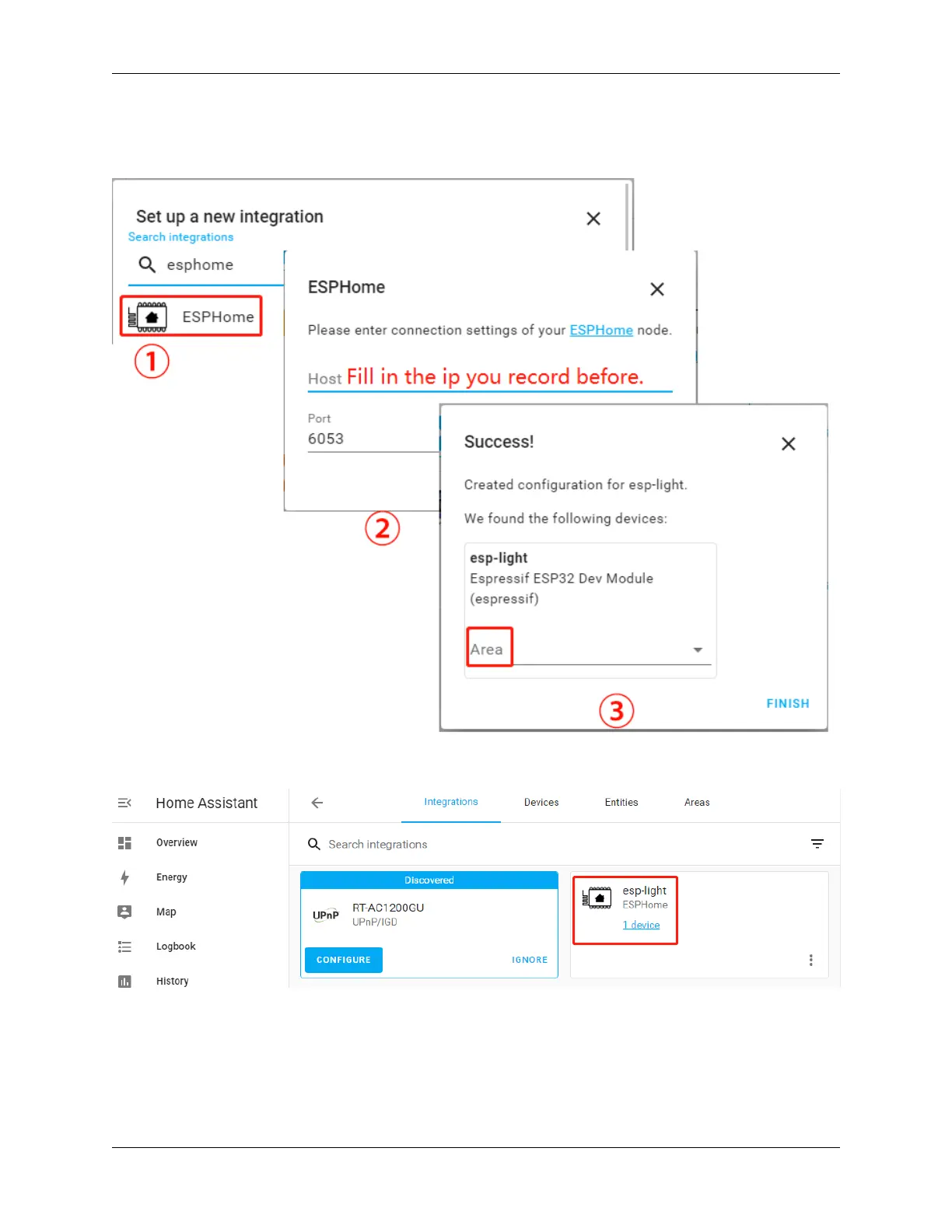
3. Search for ESPHome in the pop-up window and fill in the Host (the IP recorded after the INSTALL step in
chapter:ref:Install and configure ESPHome), with the option to place your esp-light in the bedroom, kitchen or
other area of your choice.
4. After clicking Finish, you will see it in the list.
Edit Dashboard
Now a CARD needs to be added to control this esp-light.
Click Overview –> Edit Dashboard –> ADD CARD, you can select the corresponding CARD according to your
needs, for example, select Button here, and then select the corresponding Entity.
98 Chapter 5. PROJECTS AND ACTIVITIES



 To Next Page